
NEWS
Chrome Autofill Made Google Wallet the Web Form Vault
Chrome’s December 2025 holiday autofill update was the public start of Wallet filling passports, flights, and loyalty numbers on the web.

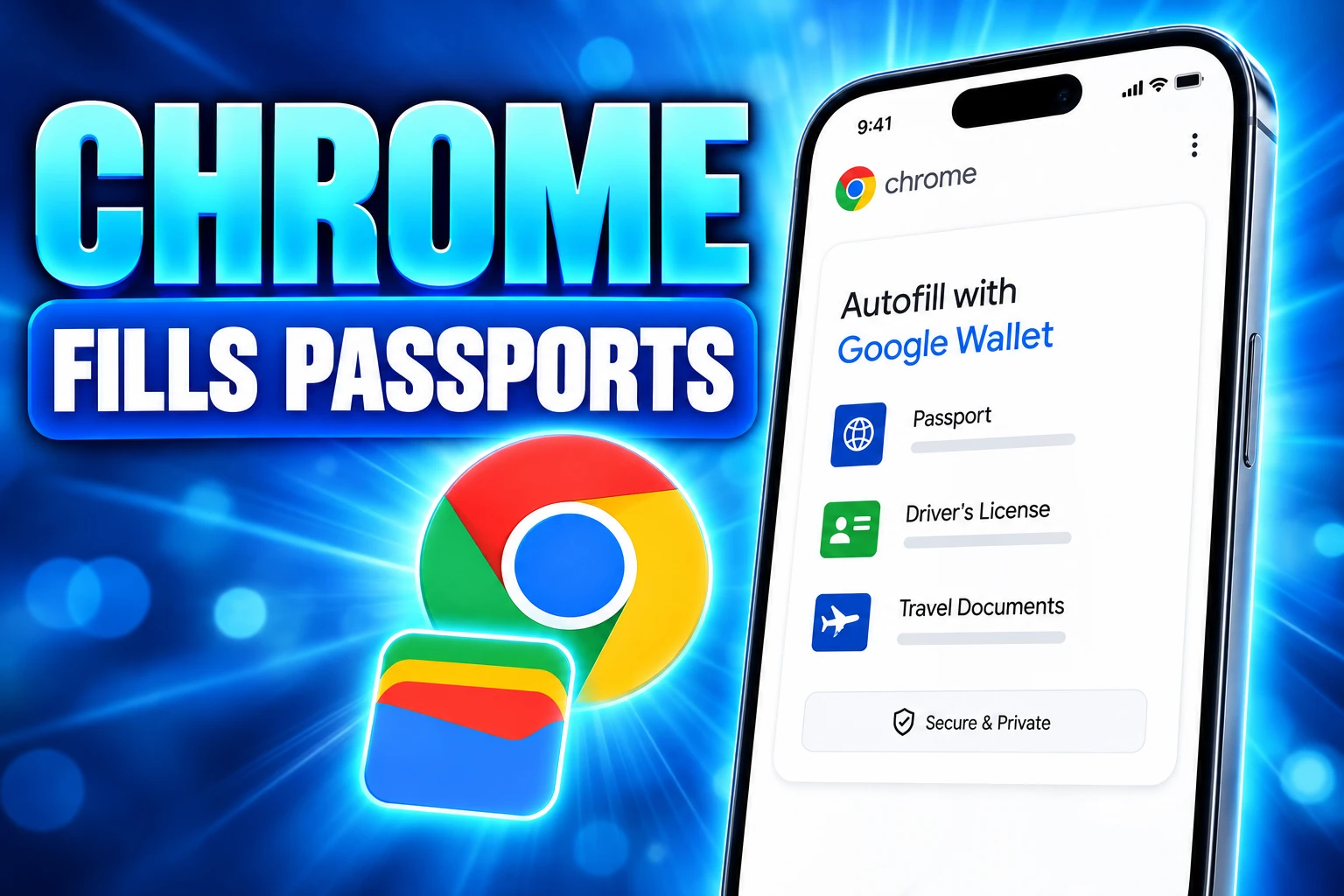
Chrome autofill can now drop a passport number, a driver’s license, and a Known Traveler Number into a web form from Google Wallet. Chrome product managers Amanda Lim and Nico Jersch said that identity fill reached Android and iOS on June 23, 2026, with the same Wallet pipe already feeding flight details and vehicle data.
The work started as a holiday checkout package. On December 5, 2025, Chrome framed loyalty cards, trip details, and cleaner Android suggestions as a way through gift and travel forms. The quieter change was that Wallet became the store for those extra fields.
Loyalty Cards Were the Holiday Hook
Ali Sarraf, a senior product manager on Chrome, listed four holiday autofill upgrades in that December product post. Signed-in users got a tighter Account link, so the browser could pull name, email, and saved Home and Work addresses at sign-up or checkout on desktop, Android, and iOS.
Shopping in Chrome on desktop or Android could fill a loyalty number stored in Wallet, so a rewards account did not depend on a plastic card. Flight confirmation numbers and dates could come from a booking already saved in Wallet, which Chrome used as the example for an airport car-rental form. Desktop Chrome could save vehicle details to Wallet and fill them on insurance and rental sites.
The fourth change was smaller and more visible on a phone. Autofill chips above the Android keyboard grew to two lines, so a password, an address, and a payment method were easier to tell apart. Google also said it had improved global address fill, including “between streets” lines used in Mexico, and flagged phonetic names in Japan as still to come. Sarraf pointed people to a Chrome setting called smarter form understanding for the new smart filling.
THE CHROME AUTOFILL CALENDAR
- December 5, 2025: Chrome lists loyalty cards, trip details, vehicle save on desktop, two-line Android chips, and broader address fill.
- April 15, 2026: Chrome for Developers documents phonetic name fill for Japanese Kanji and Furigana.
- April 24, 2026: Google Japan adds a Yomigana field under Addresses and more.
- June 23, 2026: Chrome extends flight and vehicle fill to iOS and Android and reads driver’s licenses, passports, and Known Traveler Numbers from Wallet.
- August 10, 2026: Google Pay Developers tell merchants Chrome can fill passports, licenses, booking confirmation, and loyalty cards from Wallet passes on desktop and iOS.
Read that list as one product, not five disconnected tips. Loyalty was the public hook. Wallet was the store the later identity fields would use.
June Put Passports on Android and iOS
Lim and Jersch’s June post put advanced autofill on iOS and Android for the complex types Chrome had already started filling on desktop, including flight details plus a license plate and VIN. At the same time, Chrome deepened its Wallet read across mobile and desktop for driver’s license details, passport information, and a Known Traveler Number. If Wallet did not already hold those, Chrome could save them there the first time they were typed on a site.
They said Chrome fills or saves only with permission, and that sensitive data is encrypted. IDs classed as private passes get their own Wallet controls, separate from the general Autofill page. Nick Fox, Google’s SVP of Knowledge and Information, treated the mobile ship as a typing problem solved, not as a new identity product.
Excited to ship advanced autofill on mobile with info from Google Wallet… big time saver.
Nick Fox, SVP of Knowledge and Information at Google, on X
Chrome’s own account posted the same day, naming passports, driver’s licenses, and Known Traveler Numbers as the new Wallet data types.
Enhanced autofill in Chrome is getting even better at filling in the blanks with new data types from Google Wallet like passports, drivers licenses, and Known Traveler Numbers. pic.twitter.com/gZDUawjAEQ
— Chrome (@googlechrome) June 23, 2026
Google Pay Developers followed on August 10, 2026, saying Chrome can recall passports, driver’s licenses, booking confirmation, and loyalty cards from Wallet passes on desktop and iOS. That note is a prompt to put passes in Wallet so checkout forms can see them. It is not a fresh data type.
How Chrome Autofill Uses Google Wallet
Chrome’s help pages say you need to be signed in to use autofill, and that the browser can draw a name and email from your Google Account plus certain info from Wallet. Save-and-fill is on by default for five groups, unless you have already turned a group off.
FIVE AUTOFILL GROUPS IN CHROME SETTINGS
- Google Password Manager: Logins and passkeys sit in their own bucket, still the old core of Chrome fill.
- Payments: Cards and related pay data, with Wallet as the place you edit a method that already lives there.
- Contact info: Addresses and similar contact fields, including the Home and Work entries pulled from Account.
- Identity docs: The new home for licenses, identity cards, and passports that Wallet can feed into a form.
- Travel: Trip details and vehicles, including the plate and VIN path Chrome opened on phones in June.
Help text draws a hard line between those stores. Address info is saved in your Google Account. Identification and vehicle information is saved in Google Wallet. If Use passes across Google is off in Wallet, Chrome keeps that info on the device instead of sharing it across Google products.
CHROME AUTOFILL DATA AND WHERE IT LIVES
| Data type | Saved in | When Chrome called it out |
|---|---|---|
| Name and email | Google Account | December 5, 2025, on desktop, Android, and iOS |
| Home and Work addresses | Google Account | December 5, 2025, on desktop, Android, and iOS |
| Loyalty cards | Google Wallet | December 5, 2025, on desktop and Android |
| Flight confirmation and dates | Google Wallet | December 5, 2025, then iOS and Android on June 23, 2026 |
| License plate and VIN | Google Wallet | Desktop on December 5, 2025; iOS and Android on June 23, 2026 |
| Driver’s license, passport, Known Traveler Number | Google Wallet | June 23, 2026, on mobile and desktop |
A site still only sees a value after you accept a suggestion. Chrome’s help pages also note that a page may be too weak on security to receive this info, or that the browser may not detect a field even on a secure site.
Smarter Form Understanding Stays On by Default
The December post told people to turn on the feature. Current Chrome Help is blunter: smarter form understanding in Chrome settings is on unless you choose to turn it off, and you must be signed in. Not every website or form works with it.
A second toggle, Verify it’s you when filling sensitive info, is also on by default. Chrome then asks for a fingerprint, face, or other screen lock before it fills those fields. On a device with no biometrics, it uses the regular PIN or password. Turn that toggle off and those extra checks stop.
WHAT CHROME SENDS TO MATCH A FORM
- Field matching: Chrome sends the basic structure of the form, form field names and a hashed domain, then uses Google’s reply to line your saved info up with the boxes on the page.
- After you submit: Chrome sends structure, attributes, and the types of data you submitted, so later predictions improve, not a copy of the live values as typed.
- Noise and generics: Labels go up as types such as “first name” rather than a real given name, and Chrome adds random data to labels and attributes so private strings are harder to pick out.
- Cards: If you refuse to store a credit card, Chrome can still keep the last 4 digits so it does not ask about the same card again.
Google’s line is that Chrome never shares your info without permission. The matching step still means form layout leaves the device. That is the trade for filling a passport field that a plain local profile never held.
The Gap Password Managers Cannot Close
A third-party password manager can fill logins, and some identities, that it stores itself. It cannot read a loyalty card, a boarding confirmation, or a passport that exists only as a Google Wallet pass. Chrome’s fill gets better as more of a person’s travel life lands in Wallet, which is why the payments developer channel is asking merchants to issue those passes.
That is convenient on a car-rental form at 11 p.m. It is also a lock-in that does not show up in a holiday blog post. The same Autofill menu that once held an address now sits beside Identity docs and Travel. A stolen Chrome profile that used to leak a shipping line can now leak an ID number if the user saved one and left the fill switches on.
Chrome’s answer is the biometric gate on sensitive fill, plus the private-pass controls in Wallet. Those checks only help if they stay on. The public conversation around the June post still treated the ship as a travel typing hack, which is how Google sold the December package. The settings page is the better guide to what changed.
Japan Got Furigana Autofill in April
December’s worldwide-address note named Mexico’s between-streets lines and said phonetic names in Japan were still coming. The Japan half landed in April. On April 15, 2026, Yu Tsuno and Karol Sygiet wrote on Chrome for Developers that autofill could fill both Kanji and Furigana name fields, because Japanese forms often split a visual name from its reading.
Brady Becker, a product manager for Chrome and the web, followed on April 24, 2026, on Google’s Japan feed. Chrome can save Yomigana in Katakana or Hiragana on the profile, and a Yomigana field now sits under Addresses and more. The next time a form asks for a name, Chrome can also offer to save the reading.
HOW CHROME PICKS KATAKANA OR HIRAGANA
- Three signals: Chrome looks at the autocomplete attribute first, then field labels, then name attributes, because HTML has no dedicated phonetic-name value.
- Katakana rule: If a label contains at least 1 Katakana character, Chrome fills Katakana.
- Default script: Otherwise it fills Hiragana, including when the label is an English phrase such as phonetic full name.
Mexico’s between-streets support was the December example of the same bet: forms do not look like a U.S. address block everywhere, and Chrome would rather learn those layouts than leave the field blank. Japan was the follow-through that needed a developer spec, not another holiday screenshot.
The Toggles That Keep a Passport Local
None of this fill runs as a silent dump of a Wallet onto every box. Chrome still waits for a tap, and each group has a Save and fill switch. The useful controls are easy to miss because they now live in two apps.
CONTROLS THAT LIMIT WALLET FILL
- Smarter form understanding: On unless you turn it off, under Autofill settings, and it still fails on sites Chrome cannot parse.
- Verify it’s you: On by default for sensitive fill; turn it off and Chrome stops asking for a face, fingerprint, or screen lock on those fields.
- Save and fill per group: Off for Identity docs or Travel and those Wallet types stop offering themselves on forms.
- Use passes across Google: Off in Wallet and the info is saved locally on the device instead of being shared across Google products.
- Private passes: IDs keep their own Wallet controls, which Lim and Jersch pointed to beside the main Autofill page.
Deleting Autofill form data inside Chrome does not empty Wallet. Payment methods and addresses that live in Google Pay, and other Wallet info, have to be removed there. That split is easy to miss if you only clear the browser.
Frequently Asked Questions
Does Clearing Chrome Autofill Delete Google Wallet Passes?
No. Chrome’s help pages say that using Delete browsing data and ticking Autofill form data does not remove payment info and addresses stored in Google Pay, or info stored in Google Wallet. Those records have to be edited or deleted in Wallet itself, and a signed-in delete from Chrome still leaves Wallet’s own copies in place.
Are All Websites Compatible With Smarter Form Understanding?
No. Chrome Help states that not all websites and forms are compatible with smarter form understanding, even when you are signed in and the setting is on. If a page is not secure enough, or Chrome cannot detect the fields, the new Wallet types will not appear as suggestions and you still type them by hand.
What Does Use Passes Across Google Change?
When that Wallet setting is off, Chrome’s help pages say your info is saved locally to your device rather than shared across Google products. Autofill can still use what is on that phone or computer, but the same passport or vehicle record will not ride along through Wallet to every other Google surface that setting would have opened.
Where Do You Add a Japanese Yomigana Name in Chrome?
Brady Becker’s April 24, 2026 note says you add it from Chrome’s Addresses and more settings, in the Yomigana field, and that Chrome can also offer to save a reading the next time you type a name on a web form. Saving it on the profile is what lets the same Furigana fill follow you to other signed-in devices.
What Happens If You Turn Off Verify It’s You?
Chrome Help says the extra fingerprint, face, or screen-lock prompt will not appear when you autofill sensitive info. The fill can still run from Wallet or Account data if Save and fill is on. The trade is speed for a missing step that was the default guard on licenses and other sensitive types.
Google Pay Developers are already telling merchants to get passes into Wallet so Chrome can fill them. A loyalty number was the holiday example. A passport field is what that example turned into.

UPI MDR Delay Hands Traders the Calendar After Paytm Falls

Google Messages Builds Nine In-Chat Games After Samsung’s Exit

Anthropic’s $100 Million Academy Trains the Firms That Bill Both Sides

Toyota’s Electric C-HR Leaves the Cheap Twin to Subaru

Markets Bet the Fed Skips October After Hawkish Minutes

The Orchard Bug Forced Zcash to Open an Empty Pool

The $5.99 Game That Won Steam’s 2026 Summer Sale

Don Lee Joins Hemsworth as Extraction 3 Starts Shooting

YouTube Shorts Retires Dislikes and Swaps Likes for Hearts

NEURA Robotics Is Spending Its $1.4B on a Machine Stack
-
 NEWS4 months ago
The Orchard Bug Forced Zcash to Open an Empty Pool
-
 GAMING4 months ago
The $5.99 Game That Won Steam’s 2026 Summer Sale
-
 ENTERTAINMENT6 months ago
Don Lee Joins Hemsworth as Extraction 3 Starts Shooting
-
 NEWS4 months ago
YouTube Shorts Retires Dislikes and Swaps Likes for Hearts
-
 NEWS4 months ago
NEURA Robotics Is Spending Its $1.4B on a Machine Stack
-

 AUTO6 months ago
Kawasaki Bets the New Z1100 Against Its Own Supercharger
-

 BUSINESS5 months ago
Norway’s Export Bank Backs Nscale’s $790 Million Narvik Loan
-

 GAMING4 months ago
Game of Thrones Dragonfire Follows Boston’s Conquest Playbook