The wait is officially over for millions of Samsung smartwatch users in the United States. After a successful initial rollout in international markets, the Samsung Galaxy Watch 6 and Watch 6 Classic are now receiving the massive One UI 6 Watch update across major US carriers. Based on the latest version of Google’s Wear OS 5, this firmware overhaul brings a suite of artificial intelligence features, advanced health tracking capabilities, and a smoother user interface that fundamentally changes how the wearable performs.
Carrier Models Receive Long Awaited Firmware
For weeks, users on cellular networks have been eagerly anticipating this software drop, especially after seeing the Galaxy Watch 7 launch with these features out of the box. Reports from users on T-Mobile, Verizon, and AT&T confirm that the update is now hitting LTE models across the country.
This is not just a standard security patch; it is a heavy operating system upgrade. The firmware versions detected are R935USQU1BXJ5 and R945USQU1BXJ5 for the standard and Classic models respectively, weighing in at a substantial size of over 1GB.
| Device Model | Update Status | Network |
|---|---|---|
| Galaxy Watch 6 (40mm/44mm) | Rolling Out Now | LTE / Bluetooth |
| Galaxy Watch 6 Classic | Rolling Out Now | LTE / Bluetooth |
| Galaxy Watch 5 Series | Coming Soon | All Variants |
Users should ensure their watch has at least 30% battery and is connected to Wi-Fi to ensure a swift installation process without interrupting the download of these new system files.
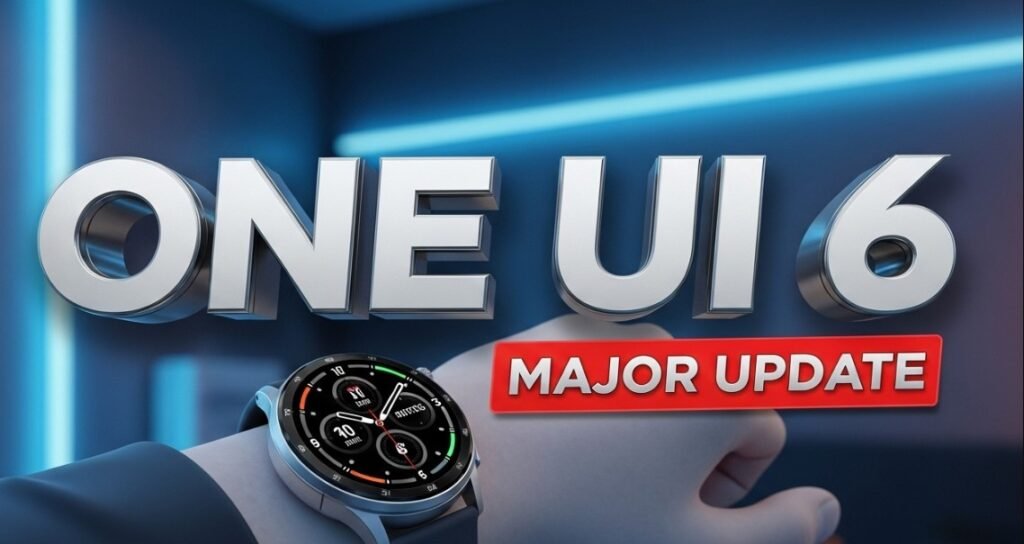
Samsung Galaxy Watch 6 displaying One UI 6 software update screen
Revolutionary Health Features Powered by AI
The crown jewel of the One UI 6 Watch update is the integration of Galaxy AI into daily health metrics. Samsung has completely revamped how the watch interprets biometric data, moving away from simple raw numbers to actionable insights.
Energy Score is the standout addition here. By analyzing your sleep time, sleep consistency, activity levels from the previous day, and sleeping heart rate variability, the watch now provides a single score (0-100) every morning. This helps users understand their physical readiness for the day ahead.
“The shift to AI-driven health metrics means your watch doesn’t just track you; it understands you.”
Another critical addition is the Sleep Apnea Detection feature. FDA-authorized in the US, this tool allows the watch to monitor for signs of moderate to severe sleep apnea over a two-night monitoring period, potentially alerting users to serious underlying health conditions they were unaware of.
Advanced Wellness Metrics
- AGEs Index: Tracks advanced glycation end products to measure metabolic health.
- Detailed Sleep Analysis: Now includes movement during sleep, sleep latency, and heart rate and respiratory rate during sleep.
- Workout Routine: Allows users to combine various exercises for a personalized workout session.
Fresh Interface and Intuitive Gestures
Beyond health, the user experience has received a significant facelift. The interface feels snappier, with smoother transitions and a new default font that improves readability on the small circular display.
The most talked-about UI change is the Double Pinch Gesture. While previously an accessibility feature, it is now fully integrated into the OS. Users can simply pinch their thumb and index finger together twice to answer calls, dismiss alarms, or control music playback without ever touching the screen.
Samsung has also redesigned the Quick Panel and notification cards. They now feature a more modern, rounded aesthetic that aligns perfectly with the visual language found on Samsung’s flagship Galaxy S24 smartphones. The “Ongoing Icon” at the bottom of the watch face has also been improved, allowing for faster multitasking when a workout or timer is running in the background.
How to Install This Critical Update
Since this is a phased rollout, not every device will receive the notification simultaneously. However, you can manually check to see if the software is waiting for you.
- Open the Galaxy Wearable app on your connected smartphone.
- Navigate to Watch settings.
- Scroll down and select Watch software update.
- Tap on Download and install.
If the update does not appear immediately, do not panic. Carrier rollouts often occur in waves to prevent server congestion. It is recommended to check back daily over the next week.
In summary, the One UI 6 Watch update breathes new life into the Galaxy Watch 6 series, bridging the gap between last year’s hardware and the latest software advancements. With Energy Score, improved gestures, and deeper health insights, this update makes the Watch 6 feel like a brand-new device.
Do you have the new update on your Galaxy Watch yet? Share your experience with the new Energy Score in the comments below! If you are posting your stats on social media, use the hashtag #GalaxyWatch6Update to join the conversation.
