
NEWS
Pixel Fold Black Screen Bug Exposes Google’s Foldable Risk

The Pixel Fold cover screen black bug looks like a software routing failure on some first-gen units: the cover panel can show the boot logo, then go dark after Android loads, and a third-party mode switch can bring it back. That is why owners should treat the problem as a display-state issue before paying for a screen repair.
Google, the Pixel maker, has not posted a public support notice for this exact first-gen fault as of Friday, May 22, 2026. The uncomfortable part is timing: a phone built around two displays can become awkward to use when Android loses track of which screen should be awake.
The Symptom Points Past a Dead Panel
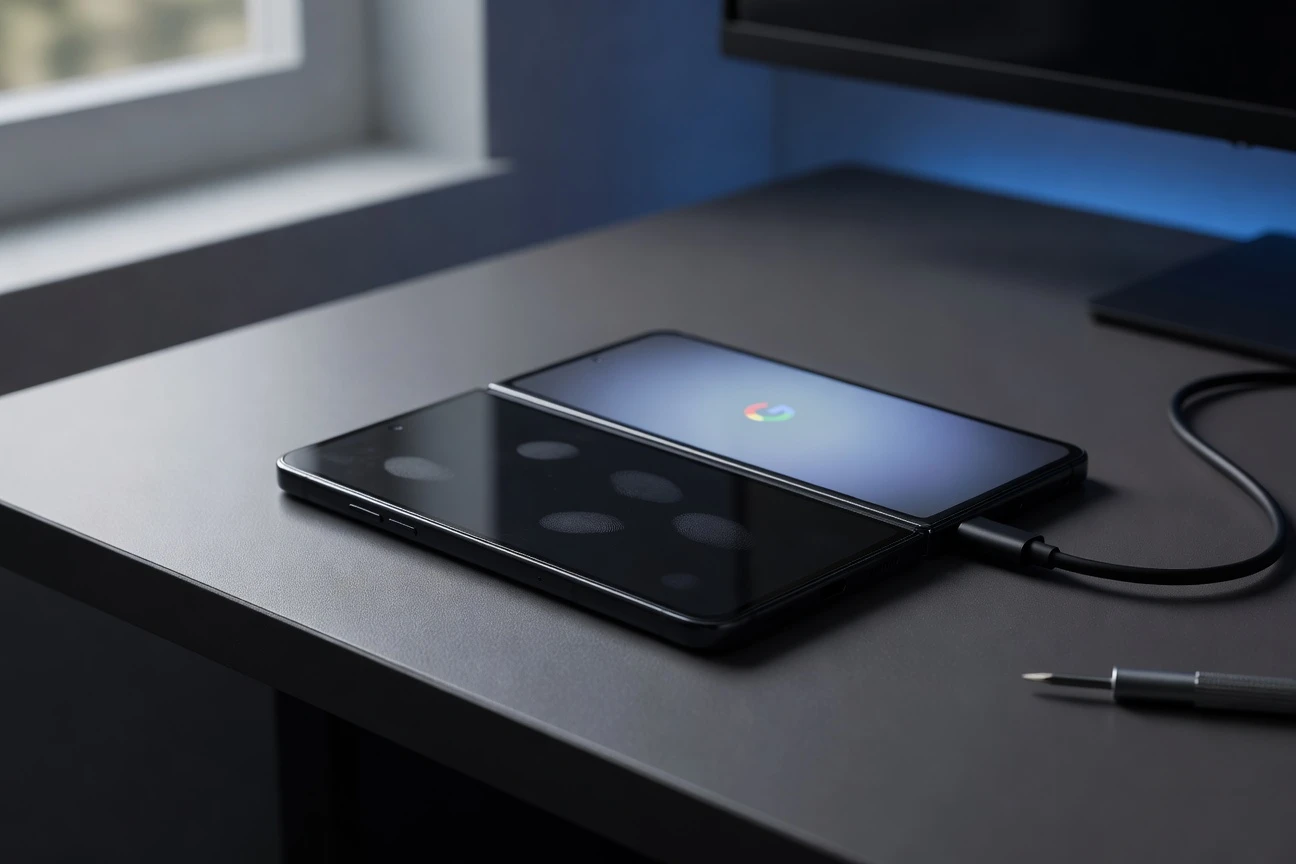
Reports now clustering in r/PixelFold describe the same sequence. The outer display goes black during normal use, a reboot helps for a while, then the problem hardens after a full battery drain or software update. In the most useful cases, the front panel still lights during boot and shows the Google mark before Android takes over.
That boot behavior matters. A cracked, disconnected, or dead organic light-emitting diode (OLED, the display type used in the cover screen) usually does not pass the splash-screen test so cleanly. When the same glass can light at boot but not in the operating system, the panel is still alive and the failure moves higher up the stack.
| Possible Cause | Clue Owners See | What It Suggests | First Sensible Step |
|---|---|---|---|
| Dead cover display | No image during boot, recovery, charging, or Android | Hardware repair likely | Start a repair quote |
| Display routing bug | Boot logo appears, then the cover screen goes black after Android loads | Software may be choosing the wrong display state | Try a fold-state switcher or rear display mode |
| Hinge or sensor fault | The phone behaves as if it is open when closed, or closed when open | Sensor data may be wrong or misread by Android | Document behavior before reset or repair |
The first-gen Pixel Fold was marketed as a phone that works open or closed. Google’s original launch note said the exterior screen handles normal phone tasks while the unfolded display opens into a 7.6-inch tablet-like screen, so a dead cover workflow cuts into the whole premise of the device, not a side feature. Google’s original Pixel Fold launch note
The Workaround Uses a Door Android Already Built
The community workaround is Fold Switcher, an open-source app that changes the fold state exposed to Android. F-Droid, the free and open-source Android app repository, lists the app by Kaiming Hu and says it can switch between closed mode, half-open mode, tent mode, fully open mode, and dual-screen display on supported devices. Fold Switcher listing on F-Droid
The reason it can help is simple. Android already has APIs for foldable display modes. Android Developers, Google’s developer documentation site, says rear display mode moves an activity to the outer screen while the inner display turns off, and dual-screen mode can show content on both displays on the first Google foldable running Android 14 or higher. Android foldable display mode documentation
- Rear Display Mode
- A foldable state that sends the active app to the outer screen, often used for rear-camera selfies.
- Dual-Screen Mode
- A mode that lets a foldable show content on both displays at the same time.
- Shizuku
- An Android permissions bridge used by some power-user apps; the current reports say this workaround can run in user mode on affected devices.
- Application Programming Interface (API)
- A system rule set that lets apps request specific Android behavior without rewriting the operating system.
This does not prove the bug sits in a single file or service. It does show that a user-space tool can wake a display Android had stopped presenting to the owner, which is the strongest clue so far that the issue is not just broken glass.
Google’s Update Trail Leaves the Annoying Gap
The April Pixel bulletin is part of the context, but it is not a confession. Android Open Source Project (AOSP, Google’s public source tree for Android) published the April Pixel Update Bulletin on April 7, 2026, saying supported Pixel devices would receive patches and pointing readers to the Pixel Community forum for functional fixes. April Pixel update bulletin from AOSP
That bulletin does not list a first-gen cover display failure by name. Google Pixel Phone Help also says updates roll out gradually and can take a few weeks to arrive, which makes owner timelines messy: one person may blame March, another April, another a later reboot after the battery hits zero. Pixel software update schedule from Google
That gap leaves owners in a familiar Pixel limbo. The public paper trail confirms that Google’s older foldable remains in the update channel, while the user reports show a very specific failure pattern that is not yet listed as a known issue. The site has covered the broader rhythm of Pixel fixes before, including Android 16 QPR3 beta fixes for Pixel phones, but this case is more punishing because it blocks the display people use most.
The Repair Math Pushes Owners Toward Workarounds
The first-gen foldable sits in an awkward age band. It is old enough that many units are out of standard retail warranty, but new enough to remain inside Google’s stated software support window. Pixel Phone Help says Pixel 7a, Pixel 7, Pixel 7 Pro, Pixel 6a, Pixel 6, Pixel 6 Pro, and Pixel Fold get 5 years of operating system and security updates from first Google Store availability in the United States.
- 5 years: Google’s listed update period for this older Pixel group.
- $159.99: iFixit’s listed price for a genuine outer screen part for the device in the United States.
- 30 to 45 minutes: iFixit’s listed time for the outer screen replacement guide, with moderate difficulty.
iFixit, Google’s self-repair parts partner, says its genuine cover screen part is supplied by the official Google supply chain, and its product page says the replacement assembly can restore touch function or remove dead pixels and flickering on an aging external panel. genuine Pixel Fold outer screen part from iFixit
That price does not include labor, shipping, tax, or the risk of opening a foldable. It also may be the wrong repair if Fold Switcher wakes the cover display instantly. The more rational order is evidence first, software workaround second, repair quote third.
Owners Should Preserve Evidence Before Resetting
A factory reset is tempting when a phone behaves this badly, but it can erase the timeline that support staff need. It may also fail if the problem is tied to a lower-level display state, sensor reading, or system update path. Before wiping anything, owners should build a small case file.
- Record a short video showing the cover display lighting during boot, then going black after Android loads.
- Write down the Android version, security patch level, and Google Play system update date from Settings.
- Test safe mode, a normal restart, recovery mode, and charging while powered off, then note which screen works in each state.
- Try the camera rear display route or Fold Switcher only after documenting the untouched failure.
- Contact Pixel support from Settings or the Google Store repair page and include the video, update dates, and any workaround result.
Do not erase your evidence first. If a support agent calls the issue hardware-related, the boot-logo clip and fold-state workaround are the two details most likely to separate this from a conventional broken display claim.
Owners considering newer Google foldables should also remember that software polish is now part of the buying decision. Our earlier coverage of Google desktop mode on newer Pixel phones shows how much of the Pixel pitch depends on post-sale updates. That cuts both ways when an update breaks a basic function.
The Foldable Lesson Google Cannot Patch Around
Foldables add a hidden dependency that slab phones do not carry: the operating system must constantly agree with the hinge, sensors, power manager, display controller, and foreground app about which screen is supposed to be alive. When that agreement fails, the phone may look physically broken even when the panel still works.
Google has already shown it can create special programs when foldable hardware trouble becomes defined. Its Pixel 9 Pro Fold Extended Warranty Program, announced on December 8, 2025, covers a limited number of newer foldables with functionality-affecting issues for three years from original retail purchase. The first-gen cover-screen bug does not have an equivalent public program today.
That absence is the pressure point. If the May or next monthly patch restores normal screen switching, this becomes an ugly but survivable regression. If affected owners are left choosing between a third-party workaround and paid repair for panels that still light at boot, the first Google foldable will age into exactly the kind of support story that makes buyers hesitate before opening the next one.


Veridue Raises $4 Million to Speed Energy Deal Diligence

Healey Adds a £150m Rung for Northern Scale-Ups

Ten Deals Took Most of Europe’s August Tech Money

Holmes Hired Fielder to Film Her Last Days

Molten Bets £100m of Plc Cash on Late-Stage Tech

Garlinghouse Cited Dutch Gold, and London Got the Bars

byFounders Bets $4.3 Million on Fluencify After $2M ARR

Alpha Gang Puts A-List Stars on a Zellner Wager

Angel Bets a Recut PG-13 Chase on Ritchson and Wilson

Flex IT and T1A Combine to Own Corporate Device Supply

Walter’s TWG Insists No Fraud as Insurer Probes Force Cleanup

30-Year Yield Hits 5.32% Highest Since 2007 as Debt Supply Locks In Costs

PCE Stays at 3.7% as Gas and Tariffs Outrun Coming Revisions

Evernorth S-4 Clears Path for Active XRP Treasury on Nasdaq

Astute’s $1.2M bet makes B2B creator deals feed AI discovery

Strategy Parks $1.59B Cash While Bitcoin Stack Stays Flat

Instinct Hits $2.5 Billion as AI Agent Access Sparks Trust Fights

Oracle’s 2.8 GW Bloom Deal Exposes the AI Power Bypass

CLARITY Act Cloture Opens a Door Ethics Still Blocks

Amber’s €7M locks Mittelstand knowledge inside Europe
-
 FINANCE3 months ago
Zcash Patched a Double-Spend Bug as ZEC Climbed 5%
-
 ENTERTAINMENT3 months ago
Steam Summer Sale 2026 Locks In June 25 to July 9 Dates
-

 FINANCE2 months ago
CLARITY Act Final Text Expected This Weekend as 60-Vote Hurdle Looms
-
 NEWS4 months ago
Meta Adds AI Replies to Threads, But Users Can’t Block It
-
 ENTERTAINMENT5 months ago
Extraction 3 Is Officially Coming to Netflix in 2027
-

 NEWS3 months ago
YouTube Shorts is testing a heart in place of the thumbs-up
-
 NEWS1 month ago
Senators Force Apple Off Chinese Memory as Big Three Cash In
-

 NEWS3 months ago
NEURA Robotics’ $1.4B Series C Redraws Europe’s Physical AI Bet