
NEWS
Pixel Desktop Mode Is Android’s Quiet PC Plan
Pixel desktop mode is a full Android session on a USB-C monitor, built with Samsung, and Google barely put it in the Pixel Drop.

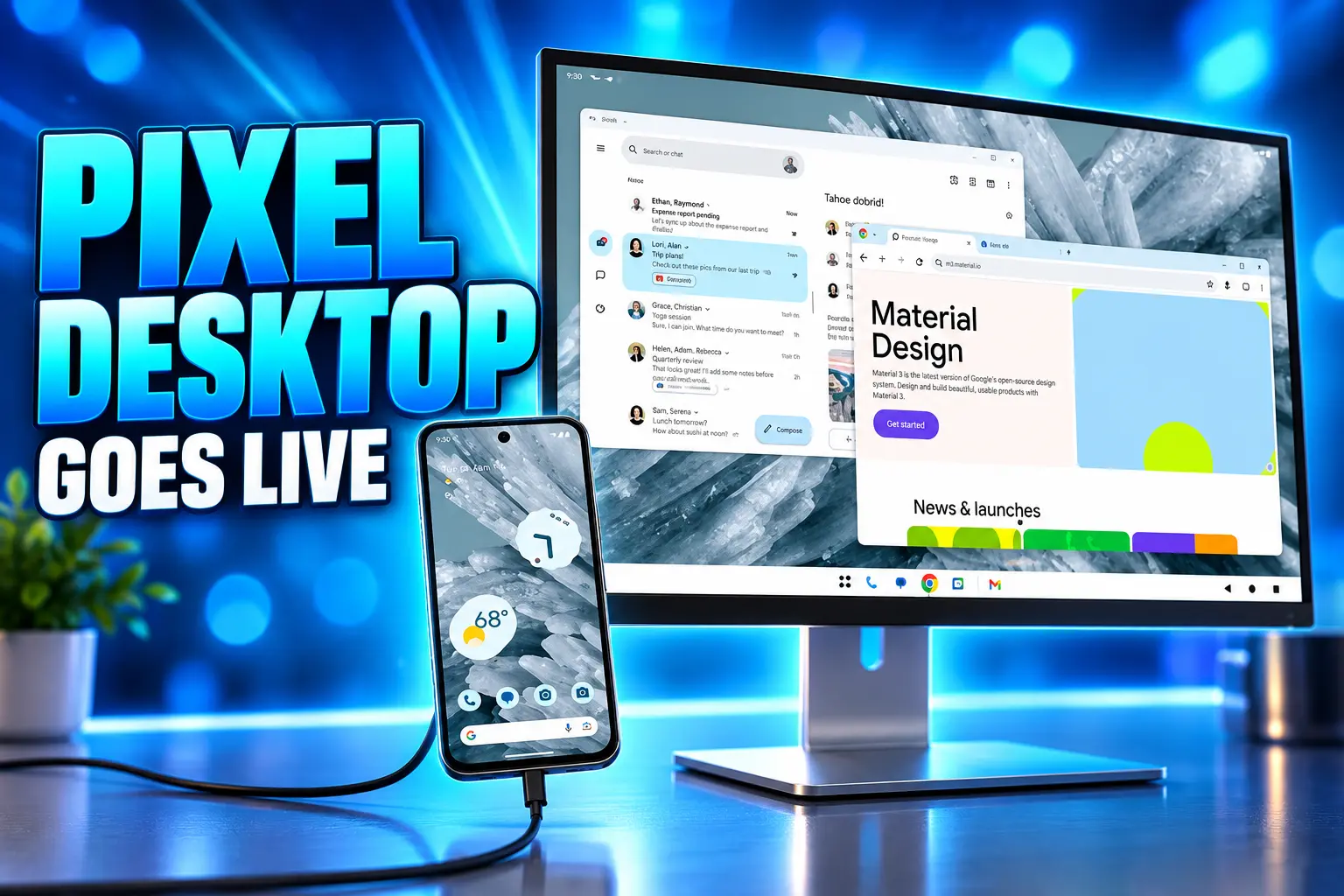
Google opened Pixel desktop mode on March 3, 2026 for Pixel 8 and newer phones, using a USB-C cable and an external monitor. Plug in, pick Desktop instead of Mirror, and the monitor gets a taskbar and resizable windows while the phone keeps its own screen.
A mouse and keyboard complete the setup. The Pixel Tablet gets overlapping, resizable windows on its own display. Google’s consumer post for the same day led with shopping tricks and watch alerts and never described the desktop session.
A USB-C Cable Turns a Pixel Into a Second Computer
The switch lives in Android, not in a Pixel skin. Francesco Romano, a developer relations engineer on Android, wrote that connected display support reached general availability with Android 16 QPR3 the same day as the Pixel software drop. Google had shown the idea at I/O 2025 and left it behind a developer toggle through the 2025 betas.
On a supported phone, the cable has to carry DisplayPort over USB-C. A charge-only lead will not start a desktop. After the handshake, a prompt asks whether to mirror the phone or open Desktop. Checking “Don’t ask me again” and choosing Desktop makes the next plug-in skip the question.
PIXEL DESKTOP MODE AT A GLANCE
- Ship date: March 3, 2026, in Android 16 QPR3, with the rollout spread across later weeks.
- The cable: USB-C with DisplayPort Alt Mode, plus a mouse and keyboard.
- The split: The phone keeps its own apps; the monitor opens a separate windowed session.
- The cap: Five apps on the monitor, plus one more on the phone, before the longest-idle window closes.
Hands-on tests on a Pixel 10 Pro found Gmail, Firefox, and Google Docs opening as full desktop-style apps. Many third-party titles still used tablet layouts that feel clumsy with a cursor. The session is good enough for mail, docs, and a real browser. It is not a silent replacement for a laptop you already like.
Which Pixels and Galaxy Phones Get Desktop Mode?
Google’s March footnote named the Pixel 8, 9, and 10 series, and a Samsung set that included the Galaxy S26, Fold7, Flip7, and Tab S11. Foldables in those Pixel lines, including the Pixel 9 Pro Fold and Pixel 10 Pro Fold, use the same USB-C path. The Pixel Tablet is the other Google device in the first wave, with windowing on the tablet itself.
FIRST WAVE OF CONNECTED DISPLAYS
| Device | Maker | What the screens do |
|---|---|---|
| Pixel 8, 9, 10 series phones | Phone stays independent; monitor gets its own desktop | |
| Pixel 9 Pro Fold, Pixel 10 Pro Fold | Same phone-and-monitor split over USB-C | |
| Pixel Tablet | Overlapping windows on the tablet; a hooked-up monitor joins that session | |
| Galaxy S26, Fold7, Flip7, Tab S11 | Samsung | Same Android 16 desktop core, with Samsung’s DeX shell on top |
The Pixel 11 family that launched in August 2026 inherited the same session on Android 17, which itself shipped to Pixels on June 16, 2026. Later A-series phones in the Pixel 8-and-newer range sit inside the cutoff too, including the Pixel 10a in that same cutoff, a phone that still has no iPhone equivalent for a docked desktop.
Two Screens, Two Separate Sessions
This is the part most Pixel-drop writeups flattened. On a phone, Android does not stretch the home screen across the monitor. Romano’s team documented a blank desktop session on the monitor while the handset keeps whatever you were already doing. The two displays act as two systems. Apps belong to one screen or the other.
Connected displays allow users to connect their Android devices to an external monitor and instantly access a desktop windowing environment. Apps can be used in free-form or maximized windows and users can multitask just like they would on a desktop OS.
Francesco Romano, Developer Relations Engineer, Android Developers Blog
Tablets behave differently. Hook a desktop-windowing tablet, such as the Pixel Tablet or a Galaxy Tab S11, to a monitor and the session spans both panels. Windows, the cursor, and content can move from one glass to the other as one workspace. That is why the Pixel Tablet’s overlapping windows matter even if you never buy a second display.
Unplug the cable and the big-screen work does not vanish into a black box. You can pick it up on the phone. Plug back in and the desktop can return to the last arrangement, which is the detail that makes a hotel monitor usable instead of cute.
Samsung Spent Nine Years Teaching Android This Trick
Samsung shipped Samsung DeX on a larger display in 2017 with the Galaxy S8. For a long stretch it needed a special dock, then it did not. Google spent those years telling people a Chromebook was the Android desktop, while Pixel owners who wanted a monitor got a mirror, then a buried developer switch.
At I/O 2025, Google said it was working with Samsung and building on DeX. One UI 8 later rebuilt DeX on Android 16’s native desktop mode, which is why a Galaxy and a Pixel now share a core even when the shells still look different. DeX still wins on polish: virtual desktops, saved layouts, and a phone screen that can act as a trackpad. The Pixel session still wants a real mouse.
FROM DEX TO AOSP DESKTOP
- 2017: Samsung launches DeX on the Galaxy S8, a phone-as-PC mode that starts with a dedicated dock.
- 2024: Pixel 8 phones gain wired display output, first as a screen mirror rather than a desktop.
- May 2025: Google says at I/O that it is working with Samsung on desktop windowing for Android 16.
- June 2025: Pixel 8 and newer phones can test the desktop session behind a developer toggle.
- March 3, 2026: Android 16 QPR3 makes connected displays a user-facing feature on listed Pixel and Galaxy devices.
- June 16, 2026: Android 17 ships on Pixels and keeps pushing apps toward resizable large-screen layouts.
Nine years is a long time to copy a partner, and a longer time to admit the partner was right. The useful reading is not the scoreboard. It is that desktop windowing now lives in Android, so Samsung no longer has to carry the whole idea alone, and Pixel owners are no longer locked out of it.
4K Monitors Still Get a Soft, Upscaled Picture
The honest limits showed up as soon as people left 1080p panels. On a 4K LG UltraGear 27GP950-B, desktop mode rendered as a blurry, upscaled 1080p image, and the phone treated the display as 1080p even when scaling controls were moved. The same setup handled 1440p, and a first-generation Apple Studio Display output a sharper 2K picture. If your only monitor is 4K, this feature can look worse than a cheap Chromebook.
WHAT STILL GETS IN THE WAY
- The cable and the dock: DisplayPort over USB-C is required. Some hubs pass it; some do not. Wireless display is not the path.
- Resolution: 4K often arrives as a soft 1080p upscale. 1440p is the safer target until Google fixes detection.
- App count: Five windows on the monitor, one extra on the phone, then the longest-idle app closes.
- App layouts: Portrait-only and touch-only apps still waste a 32-inch panel. Title bars can eat vertical space and make a sharp monitor feel like a 1366×768 box.
- Heat and travel: A Pixel 10 Pro can run warm in a long docked session. A portable USB-C monitor with pass-through charging is the setup that actually makes sense on the road.
In September 2026, some Pixel 11 owners were still posting that they had just found a full desktop on HDMI, which is a strange fate for a platform feature. Other Android 17 phones have started exposing the same hook. Apps that never learned large screens, including some car and chat clients, still dump a phone UI on the monitor and call it done.
Developers Now Have Extra-Large Window Classes
Google is not waiting for every app to volunteer. For apps that target Android 16, the system ignores old portrait locks, aspect-ratio caps, and “not resizable” flags on displays whose smallest width is 600dp or more. That is how a phone app gets stretched onto a monitor even when its maker never drew a desktop layout. The result can look right, or it can look like a phone in a fish tank.
Jetpack WindowManager 1.5.0 adds two width classes beyond the old tablet bucket. Large covers 1200dp to 1600dp. Extra-large starts at 1600dp. Romano’s example is an email client: two panes on a tablet-class window, then three or four panes on a wide monitor, with a mailbox, a list, the message, and a calendar sharing the same row. Apps that still check a phone’s model name before drawing a large layout will get this wrong, because the model does not change when a monitor appears.
That is the quiet enforcement layer under the Pixel Drop. The consumer post talked about icons. The developer post told app teams to stop assuming one Display object for the life of a process, to read density on the fly, and to treat a mouse, a keyboard, and an external camera as normal input. Adaptive apps get a desktop for free. Locked apps get a compatibility box.
Chromebooks Are Next in Line for the Same Stack
The March 2026 Pixel Drop is a useful artifact because of what it leaves out. Michal Levin, Pixel’s director of product management, walked through Circle to Search, Gemini errands, Magic Cue, Now Playing, At a Glance, and custom icons. Desktop mode is not in that letter. The Android consumer post from the same day is about Find Hub and Play shorts. The connected-display milestone went to engineers.
That omission matches a larger rewrite. Google has said it is putting the ChromeOS experience on Android’s underlying technology, and executives have talked about bringing Android to the PC market with hardware aimed at 2026. In early September 2026, Google said it is moving Meet room hardware from ChromeOS to Android, while promising to keep existing ChromeOS Meet units patched. A phone that already opens a taskbar on a hotel monitor is not a Chromebook. It is the same bet, running on the device in your pocket.
Samsung still ships the more complete shell. Apple still has no iPhone version of this docked session. Pixel desktop mode will not make you sell a MacBook, and a 4K panel can still look like mush. The change that lasts is simpler: Android now treats a monitor as a computer, Pixel 8 and newer phones can join that session with a cable, and the laptop OS Google used to keep in a separate silo is being pulled onto the same foundation, whether the Pixel Drop post bothers to say so or not.

Triumph Bonneville 400 Puts Its Badge on a 349cc Tax Cut

Verstappen Takes First 2026 Pole at a Relocated Bahrain GP

Anthropic Warns a Pentagon Fight Can Hit Private Clients

FDA Closes Taylor Farms Lettuce Probe Without a Cause

Galaxy Z Fold 8 Ultra Gets a 5,298MB October Security Update

The Orchard Bug Forced Zcash to Open an Empty Pool

The $5.99 Game That Won Steam’s 2026 Summer Sale

Don Lee Joins Hemsworth as Extraction 3 Starts Shooting

YouTube Shorts Retires Dislikes and Swaps Likes for Hearts

NEURA Robotics Is Spending Its $1.4B on a Machine Stack
-
 NEWS4 months ago
The Orchard Bug Forced Zcash to Open an Empty Pool
-
 GAMING4 months ago
The $5.99 Game That Won Steam’s 2026 Summer Sale
-
 ENTERTAINMENT6 months ago
Don Lee Joins Hemsworth as Extraction 3 Starts Shooting
-
 NEWS4 months ago
YouTube Shorts Retires Dislikes and Swaps Likes for Hearts
-
 NEWS4 months ago
NEURA Robotics Is Spending Its $1.4B on a Machine Stack
-

 AUTO6 months ago
Kawasaki Bets the New Z1100 Against Its Own Supercharger
-

 BUSINESS5 months ago
Norway’s Export Bank Backs Nscale’s $790 Million Narvik Loan
-

 GAMING4 months ago
Game of Thrones Dragonfire Follows Boston’s Conquest Playbook