
NEWS
Google Clock Timers Finally Go Live Across the Phone
Version 9.0 brings real-time timer and stopwatch Live Updates to the status bar, lock screen and AOD, fixing frozen displays via a server-side rollout.

Google Clock version 9.0 now turns a running timer or stopwatch into a Live Update that follows you on the status bar, lock screen and always-on display. The change, confirmed rolling out on July 28 2026, also makes AOD timers count down in real time instead of looking frozen.
Android Authority first detailed the server-side feature after testing it on an Android 17 QPR2 Beta 1 device. For an app that usually ships quiet polish, this one lands with everyday weight.
Live Timers Now Follow You Out of the App
Leave the Clock app while a timer or stopwatch runs and the old behavior is gone. A highlighted icon now sits in the status bar. Tap it and an expanded Live Updates card opens with quick controls for pause, resume or stop.
The same Live Update appears on the lock screen and the always-on display. Previously the app fell back to a plain status-bar icon, a standard notification with controls, or the At A Glance widget. Those options still exist in spirit, but the promoted Live Update sits higher and stays more visible.
You can download Google Clock from the Play Store today. The listing shows an update dated July 28 2026 that also brings Material 3 Expressive design language. The Live Updates piece itself is gated server-side, so the APK alone does not guarantee the feature appears on every device the moment you install it.
That split between code and flag matters for how the feature spreads. The app update is the container. The server decides when the container opens. Users who install on day one may still see the older status-bar fallback until their account or device cohort receives the toggle.
| Surface | Before v9.0 | With Live Updates |
|---|---|---|
| Status bar | Simple icon | Highlighted chip, tap for expanded controls |
| Lock screen | Standard notification or none | Promoted Live Update card |
| Always-on display | Static or frozen-looking timer | Real-time updating countdown |
| Notification drawer | Basic controls notification | Expanded metric-style view with actions |
The table captures the practical shift. A kitchen timer or workout interval no longer vanishes into a generic icon the second you switch apps.
Each row is a place people already look without thinking. Elevating the timer on all four at once turns a single countdown into a system-level companion rather than an app-bound leftover.
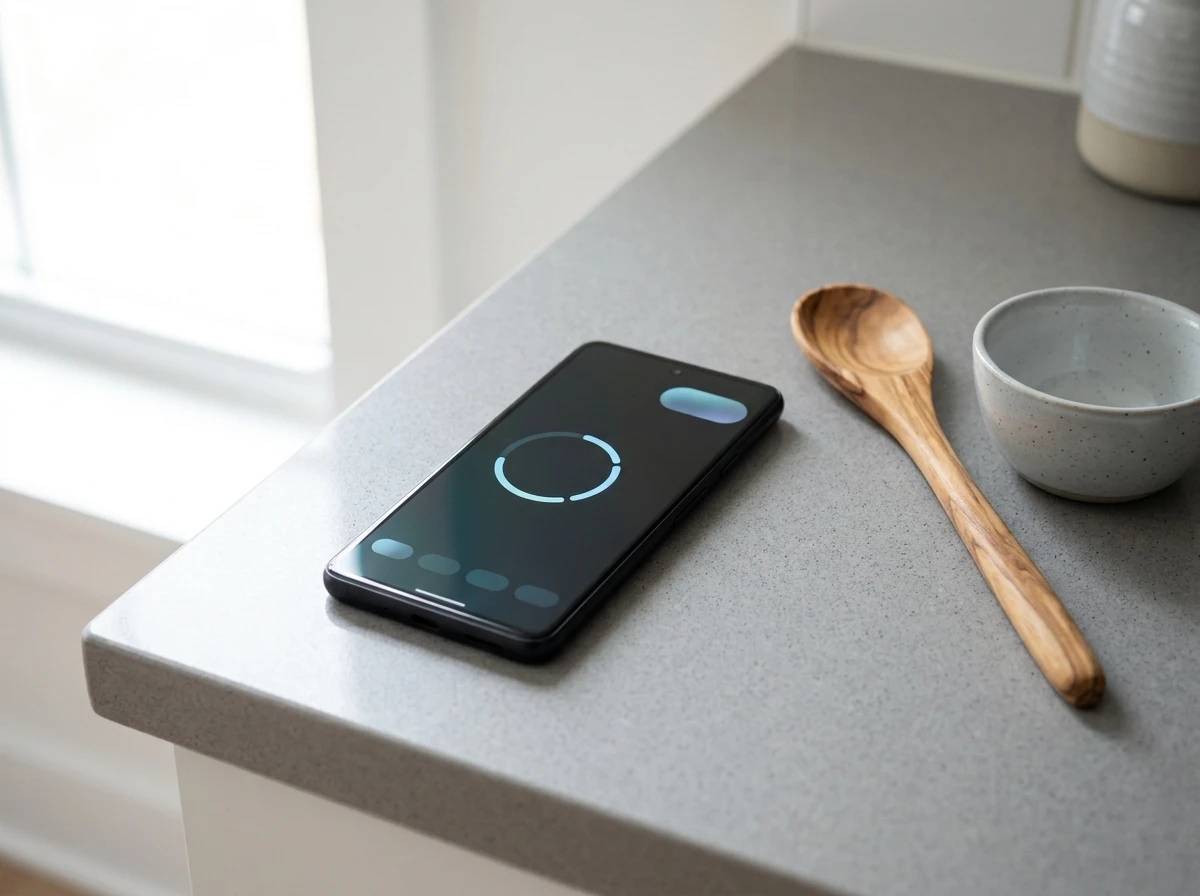
Status Bar Chip, Lock Screen, Always-On
Live Updates are not ordinary notifications. They are ongoing, user-started and time-sensitive activities the system elevates. They earn a chip in the status bar, preferred placement on the lock screen, and a presence on the AOD.
Google’s own developer guidance spells out the rules for promoting Live Update notifications. The activity must be actively in progress with a clear start and end. Ads, chat, ambient info and most calendar alerts are out of bounds. A countdown the user just started fits cleanly.
Status chips stay compact. Documentation notes a maximum width around 96 dp and text that only appears if it fits (often under seven characters). Chronometer-style countdowns can drive the chip text. Tap the chip and the expanded card appears without forcing a full app launch.
- Ongoing requirement: the timer or stopwatch must still be running
- User-initiated: the person started it inside Clock
- Time-sensitive: glancing at remaining or elapsed time actually helps
- Surfaces: status bar chip, lock screen, AOD, heads-up when appropriate
Those four points explain why a stopwatch belongs here while a static weather alert does not.
The rules also keep the status bar from filling with noise. Only activities the user deliberately began, and that still have a meaningful clock attached, earn the chip. That gate is why the Clock case feels natural the first time it appears.
The Frozen AOD Timer Is Finally Gone
The most concrete daily win is the always-on display fix. Before this update, a timer shown on AOD often looked stuck. The number sat still even though the timer kept running in the background. You had to wake the phone or open the app to confirm progress.
Android Authority noted that timers now update in real time on the AOD. The display matches the actual remaining or elapsed time. For anyone timing pasta water from across the kitchen or watching rest intervals at the gym, that single change removes a genuine annoyance.
A frozen readout is worse than no readout. It trains people to distrust the glanceable layer. Real-time updates restore the point of AOD in the first place: useful information without a full unlock.
The old static number created a quiet tax. Every doubtful glance became an unlock, a home-screen hop, or a full app open just to confirm the same countdown the AOD was already trying to show. Live ticks remove that loop.
Quick surfaces check
- Status bar: highlighted icon or short critical text chip
- Lock screen: promoted card with controls
- AOD: live metric that actually ticks
- Expanded view: pause, resume, stop without reopening Clock
After the list, the pattern is clear. The timer travels with the user instead of staying trapped inside one app screen.
Metric Style Made Timers First-Class
This Clock update does not arrive in isolation. Android 16 introduced progress-centric notifications aimed at rideshares, deliveries and navigation journeys. Later QPR work and Android 17 expanded the toolkit.
Android 17 added the MetricStyle notification template for timers, health and fitness, and travel use cases. The template can show up to three distinct metrics at once. Layouts shift by device state: glanceable values on AOD and Live Update promotion, side-by-side metrics when expanded, a concatenated single line when collapsed.
Official developer pages even use a clock app as the visual example for MetricStyle. FixedTime, TimeDifference and related metric types sit in the API. Google’s first-party Clock shipping Live Updates therefore functions as a living reference implementation, not just another app experiment.
An earlier Android Authority report on the Android 17 expansion to health and travel apps framed the template as a boon exactly for continuous multi-variable tracking. Timers were always on the short list. Clock making them real closes the loop.
| Template focus | Best for | Typical data |
|---|---|---|
| Progress Style | Milestone journeys | Delivery stages, ride progress |
| Metric Style | Raw ongoing values | Timer remaining, heart rate, pace |
| Live Update promotion | Either when ongoing | Status chip + AOD + lock screen |
Clock’s timers sit squarely in the Metric column. That is why the AOD and chip treatment feel native rather than bolted on.
Progress Style still owns the multi-stop journey story. Metric Style owns the single number that must stay honest while the screen sleeps. Pairing both under Live Update promotion gives the system a clear path for each kind of ongoing work.
Server-Side Means You May Wait
Version 9.0 is the vehicle, yet Google is enabling the Live Updates behavior from the server. Updating the app is necessary but not always sufficient on day one. Android Authority saw the feature on Android 17 QPR2 Beta 1 and expects stable Android 17 support. Broader eligibility (exact minimum OS, OEM skins, Android 16 devices) has not been fully mapped in public reporting.
What we know
- Google Clock v9.0 carries the code
- Feature confirmed on Android 17 QPR2 Beta 1 test device
- Play Store update dated July 28 2026 also includes Material 3 Expressive
- Server-side flag controls final activation
What’s unconfirmed
- Precise minimum Android version for every device
- Rollout timeline to all eligible users
- Full behavior on heavily skinned OEM Android 17 builds
- Whether every Android 16 device can receive the same treatment
If the Live Update does not appear immediately after you update, the usual advice holds: wait. Server-side flags often land in waves. The app itself is already at more than 1 billion downloads and carries a 3.8-star rating on the Play Store, so the install base is massive once the flag flips.
The known column is short on purpose. The unconfirmed column is longer because OEM skins and older platform trains still need public verification. Until those answers land, the safe path remains install, start a timer, and watch the status bar over a few days.
How the Feature Stacked Up Over Months
The July release did not appear from nowhere. Earlier platform and app steps already pointed at continuous, glanceable metrics as the direction of travel.
- Android 16: progress-centric notifications arrive for rideshares, deliveries and navigation
- Later QPR work and Android 17: the toolkit widens; MetricStyle lands for timers, health and travel
- March 2026: Clock ships colorful Pixel Weather-style world-clock icons, still pure polish
- July 28 2026: Clock v9.0 carries Live Updates code plus Material 3 Expressive; server-side rollout begins
- Android 17 QPR2 Beta 1: Android Authority confirms the live timer behavior on a test device
Read top to bottom, the list moves from journey progress to raw metrics to a first-party utility that ordinary people open daily. Each step reused the same promotion surfaces rather than inventing a parallel path for timers alone.
That reuse is why the Clock change feels like completion instead of a side experiment. The platform already knew how to elevate an ongoing activity. Version 9.0 simply handed it a countdown people already run.
What Everyday Timing Looks Like Next
On X, the AssembleDebug post that broke the screenshots drew replies noting the feature “took entirely too long.” Other users immediately asked for the same treatment in sports scores and music playback. That crowd read matches the technical trajectory: Live Updates started with high-visibility journeys and are now landing in the system utilities people actually open every day.
The March 2026 Clock update that swapped monochrome world-clock weather icons for colorful Pixel Weather-style ones was pure polish. This July change is functional. It reduces unlocks, keeps multitasking lighter, and gives developers a shipping example of Metric Style done by Google itself.
Expect more first-party and third-party timer, interval and simple metric apps to follow the same path. Fitness trackers, cooking apps and study timers already fit the “ongoing, user-initiated, time-sensitive” test. Once users see the Clock version working cleanly on AOD, the bar for every other timer experience rises.
The sleeper part is simple. A quiet system-app update just made Android’s glanceable layer trustworthy for the most common countdown people run. That habit shift matters more than the version number on the APK.
Why Third-Party Timers Face a Higher Bar
Clock is now the reference users will hold other apps against. Fitness trackers, cooking apps and study timers already meet the ongoing, user-initiated and time-sensitive tests spelled out in the developer guidance. They also map cleanly onto MetricStyle’s FixedTime and TimeDifference types.
When those apps still fall back to a plain icon or a frozen AOD number, the gap will be obvious. People who just watched a Google timer tick on the lock screen will notice the difference immediately.
- Match the chip and expanded-card controls users already see in Clock
- Keep AOD values live so the glanceable layer stays trustworthy
- Stay inside the Live Update rules so promotion remains earned, not noisy
Developers who treat MetricStyle as optional polish will feel that pressure first. The template and the promotion path are no longer abstract platform docs. They ship in an app with more than 1 billion downloads.
Sports scores and music playback came up in the same X thread that reacted to the screenshots. Those requests sit slightly outside a pure timer shape, yet they share the same hunger for an honest ongoing metric on the surfaces people already check. Clock simply got there first among the everyday utilities.
For now the practical step is straightforward: install v9.0, start a short timer, and check the status bar and AOD. When the server-side piece reaches your device, the timer will already know how to travel with you.


ChapsVision Quiet Roll-Up Now Holds French and German Intel Keys

Culkin’s Home Alone Pitch Flips Kevin Into the Locked-Out Dad

Sigvi’s €1.2M AI Layer Cracks Idle Fleet Rental Moat

Tapo C675D Dual Lenses Cut Multi-Camera Install Costs

Tapo DL130 Palm Vein Lock Delivers Jedi Fun at a Cost

LiberNovo Maxis Gives Big Frames a True Fit Before Deal Ends

Google Find Hub Remove Button Clears Years of Ghost Earbuds

Nadella Warns Single AI Reliance Kills Firms He Also Funds

Robinhood Faces Earnings Test After Slide Toward 93

Apple’s 194-CVE Drop Quietly Shields Older Macs Too

CLARITY Act Final Text Expected This Weekend as 60-Vote Hurdle Looms

Kalshi Loses Major NY Prediction Markets Ruling to Judge Torres

Fed Minutes Cite AI Demand as Inflation Risk, Put a 2026 Hike Back on the Map

Marker AI Writing Startup Lands $13M Seed Led by Index Ventures

Dota 2 Esports World Cup 2026: Spirit Defends $2M Title In Paris

Meta’s Muse Spark 1.1 Beats Rivals on Price, Trails on Coding

CS2 Premier Season 5 Lands With Cache and a C4 Damage Rework

ARC Intelligence Closes €4M Seed Round in Roughly a Week

Finto Picks Munich Over Silicon Valley After YC, Raises $3.4M

Backrooms Returns to Theaters as the Everything Must Go Edition
-
 FINANCE2 months ago
Zcash Patched a Double-Spend Bug as ZEC Climbed 5%
-
 ENTERTAINMENT2 months ago
Steam Summer Sale 2026 Locks In June 25 to July 9 Dates
-
 NEWS3 months ago
Meta Adds AI Replies to Threads, But Users Can’t Block It
-
 FINANCE4 weeks ago
CLARITY Act Final Text Expected This Weekend as 60-Vote Hurdle Looms
-
 ENTERTAINMENT2 months ago
‘Widow’s Bay’ Review: Apple TV’s Sleeper Horror-Comedy Earns Its Fog
-
 NEWS7 months ago
FolderFresh Review: This Free Tool Automates Windows File Organizing
-
 NEWS4 months ago
U.S. Navy Deploys Solar-Powered Lightfish Drone to Patrol Oceans
-
 FINANCE3 weeks ago
Kalshi Loses Major NY Prediction Markets Ruling to Judge Torres