
NEWS
A Designer Puts Clippy Back on a 2026 Windows 7
Addy Visuals’ Windows 7 2026 concept seats a local Clippy where Copilot sits, restoring gadgets Microsoft once pulled for security.

Designer Addy Visuals posted an 80-second Windows 7 2026 concept on March 13, seating Clippy where Copilot sits. The clip keeps the left-aligned taskbar and the old Aero glass, then adds a typo-tolerant search box, a cleaner File Explorer, and desktop gadgets Microsoft pulled years ago.
It is fan work, built in Figma, After Effects, and Blender for a YouTube channel of about 27,200 subscribers. The joke writes itself without a caption. The pieces Microsoft retired as clutter, risk, or cringe are the ones the mockup treats as the modern desktop.
Addy Visuals Puts Clippy Back on the Taskbar
The video is titled Introducing Windows 7, 2026 Edition (Concept). Addy Visuals wrote that the infamous operating system is back, redesigned from the ground up, and told viewers to meet Windows 7 2026 Edition. The channel had already cut Windows 7 2021 and 2022 editions, so this is a return visit, not a one-off nostalgia hit.
Watch the whole thing. It is short on purpose, a product teaser with no installer behind it.
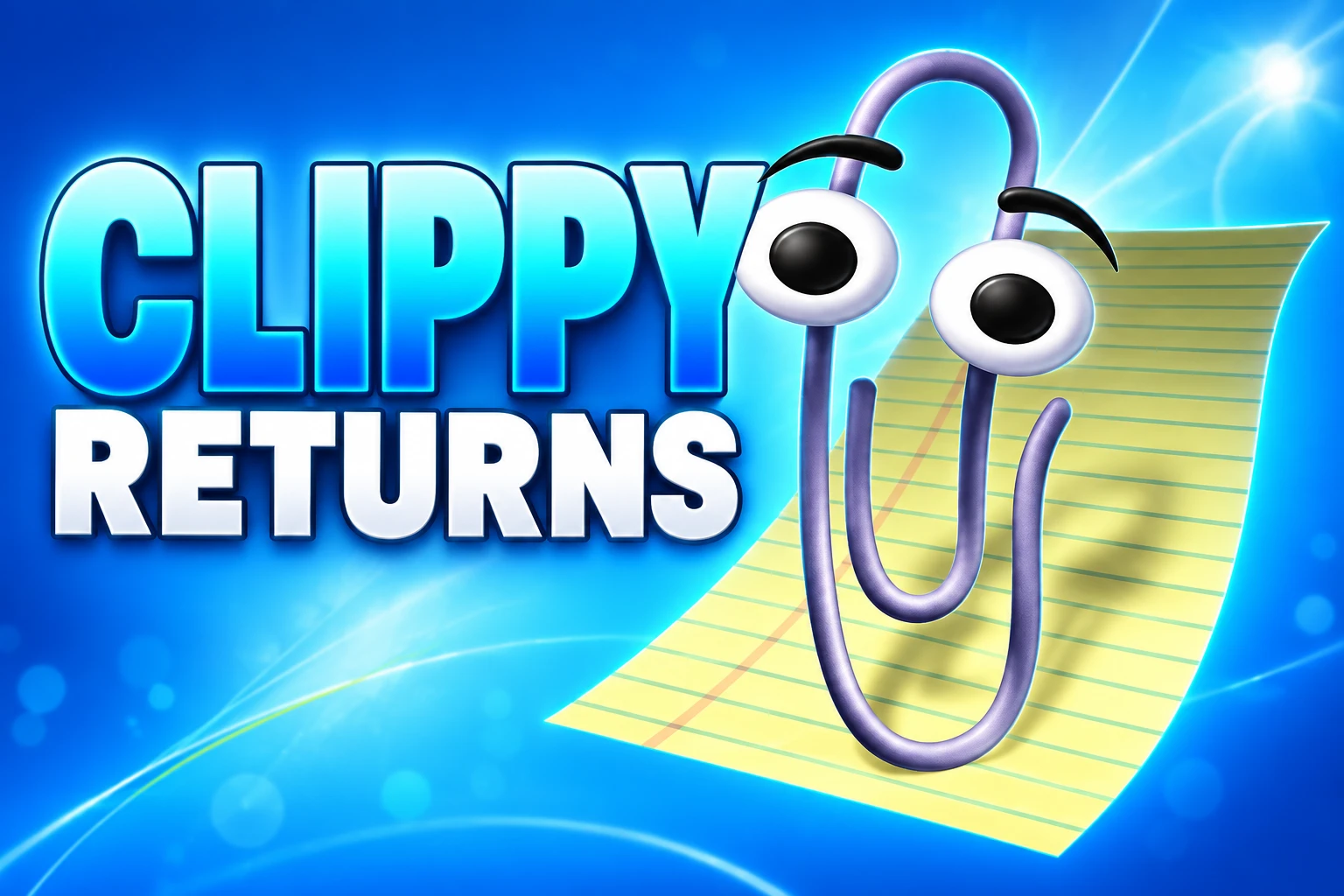
The mockup keeps Windows 7’s left taskbar and classic chrome, then borrows polish that looks like Windows 11. Clippy shows up as a helper that runs on the PC, not in the cloud, and Copilot is gone from the frame. That swap is the whole pitch.
Viewers treated the teaser like a store listing. Comments asked where to download it, whether it was real, and whether someone would turn the look into a theme. One note on the upload said the original Windows 7 was still running on several PCs because the owner did not want to move. The clip is being read as a product people would install, which is a problem for a storyboard that never shipped.
What the Concept Video Shows
The redesign is conservative on the chrome and busy on the extras. The taskbar stays on the left. System menus are cleaned up. File Explorer looks closer to a current Windows app. Search is sold as smart enough to find files when the query is misspelled or incomplete.
WINDOWS 7 THEN AND IN THE CONCEPT
| Piece | Windows 7 in 2009 | 2026 concept |
|---|---|---|
| Taskbar | Left-aligned, glass | Left-aligned, kept, with newer polish |
| Helper | None on the desktop | Clippy as local AI; Copilot absent |
| Desktop extras | Gadgets | Gadgets as custom widgets |
| Search | Simple keyword box | Finds files despite typos |
| File Explorer | Classic panes and menus | Cleaner menus, modern layout |
The gadgets in the mockup show weather, system stats, and shortcuts to apps. That is the old sidebar idea with a new label. Microsoft already sells a Widgets board on Windows 11, so the concept is less a lost future than a remix of two desktops the company has already shipped, then unshipped, then shipped again.
Microsoft Called Gadgets a Security Risk
Windows 7 launched on October 22, 2009. Microsoft told customers it would support the system for 10 years. Mainstream support ended on January 14, 2015. Extended support ended on January 14, 2020. Paid Extended Security Updates for Professional and Enterprise SKUs ran through January 11, 2023. After that date there is no Microsoft security patch train left for the OS.
Gadgets did not even last that long as a supported idea. They arrived with the Vista sidebar, lived on the Windows 7 desktop, and were pulled when Windows 8 shipped. Microsoft’s own compatibility note is blunt about why.
Gadgets also present a security risk to users. As a platform, vulnerabilities exist such that even benign Gadgets could be exploited. Therefore, in order to uphold Windows 8 as our most modern and secure operating system, we have chosen to remove Gadgets from the operating system entirely.
Microsoft, Desktop gadgets removed, Learn documentation
Microsoft removed gadgets from Windows 8 and told Windows 7 users the gadgets on their desktops would be uninstalled. Live tiles were supposed to replace them, then live tiles died on Windows 11, and a Widgets panel took the job. The 2026 concept skips the middle of that loop and drops gadgets back on the glass as if the security memo never happened.
FROM THE PAPERCLIP TO THE BLOB
- 1997: Clippy, officially Clippit, ships as the default Office 97 assistant.
- April 11, 2001: Microsoft turns Clippy off by default in Office.
- 2007: Office 2007 removes the assistant. There is no way to summon it.
- October 22, 2009: Windows 7 ships with Aero glass and desktop gadgets, no paperclip on the taskbar.
- 2012: Windows 8 drops gadgets. Microsoft cites exploits that could hit even harmless ones.
- January 14, 2020: Windows 7 extended support ends.
- January 11, 2023: The last year of paid Windows 7 ESU closes.
- October 2025: Mico, an animated Copilot Voice character, arrives.
- March 13, 2026: Addy Visuals posts the Windows 7 2026 concept, with Clippy as local AI and Copilot gone.
- August 18, 2026: Microsoft begins Copilot account updates that take Mico out of Copilot Voice.
Each row is a burial or a revival. The concept video just plays the whole stack in 80 seconds.
The Paperclip Takes Copilot’s Chair
In the mockup, Clippy is not the bouncing Office pest. It is a local AI that organizes files, manages folders, and steps in on simple desktop chores. Copilot, the assistant Microsoft has been wiring into Windows 11, is written out. That is a taste joke with a product underneath it: help that stays on the machine, with a face people already know how to hate.
Microsoft spent 2025 giving Copilot a face of its own. Mico, a yellow animated blob in Copilot Voice, was meant to listen, react, and change color. Account updates that begin on August 18, 2026 pull that face out of the voice product. Microsoft is moving Mico off Copilot Voice and into Learn Live, where the character works as a tutor. Voice chat remains. The mascot does not. Saved colors and looks do not travel. Group Chat, Podcasts, Copilot Labs, and consumer Deep Research retire on the same wave.
Mico helped us learn about warmth, expressiveness, and how people want to talk with AI. Those learnings are shaping Copilot going forward.
Microsoft Support, FAQ on retiring Copilot features
The company says Learn is where the character has room to grow. It also says it has no further detail on whether Mico returns to Copilot Voice. So the official assistant loses its face in the same year a fan desktop puts the old paperclip in the job. Cortana is already gone; the standalone app was deprecated and Copilot took the slot. The mascot shelf in Redmond is crowded, and it keeps getting restocked.
A local helper is the selling point of the concept, at a moment when the Windows 11 on-device AI model is tightly bound to Copilot Plus hardware. Microsoft’s own uninstall path for that on-device stack covers only one model. The fan clip promises a paperclip that just files things. The shipping OS makes even taking the AI out a special case.
ExplorerPatcher Already Rebuilds This Desktop
Nobody needs a concept video to get a left taskbar back. Windows 11 still will not give you the old layout in Settings, so people install other people’s code and do it anyway. The free, open-source ExplorerPatcher project on GitHub is the usual first stop. After setup, a Properties panel lets you change the shell instead of waiting for Microsoft to restore a control it removed.
WHAT THE PATCH RESTORES
- Taskbar style: Switch the Windows 11 bar to a Windows 10 layout with labels, ungrouping, and a movable bar.
- File Explorer chrome: Set the control interface to a Windows 7 command bar, or to the Windows 10 ribbon.
- Menus: Turn off the Windows 11 context menu and the modern search bar.
- Start menu: Pair the patch with Open-Shell if you want a Windows 7-style Start list on top of the older taskbar.
- Paid alternative: StartAllBack sells a similar classic shell for people who want a supported installer instead of a GitHub build.
That list is the 2026 concept with the romance stripped out. Left icons, a Win7-style explorer bar, gadgets reborn as widgets, a helper with a face: the aftermarket already sells three of the four, and the fourth is a Copilot icon people hide. Addy Visuals animated the missing mood board. The utilities made the layout clickable.
Windows 7 Still Shows Up in the Count
The romance has a denominator. StatCounter’s August 2026 desktop Windows mix put Windows 11 at 68.6 percent, Windows 10 at 30.14 percent, and Windows 7 at 0.96 percent. Windows 10 left mainstream support on October 14, 2025, and that share is the live holdout. Windows 7 is the ghost in third place, six years after the consumer end-of-support date.
DESKTOP WINDOWS IN AUGUST 2026
- Windows 11: 68.6 percent of desktop Windows, first place after a long catch-up.
- Windows 10: 30.14 percent, out of free support and still the second OS on the web.
- Windows 7: 0.96 percent, unsupported since January 14, 2020, with ESU closed since January 11, 2023.
A StatCounter spike to 9.61 percent in September 2025 was a detection mess, not a comeback, and later months put the OS back under 1 percent. Microsoft’s consumer FAQ still says a Windows 7 PC can be installed and activated after the end of support. It also says the machine will no longer get security updates. People who boot it are not waiting for a 2026 Edition. They are waiting for a line of business app that never got rewritten.
A Second 2026 Edition Followed in April
Addy Visuals did not stop at Windows 7. On April 19, 2026 the same channel posted Introducing Windows XP, 2026 Edition (Concept), a 2-minute-15-second clip in the same 2026 Edition series. A playlist on the channel also holds a Windows 95 2026 Edition and a Windows Vista 2026 teaser. The Win7 video is one chapter in a year of dressing dead Microsoft desktops in current UI habits.
That habit is older than this calendar. The same designer published a Windows 7 2022 Edition and a Windows 7 2021 Edition, plus Windows 10 Sun Valley and Windows 11 Mobile concepts. The 2026 Windows 7 tape is new paint on a brief the channel has been pitching for years: keep the chrome people liked, add the features the current OS already has, and give the helper a character Microsoft already tried to kill.
The 80-second clip will not boot. Microsoft’s Windows 7 lifecycle page lists the product as out of support, and the company has not announced a revival of that desktop. Addy Visuals’ next 2026 Edition was already online by April. Mico, the face Copilot just tried, is now a tutor in Learn Live.

Copilot Capital Buys the Autopilot Already Running 90 GW

Walmart Puts Dunkin on the App to Sell More Groceries

Molten Bets £100m of Plc Cash on Late-Stage Tech

Ascentiz Recruits Developers Around Its Modular Exoskeleton at IFA

BIS Puts a Public Timestamp Under Official Statistics on XRPL

The Orchard Bug Forced Zcash to Open an Empty Pool

The $5.99 Game That Won Steam’s 2026 Summer Sale

Don Lee Joins Hemsworth as Extraction 3 Starts Shooting

YouTube Shorts Retires Dislikes and Swaps Likes for Hearts

NEURA Robotics Is Spending Its $1.4B on a Machine Stack
-
 NEWS4 months ago
The Orchard Bug Forced Zcash to Open an Empty Pool
-
 GAMING4 months ago
The $5.99 Game That Won Steam’s 2026 Summer Sale
-
 ENTERTAINMENT5 months ago
Don Lee Joins Hemsworth as Extraction 3 Starts Shooting
-
 NEWS3 months ago
YouTube Shorts Retires Dislikes and Swaps Likes for Hearts
-
 NEWS3 months ago
NEURA Robotics Is Spending Its $1.4B on a Machine Stack
-

 AUTO5 months ago
Kawasaki Bets the New Z1100 Against Its Own Supercharger
-

 BUSINESS4 months ago
Norway’s Export Bank Backs Nscale’s $790 Million Narvik Loan
-

 AUTO5 months ago
The Kawasaki Z1100 Awakens Sugomi With Less Peak Power