
NEWS
Samsung Messages Becomes Removable on One UI 9 This Fall
Samsung Messages died for US Galaxy phones on July 6. In fall 2026, One UI 9.0 lets you uninstall it, while Tizen watches and some tablets lose more.

Samsung Messages is now a leftover icon on US Galaxy phones, and One UI 9.0 is the update that lets you delete it. The company shut the US service on July 6, 2026, except for emergency service numbers and emergency contacts saved on the device.
Samsung’s US end of service notice still reads like a Google Messages sales page. The people who lose something are named lower down: Tizen watch owners, some tablet texters, and anyone whose software still will not let them uninstall a dead app.
Emergency Texts Are All Samsung Messages Can Still Send
The cutoff is limited to the United States. On Galaxy phones and tablets running Android 12 or higher, the old app no longer sends ordinary texts. Samsung says the composer still reaches emergency service numbers and emergency contacts you defined on the device, and that is the entire remaining job.
Phones on Android 11 or lower are not part of this end of service. They can keep Samsung Messages as they always have. Everyone else in the US market was told to make Google Messages the default SMS app, a path Samsung had been paving for years as new Galaxy phones shipped with Google’s client first.
The July shutdown of Samsung Messages was the send lock. The fall of 2026 is the cleanup: an icon you can finally pull off the phone if the software is new enough.
THE ROAD TO A DEAD INBOX
- 2022: New US Galaxy phones ship with Google Messages as the default SMS app.
- 2024: US flagships stop arriving with Samsung Messages preinstalled.
- July 6, 2026: Samsung Messages stops sending regular texts on Android 12 or higher in the United States.
- Fall 2026: The app becomes removable on devices running One UI 9.0 or higher.
Owners of the Galaxy S26 and newer phones never got a Galaxy Store listing for Samsung Messages at all. After the July shutdown, other models lost that download too, so there is no supported way back onto the old client once you have left it.
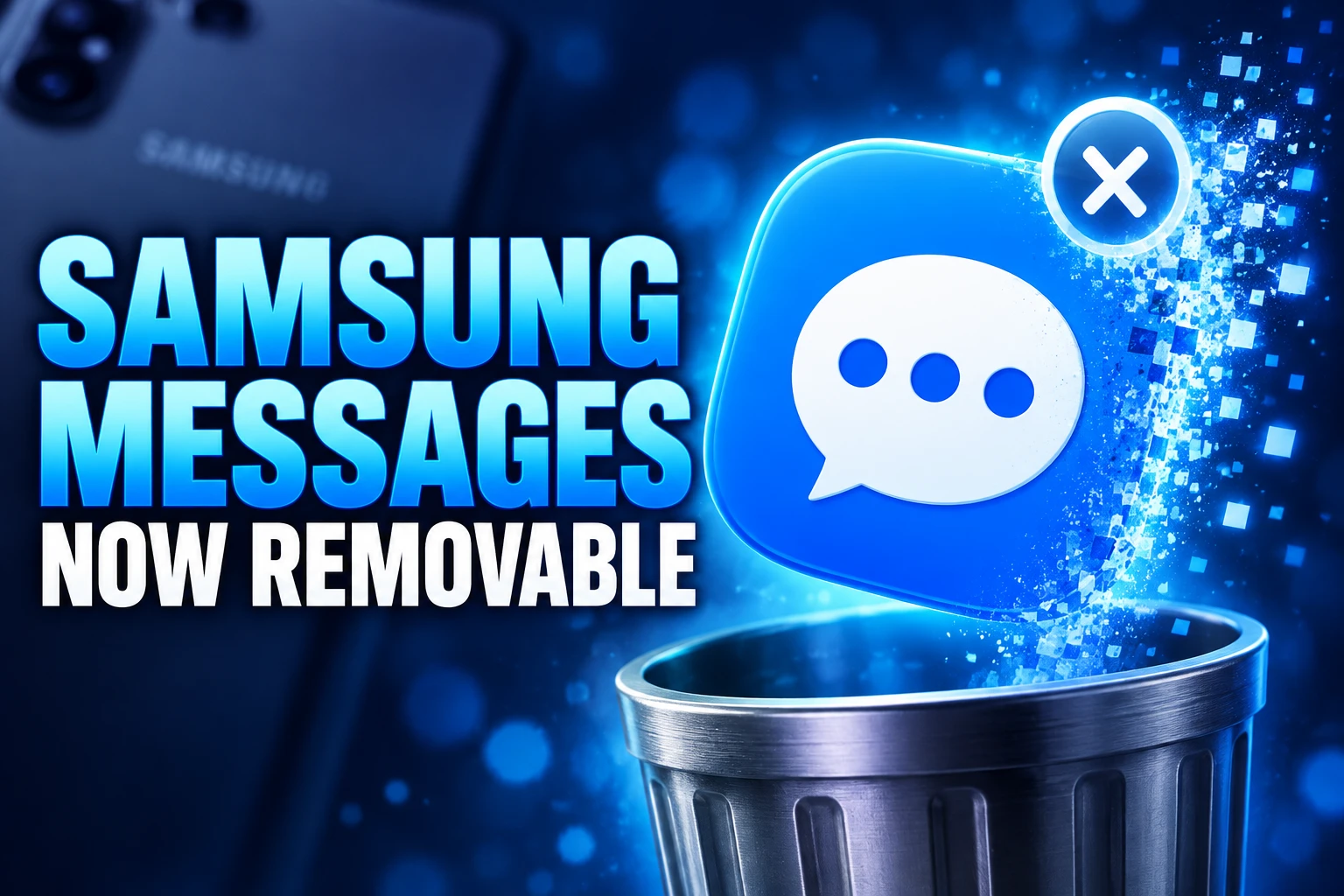
One UI 9 Makes the Dead App Removable in Fall
Samsung’s own words are narrow. Starting in the fall of 2026, Samsung Messages becomes removable for users on One UI 9.0 or higher. You follow an in-app notice, or you long-press the icon until Uninstall appears. That is a software gate, not a courtesy for every Galaxy still carrying the greyed-out tile.
One UI 9.0 is Samsung’s Android 17 skin. It already ships on current flagships such as the Galaxy S26 line and the latest foldables, and it is moving through older Galaxy phones in stages. Until a given phone actually lands on that build, the dead app can linger on the home screen even though it cannot text your contacts.
Samsung’s support FAQ is blunter about older software. If the app came preinstalled on One UI 8.5 or lower, you may only be able to disable it. Disable hides the icon. It does not remove the package. The in-app option to uninstall Samsung Messages shows up when you open the old app after switching, on devices running Android 17 with One UI 9 or higher.
HOW THE DEAD ICON COMES OFF
- One UI 9.0 or higher: Long-press the Samsung Messages icon and choose Uninstall, or use the in-app notice after you have set Google Messages as default.
- Android 17 notice: Opening the old app after the switch can show a direct uninstall prompt on One UI 9 or higher.
- One UI 8.5 or lower: A preinstalled copy may only disable, so the package can remain on the phone.
- Home screen versus app drawer: Removing the shortcut from the dock does not uninstall the app; that step only clears the icon you can see.
On Android 12 or 13, Google Messages also will not slide into the home-screen dock by itself after the switch. Samsung’s notice still walks those users through a long-press, an Add to Home tap, and a drag into the dock. The new default can be running while the old yellow tile still occupies the spot your thumb expects.
Full History Stops on Watches Built Before the Watch4
Older Galaxy watches never ran Google Messages, and they will not start now. Samsung’s footnote is the whole policy for Tizen hardware launched before the Galaxy Watch4: after the phone app died, those watches lost the full conversation history view. They can still read and send individual texts. They cannot show the thread the way they did when Samsung Messages was alive on the phone.
Older generation watches with the Tizen OS (i.e. watches that were launched before the Galaxy Watch4) cannot support Google Messages. Therefore, after the discontinuation of Samsung Messages, those older Tizen OS watches will no longer be able to see the full message conversation history on their watch; however, those watches will still enable the user to read and send text messages.
Samsung, US end of service notice
The Galaxy Watch3 is the example Samsung names in its FAQ. There is no software bridge. Tizen cannot host Google’s client, so the history view is gone for the life of that watch. Galaxy Watch4 and newer models run Wear OS, already carry Google Messages, and keep full conversation sync once the phone uses Google as the default SMS app and Remote connection is on.
If you tap Samsung Messages on a Wear OS watch after the phone has moved, the watch can tell you the phone app has been discontinued. Samsung’s fix is to open Google Messages on the watch instead. Notifications still let you send and receive even when the phone and watch are not showing the same app name.
Verizon and AT&T Block the Tablet Workaround
Message Continuity, the Call & text on other devices feature that put Samsung Messages threads on tablets and PCs, is disrupted for anyone who still used the old app. Samsung does not pretend that service survived July 6. The replacement is Google Messages on each screen, plus extra toggles that did not exist when the Samsung client handled the hop by itself.
The carrier line is easy to miss. Samsung’s tablet pages say Call & text on other devices currently does not work with Verizon and AT&T phones, and may be missing on some other carriers’ models. A US household on those two networks can follow every Google pairing step and still fail to recover tablet texting the way the old Samsung menu did.
WHO STILL GETS TEXTS WHERE
| Situation | After July 6, 2026 | What you can remove |
|---|---|---|
| Android 11 or lower, US | Samsung Messages still sends | Not part of this end of service |
| Android 12 or higher, US | Emergency numbers and contacts only | Uninstall once the phone runs One UI 9.0 |
| Galaxy S26 and newer | Never listed on the Galaxy Store | Not applicable |
| Tizen watch before Galaxy Watch4 | Read and send texts, no full history | No Google Messages client exists |
| Verizon or AT&T tablet texting | The old continuity path is disrupted | Samsung says the workaround is blocked on those carriers |
Households that can use the Google path still have homework. The same Samsung account has to sit on the phone and the tablet, Call & text on other devices must be on, and Google Messages needs “Text on Galaxy devices” enabled. You can also pair with a QR code from the phone’s Google Messages profile menu. Samsung notes that Google Messages does not need the old “Allow texting on this tablet” switch in the Call & text menu.
What Google Messages Adds After the Switch
Samsung is not hiding the destination. The US notice lists four reasons to move: AI scam detection and spam filters, RCS chats, Gemini tools such as photo remixes and smart replies, and chats that hop between phone, tablet, and watch. Those extras are why the company will not maintain a second SMS stack in the United States.
RCS is the practical lock. Samsung’s footnote says every chat member must have RCS on for it to work as intended, Android users must have Google Messages installed, and iPhone users need iOS 18 or later. A third-party SMS app can still be the default. Samsung’s FAQ even says you can pick any installed messenger under Settings, Apps, Choose default apps, SMS app. You give up the RCS path Samsung is using as the reason to leave.
THE UPGRADES SAMSUNG PUTS ON THE BOX
- Scam detection: On-device AI flags suspicious texts and spam filters try to keep junk out of the inbox.
- RCS chats: High-quality photos and video, richer group chats, and typing indicators, if everyone in the thread has RCS on.
- Gemini tools: Photo remixes and smart replies inside the same composer.
- Multi-device: Chats moving across phone, tablet, and watch, with Galaxy Watch4 or newer required on the wrist.
The iPhone piece is larger than Samsung’s iOS 18 line. On May 11, 2026, Elmar Weber, GM of Android and Business Communications at Google, said Google and Apple had begun rolling out end-to-end encrypted RCS with iPhone users in beta, for iPhone users on iOS 26.5 with supported carriers and Android users on the latest Google Messages. That encryption layer is separate from basic RCS being on. iOS 18 gets you into the RCS club. iOS 26.5 is the bar Google named for the lock icon on cross-platform chats.
When RCS messages are end-to-end encrypted, they can’t be read while they’re sent between devices.
Elmar Weber, GM, Android and Business Communications
Samsung points readers who want the full feature list to Google Messages features on Android. Google has also said Gemini on-device scam detection is rolling out on the Galaxy S26 series, which is the same lineup that never offered Samsung Messages as a download. The security pitch and the download ban arrive on the same phones.
The 24-Hour Transfer and the S26 Download Block
Samsung says conversations copy from Samsung Messages into Google Messages on their own. There is no official export ritual. The wait is the catch: the company says a full copy can take about 24 hours, depending on how much history sits on the phone. An empty thread list in the first hour is the delay, not proof the archive vanished.
THE SWITCH IN FOUR FIGURES
- About 24 hours: Longest window Samsung quotes for a full message copy into Google Messages.
- Pre-2022 Galaxy phones: Live RCS threads may pause until both people are on Google Messages; SMS and MMS stay up.
- Galaxy S26 and newer: Samsung Messages is not a Galaxy Store download, and later models follow that block.
- Galaxy Store after July: Other phones lost the listing once the US app was discontinued.
A Google Product Expert has described missing chats after the move as a sync and re-index delay, and said RCS messages hosted by a carrier rather than Google’s Jibe server may not carry over. If a thread never appears, that carrier-hosted slice is the first place to look, not the 24-hour clock. Setting Google Messages as default is still the supported path, and Samsung tells people who need the latest build to grab Google Messages on the Play Store.
The first time you open it, the app asks you to make it the default SMS app. Samsung’s steps are the Android default-app prompt: tap Set default SMS app, pick the white icon with the blue conversation bubble, then tap Set as default. After that, Samsung Messages on the phone will not send, except those emergency targets, even if the icon is still sitting in the drawer.
Galaxy Holdouts Still Call Google Messages a Downgrade
The product fight was never only about RCS. Samsung Messages matched One UI in fonts, backgrounds, and conversation categories. Google Messages, even when Samsung skins it, still behaves like a Google app dropped onto a Galaxy home screen. That mismatch is why some owners treated the July cutoff as a loss of the phone’s face, not a feature upgrade.
In early September, people were still asking Samsung to restore the old client and describing Google Messages as a step down. The complaints cluster around organisation, not delivery: categories that used to sort chats, custom looks that no longer apply, a composer that does not feel like the rest of One UI. That does not change the send lock. It explains why a dead yellow icon is still on so many docks.
Samsung is not coming back for them in the United States. The Galaxy S26 already shipped past the app. One UI 9.0 turns the leftover into something you can uninstall. Tizen watches will not regain a history view, and Verizon and AT&T tablet texting stays outside Samsung’s own workaround. The inbox still works if you accept Google’s client, or another SMS app that will never get RCS with iPhone. The old Samsung one does not.

Copilot Capital Buys the Autopilot Already Running 90 GW

Walmart Puts Dunkin on the App to Sell More Groceries

Molten Bets £100m of Plc Cash on Late-Stage Tech

Ascentiz Recruits Developers Around Its Modular Exoskeleton at IFA

BIS Puts a Public Timestamp Under Official Statistics on XRPL

The Orchard Bug Forced Zcash to Open an Empty Pool

The $5.99 Game That Won Steam’s 2026 Summer Sale

Don Lee Joins Hemsworth as Extraction 3 Starts Shooting

YouTube Shorts Retires Dislikes and Swaps Likes for Hearts

NEURA Robotics Is Spending Its $1.4B on a Machine Stack
-
 NEWS4 months ago
The Orchard Bug Forced Zcash to Open an Empty Pool
-
 GAMING4 months ago
The $5.99 Game That Won Steam’s 2026 Summer Sale
-
 ENTERTAINMENT5 months ago
Don Lee Joins Hemsworth as Extraction 3 Starts Shooting
-
 NEWS3 months ago
YouTube Shorts Retires Dislikes and Swaps Likes for Hearts
-
 NEWS3 months ago
NEURA Robotics Is Spending Its $1.4B on a Machine Stack
-
 AUTO5 months ago
Kawasaki Bets the New Z1100 Against Its Own Supercharger
-

 BUSINESS4 months ago
Norway’s Export Bank Backs Nscale’s $790 Million Narvik Loan
-
 AUTO5 months ago
The Kawasaki Z1100 Awakens Sugomi With Less Peak Power