
NEWS
DuckDuckGo Browser Blocks YouTube Ads by Default on iOS, Mac, Windows
DuckDuckGo’s free browser now blocks YouTube video ads on iOS, Mac, and Windows by default, with Android on by manual toggle. No extension needed.

DuckDuckGo’s free browser now blocks most YouTube video ads on iOS, Mac, and Windows by default, with Android users able to flip the feature on manually through Settings. The feature lands inside the browser’s own YouTube.com session, sidestepping the third-party extension path that Chrome has been steadily closing off. Anyone on older browser builds needs to update through the App Store on iOS and Mac, or through the in-browser updater on Windows, to pick it up. The change was announced on July 8, 2026, and the default-on treatment applies only to viewers who keep their DuckDuckGo app up to date.
DuckDuckGo positions the rollout as a quality-of-life update rather than a direct swipe at YouTube, though the appeal of free, ad-free video is hard to miss in a year when the platform has been pushing longer and harder-to-skip ads. The new blocking path also sidesteps Google’s standoff with uBlock Origin over Chrome’s Manifest V3. For free viewers weighing YouTube Premium, now $15.99 per month for an individual plan in the United States, a browser-level block reframes the math.
A Free Built-In Blocker Lands on iOS, Mac, and Windows
The new feature targets ads that play before a video starts and the mid-roll breaks that interrupt longer clips, plus the standard skippable and unskippable video ads that show up across the regular YouTube website. Mobile viewers should note one detail: if a YouTube link opens inside the standalone YouTube app, DuckDuckGo’s blocker has no effect, because it runs in the browser, not the app. To use the new path on a phone, viewers need to open the YouTube site inside DuckDuckGo’s browser itself. DuckDuckGo’s own announcement is direct on the point: the new path does not cover the YouTube app, where most mobile viewing still ends up by default.
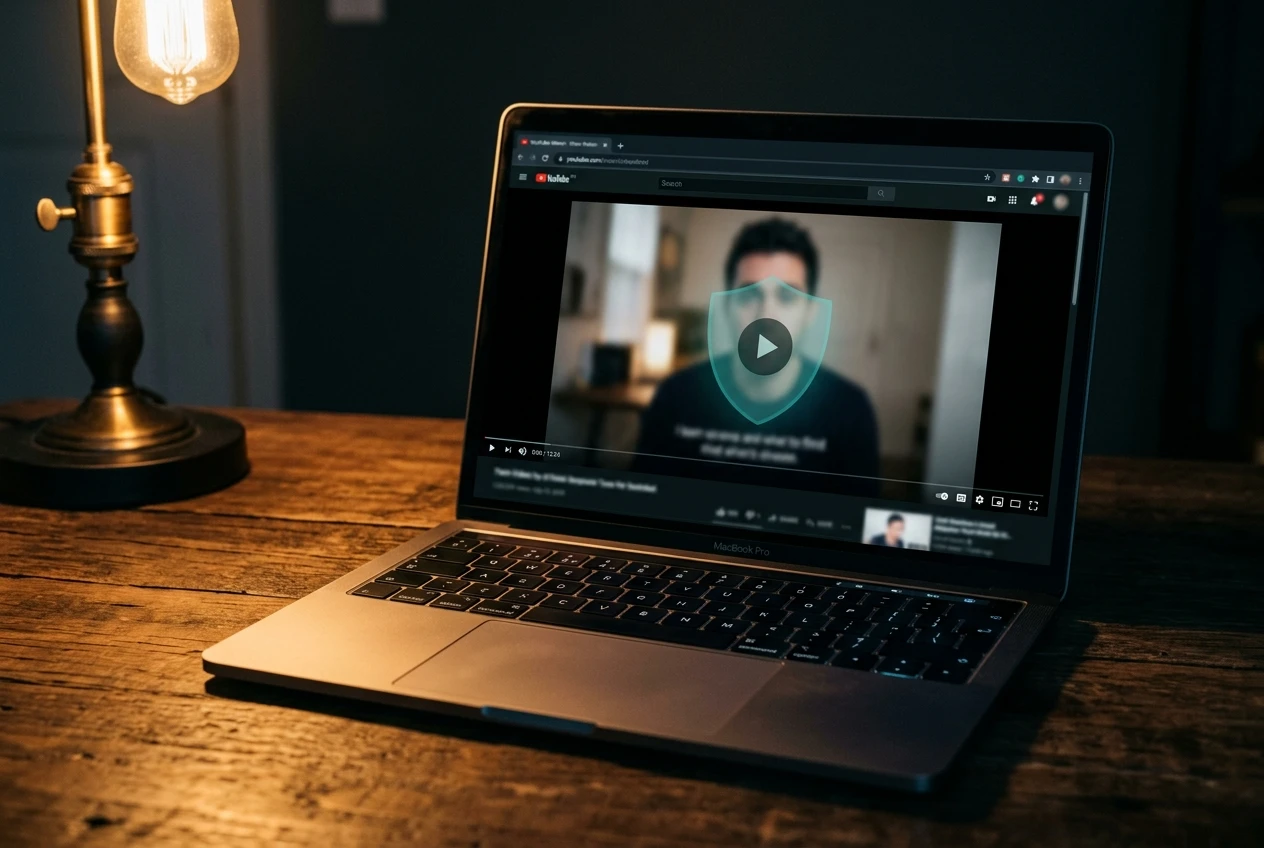
On Android, DuckDuckGo Ad Blocking lives behind a manual toggle for now. To turn it on, users open the DuckDuckGo browser, tap the three-dot menu, head to Settings, then Ad Blocking, then enable YouTube Ad Blocking. The option will be auto-enabled for Android users soon, mirroring the default-on treatment given to iOS, Mac, and Windows. The feature can also be flipped on and off mid-video through the browser controls, and on desktop the toggle sits next to the green DuckDuckGo shield in the address bar.
Anyone hitting trouble can submit anonymous feedback through the browser’s options menu, the same channel DuckDuckGo is leaning on as the filter rules evolve.
How the Filter Engine Works
DuckDuckGo does not bundle a proprietary ad-blocking engine the way Brave does. Instead, the YouTube blocker leans on community-maintained uBlock Origin filter lists from the open-source project that already powers most third-party ad blockers. Those lists are routinely updated to track changes YouTube makes on the ad-serving side.
Beyond the shared lists, DuckDuckGo layers in its own compatibility rules to reduce breakage and keep videos playing. The setup mirrors what Firefox users get when they install uBlock Origin as an extension, except the filter engine runs pre-installed in DuckDuckGo’s browser. The official help page is plain about the sourcing, noting that DuckDuckGo uses community-driven filter lists from uBlock Origin, plus its own updates, to keep ad blocking current.
The known trade-off is slightly longer buffering at the start of a clip. Videos may sit on a loading or black screen for a few extra seconds before playback starts, a delay YouTube introduced last year as part of its anti-blocker defenses. Once a clip starts, the playback itself runs uninterrupted, with no mid-roll breaks.
DuckDuckGo frames the buffering pause as a one-time event per video rather than a recurring interruption. New ad formats can slip past the filters until community updates arrive, an arms-race dynamic DuckDuckGo flags publicly. The team is treating this as a soft launch, asking users to keep sharing feedback as the rules settle in.
It’s still a new feature, so give it a try and let us know how it’s working for you! Send anonymous feedback any time from your browser’s menu.
DuckDuckGo, in the Spread Privacy announcement that shipped with the rollout.
Duck Player and YouTube Ad Blocking Are Two Different Toggles
DuckDuckGo’s browser already had a YouTube feature called Duck Player, and the new blocking toggle is separate. Duck Player renders YouTube videos inside the browser in a distraction-free theater mode that strips out comments and related clips. It enforces YouTube’s strictest privacy settings for embedded playback, which keeps watch history from influencing YouTube recommendations. The setup was already familiar to users who want a screen without distractions.
YouTube Ad Blocking covers a different use case. It runs on the regular YouTube website, so viewers keep access to watch history, saved playlist positions, and account features that require login. The two are designed to coexist, so a user can leave Duck Player on for in-browser viewing and still get the new ads-off experience on YouTube.com proper.
One important constraint applies to Duck Player specifically: by design, what you watch in Duck Player does not influence YouTube’s recommendation algorithm, and Duck Player will not save a viewer’s spot in a playlist. YouTube Ad Blocking preserves both behaviors, since videos play on the standard YouTube site and look identical to non-blocked sessions otherwise.
Browser-by-Browser Scorecard for YouTube Ad Blocking
Brave and Opera have shipped built-in ad and tracker blockers for years that handle most YouTube ads without extensions, a path DuckDuckGo now joins. Opera’s Linux launch with a built-in ad blocker shows the same no-install posture spreading to more platforms. Firefox still expects users to install uBlock Origin themselves, which means adding one more piece of software. Chrome is the hardest case: its Manifest V3 transition stripped native uBlock Origin support, leaving the watered-down uBlock Origin Lite as the only extension-based option for users who want any coverage.
| Browser | YouTube Ad Blocking | Notes |
|---|---|---|
| DuckDuckGo | Built-in using uBlock Origin filter lists plus DuckDuckGo’s own rules | On by default on iOS, Mac, Windows; manual toggle on Android |
| Brave | Built-in ad and tracker blocker | Long-running built-in ad blocking |
| Opera | Built-in ad blocker | Covers desktop and mobile |
| Firefox | Extension-based | Uses uBlock Origin extension |
| Chrome | Extension-based, limited | Manifest V3 ended native uBlock Origin support; Lite version only |
For users picking a browser by YouTube behavior, the field is now split across no-install defaults, single-click extensions, and partial coverage. Among browsers with built-in blocking, the runtime experience converges: filters update frequently, and new ad formats can sometimes slip past until lists catch up. DuckDuckGo’s distinction is the on by default treatment for iOS, Mac, and Windows on its free browser, with manual toggle on Android.
Why This Lands Now: $15.99 Premium and the Squeeze on Extensions
Timing matters. YouTube Premium’s individual plan in the United States jumped from $13.99 to $15.99 per month earlier this year, and a Family plan climb took that tier to $26.99, per the Premium price hike from earlier this year. Free viewers who watched that increase land at exactly the moment when built-in browser blockers are popping up across multiple platforms. For the cost-conscious, an ad-free YouTube experience inside a free browser now requires neither a subscription nor an extension install on three of four supported devices.
On top of the price hike, Google has been making the extension path harder on its own browser. The shift to Manifest V3 effectively ended support for the original uBlock Origin on Chrome, pushing users to uBlock Origin Lite. DuckDuckGo’s filter-list approach works regardless of Chrome’s extension rules because it runs inside DuckDuckGo’s own browser, not as a Chrome add-on.
YouTube has occasionally pushed back by issuing ad-blocker warnings or throttling playback for users it detects as using blockers. Browser-level blockers, including DuckDuckGo’s, can still be hit when YouTube changes how it serves ads. The back-and-forth is the same arms race extension users have watched for years, now playing out across whole browsers.
Caveats, the Android Gap, and the Linux Question
Android users still need to flip the toggle on themselves until DuckDuckGo’s auto-enable kicks in. The feature is also explicitly flagged as new and not fully stable yet, with occasional drops in effectiveness called out as expected behavior. Anyone who hits a new ad that slips through can submit anonymous feedback through the browser’s options menu, the same channel DuckDuckGo is using to update filter rules.
For viewers used to free uBlock Origin on Firefox, the trade-offs look familiar: occasional buffering pauses, brief breakages when YouTube serves ads through new templates, and a reliance on community-maintained lists that need periodic refreshes. DuckDuckGo has not specified whether the feature will reach its mobile Linux build or other platforms, so users on less common platforms should not expect parity with iOS, Mac, Windows, or Android for now. Viewers who want both DuckDuckGo’s privacy protections and the standard YouTube interface should keep YouTube Ad Blocking on and leave Duck Player disabled. Travelers between devices will need to update the browser on each platform before the new feature works.
Frequently Asked Questions
Does DuckDuckGo block every YouTube ad?
No. According to DuckDuckGo’s YouTube Ad Blocking help page, the feature removes most video ads on YouTube, including pre-roll ads before videos, mid-roll ads during playback, and standard skippable and unskippable video ads on YouTube’s website. New ad formats can bypass filters until the community-maintained lists catch up.
Will YouTube warn or limit playback because of this feature?
YouTube has historically pushed back against ad blockers, including by issuing warnings or temporarily limiting playback for users who skip ads. DuckDuckGo has not reported any specific YouTube enforcement action against its browser, and any browser-based blocker can see effectiveness dips when YouTube changes how it serves ads. Reporting through the browser’s anonymous feedback channel helps DuckDuckGo update its rules quickly.
Can YouTube Ad Blocking and Duck Player run together?
Yes. DuckDuckGo describes the two as complementary features. Duck Player renders YouTube in a distraction-free theater mode that enforces YouTube’s strictest privacy settings and does not influence recommendations, while YouTube Ad Blocking strips ads from the regular YouTube site. With both on, per the DuckDuckGo Duck Player help page, viewers get the privacy of Duck Player and ad-free viewing in normal YouTube sessions as well.
Does the feature work in the YouTube mobile app?
No. DuckDuckGo’s blocker runs in the DuckDuckGo browser, not in the YouTube app. When mobile users tap YouTube links from outside the browser, the standalone app often opens by default, and DuckDuckGo’s ad blocking does not apply. To use the feature on a phone, viewers must open YouTube inside DuckDuckGo’s browser, not inside the installed YouTube app.
What is different between iOS, Mac, Windows, and Android right now?
On iOS, Mac, and Windows, YouTube Ad Blocking is on by default in the latest DuckDuckGo browser release. On Android, users must toggle it on through Settings > Ad Blocking until DuckDuckGo auto-enables it on Android. DuckDuckGo has not specified whether the feature will reach its mobile Linux build or other platforms, so users on Linux should not expect parity today.
How do I turn DuckDuckGo’s YouTube ad blocker off if I want to see ads?
On every platform, the toggle lives inside the DuckDuckGo browser’s Settings > Ad Blocking. On desktop, the green shield in the address bar also gives a video icon to flip the feature on or off mid-playback. When toggling off mid-video, DuckDuckGo prompts users to send an anonymous error report, an optional step that helps the team update filter rules.


Replit Opens Its London Office Inside an AI Crowd

Straight Circle Trailer Lands Without a U.S. Date

Anemo Labs Bets £700,000 on an AI Sense of Smell

Nintendo Prices the Zelda 40th Switch 2 at $519

Copilot Capital Buys the Autopilot Already Running 90 GW

Ground A Raises €9.1 Million for a Pallet Laser

Gibney’s Musk Film Opens in Venice Without Its Subject

Torvalds Blames AI for a Full-Fat Linux 7.3-rc2

Dexter Returns Sharper, Older, and Stuck Between Killers

Meta’s Muse Agent Can Spend Before the Privacy Lock

Walter’s TWG Insists No Fraud as Insurer Probes Force Cleanup

30-Year Yield Hits 5.32% Highest Since 2007 as Debt Supply Locks In Costs

PCE Stays at 3.7% as Gas and Tariffs Outrun Coming Revisions

Evernorth S-4 Clears Path for Active XRP Treasury on Nasdaq

Astute’s $1.2M bet makes B2B creator deals feed AI discovery

Strategy Parks $1.59B Cash While Bitcoin Stack Stays Flat

Instinct Hits $2.5 Billion as AI Agent Access Sparks Trust Fights

Monzo chair Gary Hoffman exits after board revolt fallout

Oracle’s 2.8 GW Bloom Deal Exposes the AI Power Bypass

CLARITY Act Cloture Opens a Door Ethics Still Blocks
-
 FINANCE3 months ago
Zcash Patched a Double-Spend Bug as ZEC Climbed 5%
-
 ENTERTAINMENT3 months ago
Steam Summer Sale 2026 Locks In June 25 to July 9 Dates
-

 FINANCE2 months ago
CLARITY Act Final Text Expected This Weekend as 60-Vote Hurdle Looms
-
 NEWS4 months ago
Meta Adds AI Replies to Threads, But Users Can’t Block It
-
 ENTERTAINMENT5 months ago
Extraction 3 Is Officially Coming to Netflix in 2027
-

 NEWS3 months ago
YouTube Shorts is testing a heart in place of the thumbs-up
-

 NEWS1 month ago
Senators Force Apple Off Chinese Memory as Big Three Cash In
-

 NEWS3 months ago
NEURA Robotics’ $1.4B Series C Redraws Europe’s Physical AI Bet