
NEWS
Chrome’s Late Vertical Tabs Reset the Sidebar Race
Chrome vertical tabs shipped in April. Version 152 now adds hover expand as Opera and Vivaldi keep rewriting the sidebar.

Google Chrome is rolling hover-expand for vertical tabs into stable 152, five months after the sidebar itself left beta. The layout is still off when you install the browser. That gap is now the whole fight.
On April 7, 2026, Chrome product managers Alex Tsu and Jess Carpenter said Google was beginning to roll out two new features, vertical tabs and a full-page reading mode. The side strip was the one people had asked for since Edge shipped it in 2021. Chrome gave it to them as a right-click, then spent the next five months polishing the hover.
Chrome 147 Put Tabs on the Side
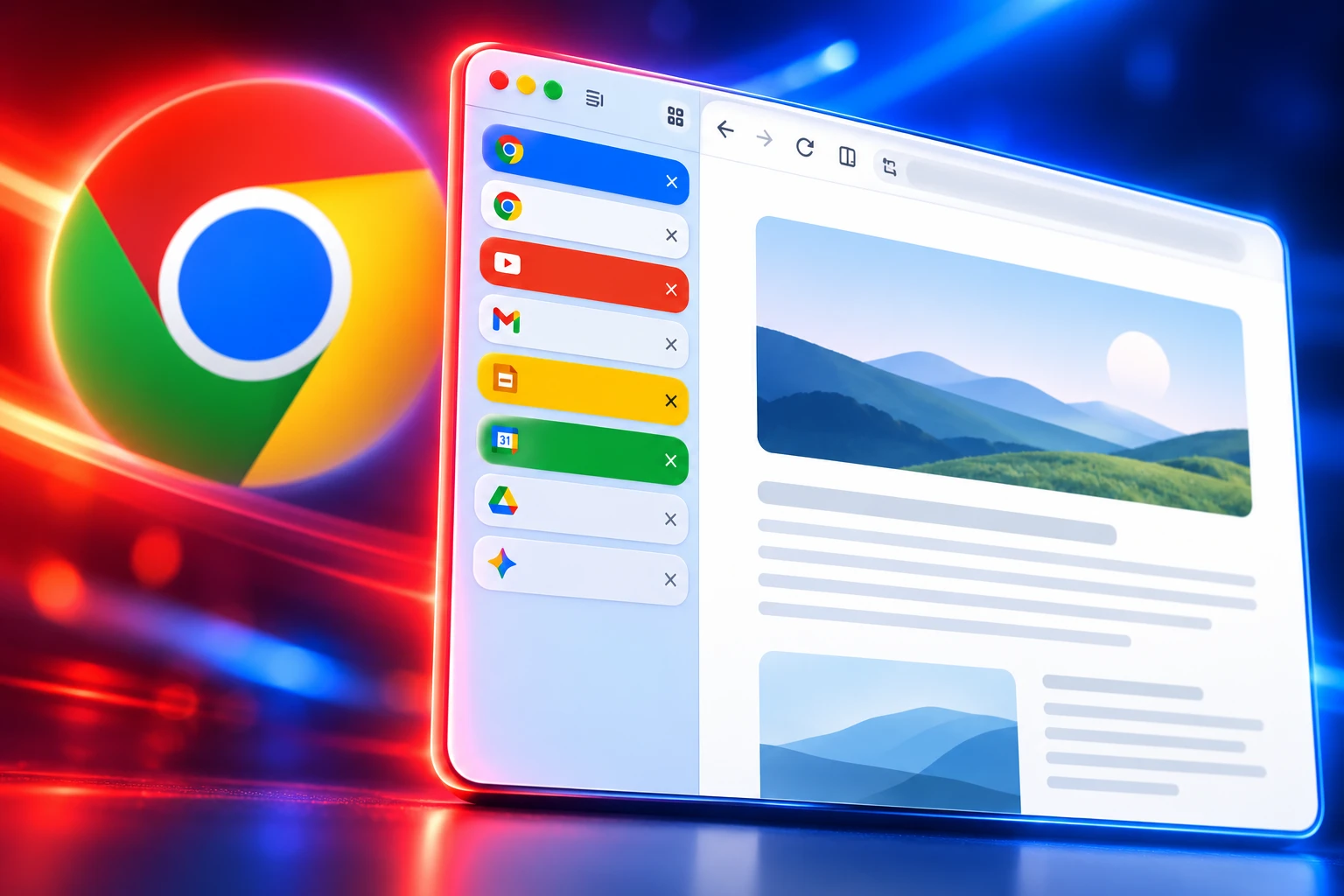
Google’s own post kept the pitch short. Move the tabs to the side, read full titles, keep using tab groups when the count hits double digits. You turn the layout on from the window, and it stays on until you switch back.
You now have the option to use vertical tabs in Chrome, depending on your preferences. Just right click on any Chrome window and select “Show Tabs Vertically.”
Alex Tsu and Jess Carpenter, Chrome product managers, Google Chrome blog, April 7, 2026
Enterprise notes for the Chrome 147 cycle describe a desktop strip on Linux, macOS, and Windows, rolling out gradually. That is the public product. It is not the January test.
Bramus, a Chrome Developer Relations engineer, posted on January 16, 2026 that vertical tabs sat behind chrome://flags/#vertical-tabs in Chrome 145 beta. You enabled the flag, relaunched, then right-clicked the tab bar and chose “Move Tabs To The Side.” Settings > Appearance also grew a Tab strip position control, Top or Side, on Windows, macOS, Linux, and ChromeOS. Chrome’s first vertical-tab experiments still lived in that flag.
Vertical tabs did not make the Chrome 145 stable release notes dated February 10, 2026. Chrome 145 Early Stable had already gone out on January 28. The side strip waited for the 147 cycle and the April 7 post. The same post also pushed a full-page reading mode, opened with a right-click on a page.
Google’s own account put a clip on the announcement the same day.
Introducing a top-to-bottom update for your tabs…literally. Vertical tabs are coming to Chrome! 🚦
And there is more: A full-page view free from distraction with a new immersive reading mode. pic.twitter.com/axBqBNlnbW
— Chrome (@googlechrome) April 7, 2026
How to Turn On Chrome Vertical Tabs
You do not need the flag on current stable Chrome. You do still have to ask for the layout. Horizontal tabs remain the default, which is why people kept posting in July and August that they had “just found” a feature Google shipped in April.
TURN THE SIDE STRIP ON
- Update first: Use a current stable desktop build; the public roll began in the Chrome 147 cycle on April 7, 2026.
- Right-click the window: Choose Show Tabs Vertically, the wording in Google’s April post.
- Or use Appearance: Settings, Appearance, Tab strip position, then Side, the control that landed with the January flag builds.
- Collapse when you want space: The rail can sit expanded with titles or condensed to site icons, with a close button on each row when the strip is open.
Tab groups still work in the side rail, and the strip includes a way to search open tabs. Chrome keeps a thin icon column when you collapse the panel, so the page never goes fully frameless the way some smaller browsers hide the chrome. If the right-click line is missing, the April roll was gradual on Linux, macOS, and Windows, and the older flag path still exists as a fallback on some builds.
The Hover Trick in Chrome 152
The April strip solved the unreadable favicon row. It did not solve the extra click you make every time you want titles, then icons, then titles again. That is the bit Google is shipping now.
WHAT IS IN THE 152 ROLL
- Build spotted: Chrome watcher Leopeva64 logged the hover panel in Chrome 152.0.7977.83 on September 6, 2026.
- No flag: Expand on hover is arriving without Vertical Tabs Expand On Hover flipped in chrome://flags.
- Windows shortcut: Ctrl+Shift+L toggles the expanded and collapsed states.
- Mac shortcut: Cmd+Shift+L does the same on Mac, and that shortcut is already widely available.
Leopeva64 wrote that Google “has started rolling out the feature that auto-expands the vertical tab panel on hover, as well as the keyboard shortcut to collapse or expand vertical tabs in Chrome Stable,” and that you can turn auto-expansion off from the tab-strip context menu. The hover itself is staged. The same 152.0.7977.83 build does not show it on every machine. Chrome 151’s Early Stable date was August 7, 2026, so 152 is the numbered vehicle, not a promise that every profile got the animation on the same morning.
Until the hover lands on a given profile, the shortcut is the faster path. Right-click the sidebar if you hate the auto-open and want the old click-to-expand behavior back.
Five Years of Sidebars Before Chrome
Chrome was not late by a release. It was late by a product generation. Microsoft made vertical tabs generally available with the March 2021 release of Edge, in Edge 89. Liat Ben-Zur, then a Microsoft corporate vice president, said vertical tabs were “now generally available this month” so people could “clearly see the tab titles and controls” from a side pane.
Mozilla followed on March 4, 2025 with Firefox 136. The new vertical tabs layout puts open and pinned tabs in the sidebar. Mozilla told testers to right-click the toolbar and choose Turn on Vertical Tabs, and wrote that early testers reported feeling more organized after a few days.
THE SIDEBAR CALENDAR
- March 4, 2021: Edge 89 makes vertical tabs generally available.
- March 4, 2025: Firefox 136 ships a native side tab list.
- January 16, 2026: Chrome 145 beta exposes chrome://flags/#vertical-tabs.
- February 10, 2026: Chrome 145 stable ships without the feature in its notes.
- April 7, 2026: Google starts the Chrome 147 desktop roll of Show Tabs Vertically.
- July 2026: Opera One adds vertical tabs, with New Tab at the bottom.
- September 6, 2026: Hover-expand and the collapse shortcut appear in Chrome Stable.
- September 10, 2026: Opera moves New Tab to the top of the strip.
That is five years from Edge’s ship date to Chrome’s April roll, and just over a year from Firefox 136. Vivaldi had a configurable side tab strip long before Google’s flag. The copycat era did not start in 2026. Chrome joining it did.
WHO SHIPPED A SIDE STRIP, AND HOW YOU SWITCH
| Browser | First stable side tabs | How you switch |
|---|---|---|
| Edge | March 2021 (Edge 89) | Toolbar button / Appearance |
| Firefox | March 4, 2025 (Firefox 136) | Right-click, Turn on Vertical Tabs |
| Chrome | April 7, 2026 (147 cycle) | Right-click, Show Tabs Vertically |
| Opera One | July 2026 | Vertical layout in Opera One |
| Vivaldi | Built in, long before Chrome’s test | Tab bar / settings |
Arc trained a lot of people on a sidebar-first window, then stepped back from the race. The March 2026 replies under Sawyer Hood’s “finally” post treated Chrome’s strip as good enough to drop Arc. That is the second-order hit: once Chrome copies a layout, the layout stops being a reason to leave Chrome.
Why Opera Turned the Strip Upside Down
Opera added vertical tabs in July 2026 so the browser would feel familiar to people coming from Chrome, Edge, or Firefox. On September 10, 2026, it said that copying them had been the wrong call. The New Tab button from the bottom sat too far from the address bar once the strip filled.
We implemented it like other browsers so the experience would feel familiar to you when switching to Opera, but we have to admit: placing the “New Tab” button at the bottom was a mistake.
Santiago Benavides García, Opera blog, September 10, 2026
Opera’s own math is blunt. On a 1080p display the bottom button sits about 950 pixels below the address bar. At 2560×1440 it is about 1,300. On a native 4K panel with no scaling it is over 2,000. A survey of 4,900 Opera One desktop users with vertical tabs on, run in August and September 2026, found that over 73% open a new tab by clicking the button rather than using a shortcut. That round trip was the norm.
From September 10 the default puts New Tab at the top, and new tabs appear under it. Tab Islands stay put, because flipping those would grow the island upward. Easy Setup can restore the old bottom button. Opera also raised contrast on the active tab, added a hover “+” on an island, made collapsed-mode closes less error-prone, and let you drag one tab onto another to make an island. The company said vertical tabs had been in Opera for less than two months, so the habit was still cheap to break.
Vivaldi’s Hover Animation in Snapshot 4157.3
Vivaldi is on the same hover. Snapshot 4157.3, branded Vivaldi 8.3.4157.3, restores vertical-tab work that sat on hold for the 8.2 release. The changelog lists an expansion animation triggered on hover, turned on with a right-click when tabs sit vertically, plus a setting to show or hide titles on pinned vertical tabs, and a fix so the strip uses the window’s height. The snapshot rides Chromium 152.0.7977.112, the same numbered family as the Chrome 152 builds showing Google’s own hover.
Edge is not sitting still either. A Tab Groups button has started to appear in Edge Canary for people who already use vertical tabs, a control Chrome already puts in its side rail. Microsoft had the layout five years earlier. It is now lifting a groups entry point from the browser that copied the layout last.
Chrome still does not turn the sidebar on for you. Five months after Tsu and Carpenter’s post, people are still hitting Show Tabs Vertically by accident and treating it like a launch. The hover in 152.0.7977.83 is a server-side drip, not a switch that flipped for every profile on September 6. The shortcut is the part you can count on. The animation is the part Google is still metering out.
Opera spent September asking whether New Tab belongs at the top of a vertical strip. Vivaldi spent it animating the expand. Chrome spent it shipping that expand to some 152 users and not others. The January flag is finished. The layout argument is not.

UPI MDR Delay Hands Traders the Calendar After Paytm Falls

Google Messages Builds Nine In-Chat Games After Samsung’s Exit

Anthropic’s $100 Million Academy Trains the Firms That Bill Both Sides

Toyota’s Electric C-HR Leaves the Cheap Twin to Subaru

Markets Bet the Fed Skips October After Hawkish Minutes

The Orchard Bug Forced Zcash to Open an Empty Pool

The $5.99 Game That Won Steam’s 2026 Summer Sale

Don Lee Joins Hemsworth as Extraction 3 Starts Shooting

YouTube Shorts Retires Dislikes and Swaps Likes for Hearts

Atlantic City Turned WWE’s Return Into a Civic Night
-
 NEWS5 months ago
The Orchard Bug Forced Zcash to Open an Empty Pool
-
 GAMING5 months ago
The $5.99 Game That Won Steam’s 2026 Summer Sale
-
 ENTERTAINMENT7 months ago
Don Lee Joins Hemsworth as Extraction 3 Starts Shooting
-
 NEWS5 months ago
YouTube Shorts Retires Dislikes and Swaps Likes for Hearts
-
 NEWS5 months ago
Atlantic City Turned WWE’s Return Into a Civic Night
-

 NEWS5 months ago
NEURA Robotics Is Spending Its $1.4B on a Machine Stack
-

 AUTO6 months ago
Kawasaki Bets the New Z1100 Against Its Own Supercharger
-

 BUSINESS5 months ago
Norway’s Export Bank Backs Nscale’s $790 Million Narvik Loan