
NEWS
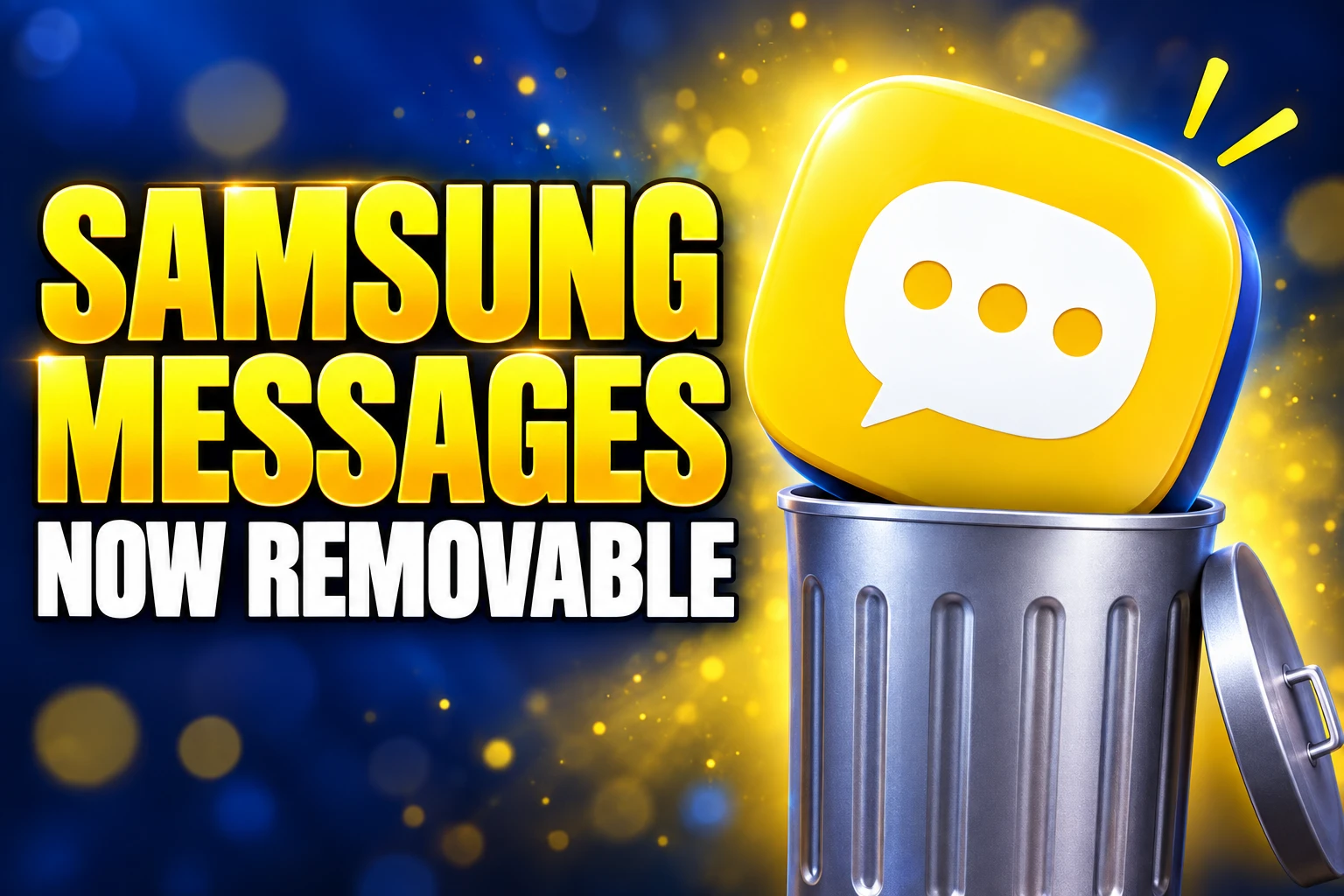
Samsung Messages Becomes Removable After the US Cutoff
Samsung Messages ended US sending on July 6. Tizen watches and tablets still feel the leftovers, and One UI 9 can uninstall the app.

Samsung Messages stopped sending regular texts in the United States on July 6, 2026, except to emergency service numbers and emergency contacts saved on the phone. The yellow icon can remain on a home screen. Starting in the fall of 2026, phones running One UI 9.0 or higher can uninstall it.
Samsung’s public notice still reads like a feature list for Google Messages. The people who actually feel the cutoff are the ones buried under those bullets: Tizen watch owners, tablet and PC continuity users, phones stuck on Android 11, and every Galaxy outside the US.
The Text Field Went Grey on July 6
Samsung’s end of service announcement for US users now speaks in the past tense. The application has been discontinued. The company tells anyone on Android 12 or higher to make Google Messages the default SMS app if they have not already done so.
The July cutoff for US Galaxy phones was not a quiet default swap. After that date, Samsung Messages cannot send ordinary SMS, MMS, or RCS. The only outbound path left inside that app is an emergency service number or an emergency contact defined on the device.
Galaxy S26 owners were already past the choice. Samsung says owners of the Galaxy S26 and newer devices cannot download Samsung Messages from the Galaxy Store, and every other US phone lost that download after the July 2026 store pull.
THE US MESSAGES CUTOFF
- July 6, 2026: Sending through Samsung Messages stops in the United States except for emergency service numbers and emergency contacts.
- July 2026: The Galaxy Store stops offering the app on phones that could still download it.
- Fall 2026: The app becomes removable on devices running One UI 9.0 or higher.
The notice is marked applicable to the US market only. A phone that never left Android 11 is also outside this end of service, which is why the leftover map is messier than a single kill date.
Tizen Watches Keep Sending, and Lose the Thread
Older Galaxy watches never got a clean off-ramp. Samsung says watches launched before the Galaxy Watch4, which run Tizen OS, cannot support Google Messages. After the phone app died, those watches can still read and send text messages. They can no longer show the full conversation history.
Samsung’s support FAQ names the Galaxy Watch3 in that group. There is no software fix on Tizen. The limit is the watch platform, not a missed toggle.
Galaxy Watch4 and newer watches run Wear OS. Samsung says both Samsung Messages and Google Messages are already installed on those models. Once Google Messages is the default on the paired phone, the watch can use Google Messages, and notifications still carry texts even if the phone and watch apps do not match.
WATCH AND PHONE ACCESS AFTER THE CUTOFF
| Device group | Samsung Messages on the phone | Full history on the watch |
|---|---|---|
| US, Android 12 or higher | Emergency numbers and contacts only | Galaxy Watch4 or newer, through Google Messages |
| US, Android 11 or lower | Full app still works | Tizen watches still cannot run Google Messages |
| Galaxy S26 and newer in the US | App was never offered | Galaxy Watch4 or newer |
| Tizen watch before Galaxy Watch4 | Follows the paired phone | No; read and send only |
| Outside the US | Full app still works | Unchanged by this US notice |
Watch4 owners still need the watch connected to a Galaxy phone with Google Messages set as the default. Samsung also wants Remote connection turned on if the watch is meant to keep working away from the handset.
Tablets Need a Fresh Pairing Path
The other quiet casualty is Message Continuity, the texting half of Call & text on other devices. Samsung says that service, which carried Samsung Messages onto phones, tablets, and PCs, is disrupted once the phone app is gone.
Texting from a tablet is not dead. It is no longer the old Samsung-account hop. Support now tells people to open Google Messages on the tablet, sign in with the same Google account used on the phone, or pair the two with a QR code from the phone’s profile menu under Device pairing. Google Messages does not need the old Allowing texting on this tablet switch in the Call & text menu.
Carrier limits survived the switch. Samsung still warns that Call & text on other devices currently does not work with Verizon and AT&T phones, and may be missing on some other carrier models. A tablet on those networks does not magically gain SMS because the phone moved to Google.
Calls can still move to a tablet when both devices share a Samsung account, sit on Wi-Fi, and have Call & text turned on. That path was always separate from the messaging stack, and it is the part that did not depend on Samsung Messages staying alive.
Who Still Has Samsung Messages After the US Cutoff?
Most of the upgrade copy assumes a current US flagship. The end of service is narrower than that, and the holdouts are not a rounding error if you still own last decade’s hardware or live outside the United States.
THE GROUPS THIS NOTICE DOES NOT SWEEP UP
- Android 11 phones: Samsung Messages remains available and functional on Android 11 or lower, including the old in-app tools for starting a thread or blocking a number.
- Non-US Galaxy phones: The US page states the change applies to the US market only, so overseas users were not told to leave the app.
- Tizen watch owners: They keep basic send and receive, and they lose the full thread view with no Google Messages client to replace it.
- Verizon and AT&T tablet users: Call & text on other devices still does not run on those phones, so the Google pairing path may not restore tablet SMS.
- Anyone who never installed Google Messages: Samsung still lets you pick any installed SMS app under Settings, Apps, Choose default apps, SMS app.
That last point is easy to miss because Samsung’s marketing only names Google. The support page is wider. Fossify, Textra, or another SMS client can be the default if it is on the phone. Google is the recommended path on Android 12 or higher, not the only legal one.
One UI 9 Makes the Dead Icon Removable
For months after the cutoff, the leftover problem on many homescreens was simpler than RCS. The dead app was still there. On One UI 8.5 or lower, Samsung says a pre-installed copy may only be disabled, not removed. Disabling hides it. It does not take the package off the phone.
The fall 2026 change is the uninstall gate. Samsung says that starting in the fall of 2026, users on One UI 9.0 or higher can long-press the icon or follow an in-app prompt and uninstall it. On devices running Android 17 with One UI 9 or higher, opening Samsung Messages after the switch can show an in-app option to uninstall the app directly.
That software is still landing in waves. One UI 9.0 is tied to Android 17, and mid-range phones were still entering beta in early September 2026, so the removable icon is a property of the new skin, not a switch Samsung flipped on every Galaxy at once.
Android 12 and 13 add a smaller nuisance. After Google Messages becomes the default, its icon does not automatically move into the home screen dock. Samsung’s own steps are to long-press Samsung Messages and choose Remove, long-press Google Messages and choose Add to Home, then drag the blue bubble into the dock.
iPhone Threads Get RCS From the Galaxy Inbox
The Samsung Messages application has been discontinued. Users on an older Android OS (Android 11 or lower) are not affected by this End of Service. Upgrade to Google Messages as your default messaging app today to maintain a consistent messaging experience on Android.
Samsung, End of Service Announcement, Samsung US
The replacement pitch is Google’s stack, not Galaxy AI. Samsung lists scam detection and spam filters, RCS across Android and iPhone, Gemini features such as remixing photos in chat and smart replies, and the ability to move a thread between phone, tablet, and a Watch4-class watch.
RCS is the interoperability claim. All chat members must have it enabled. Android users need Google Messages. iPhone users need iOS 18 or later. Samsung points readers to Google’s page on RCS chats with iPhone contacts for the rest of that pitch, including high-quality photos, typing indicators, and richer group chats.
Google also says end-to-end encryption is on by default for Google Messages chats on an Android phone. That protection is a Google-to-Google property. It is not a promise for every SMS fallback, and it is not what Tizen watches were running.
The louder complaint after the switch is still organization. Samsung Messages let people file conversations in categories. Google Messages leans on spam, archive, pins, and filters instead. Into September 2026, Galaxy owners were still asking Samsung to bring the old app back, and a few said a Pixel would have been a more honest way to end up in Google’s inbox.
Message History Can Take 24 Hours to Appear
Samsung says all messages and conversations transfer automatically from Samsung Messages to Google Messages. The time depends on how much history is on the phone, and it can take up to approximately 24 hours to finish. A thin inbox in the first evening is the delay, not proof the threads were wiped.
Devices released before 2022 have a second hitch. Switching messaging apps may temporarily disrupt ongoing RCS conversations. Samsung says those RCS threads can resume if both sides use Google Messages, and that MMS and SMS stay available in the meantime.
If Google Messages is not already on the phone, Samsung tells people to download Google Messages from Play Store, open it, and accept the prompt that reads, “To use Messages, make it your default SMS app.” The app to pick is the white icon with the blue conversation bubble. Then tap Set as default.
The shutdown of the Samsung Messages app does not reach a Watch3, a Verizon tablet hop, or a phone that never left Android 11. Those leftovers stay until the hardware is replaced, because Samsung did not ship them a second client.
Frequently Asked Questions
How do I check whether my Galaxy phone is on Android 12 or higher?
Open Settings, tap About phone or About tablet, then tap Software information and read the Android version. Samsung says a US device on Android 12 or higher should move off Samsung Messages, while Android 11 or lower keeps the old app working.
Can I set a different SMS app as default instead of Google Messages?
Yes. Samsung’s support page says you can set any installed message app as the default by going to Settings, Apps, Choose default apps, then SMS app, so Google Messages is the recommended client on Android 12 or higher rather than the only allowed one.
What extra setting do Galaxy Watch4 owners need for Google Messages?
The watch must stay paired to a Galaxy phone that uses Google Messages as the default SMS app, and Remote connection must be enabled. Wear OS models such as the Galaxy Watch4 already have both Samsung Messages and Google Messages installed, so the watch client is Google Messages after the phone switch.
How do I pair a Galaxy tablet after Message Continuity breaks?
Sign into Google Messages on the tablet with the same Google account used on the phone, or open Google Messages on the phone, tap the profile icon, choose Device pairing, then Switch to QR pairing, and scan the tablet’s code. That path does not use the old Allowing texting on this tablet toggle, though Call & text on other devices still requires a Samsung account login and still does not run on Verizon or AT&T phones.
Can I keep texting from a computer after the US cutoff?
Google’s own Messages site says you can open messages.google.com on a computer or tablet and pair it with the Android phone, which replaces the old Samsung Messages continuity hop for people who used a PC window rather than a Galaxy tablet.

Copilot Capital Buys the Autopilot Already Running 90 GW

Walmart Puts Dunkin on the App to Sell More Groceries

Molten Bets £100m of Plc Cash on Late-Stage Tech

Ascentiz Recruits Developers Around Its Modular Exoskeleton at IFA

BIS Puts a Public Timestamp Under Official Statistics on XRPL

The Orchard Bug Forced Zcash to Open an Empty Pool

The $5.99 Game That Won Steam’s 2026 Summer Sale

Don Lee Joins Hemsworth as Extraction 3 Starts Shooting

YouTube Shorts Retires Dislikes and Swaps Likes for Hearts

NEURA Robotics Is Spending Its $1.4B on a Machine Stack
-
 NEWS4 months ago
The Orchard Bug Forced Zcash to Open an Empty Pool
-
 GAMING4 months ago
The $5.99 Game That Won Steam’s 2026 Summer Sale
-
 ENTERTAINMENT5 months ago
Don Lee Joins Hemsworth as Extraction 3 Starts Shooting
-
 NEWS3 months ago
YouTube Shorts Retires Dislikes and Swaps Likes for Hearts
-
 NEWS3 months ago
NEURA Robotics Is Spending Its $1.4B on a Machine Stack
-
 AUTO5 months ago
Kawasaki Bets the New Z1100 Against Its Own Supercharger
-

 BUSINESS4 months ago
Norway’s Export Bank Backs Nscale’s $790 Million Narvik Loan
-
 AUTO5 months ago
The Kawasaki Z1100 Awakens Sugomi With Less Peak Power