
NEWS
Windows 11 Battery Widget Hinges on Accessory Makers
Windows 11 hid a lock screen battery widget in preview builds, and it only works for accessories that already speak Microsoft’s Bluetooth battery rules.

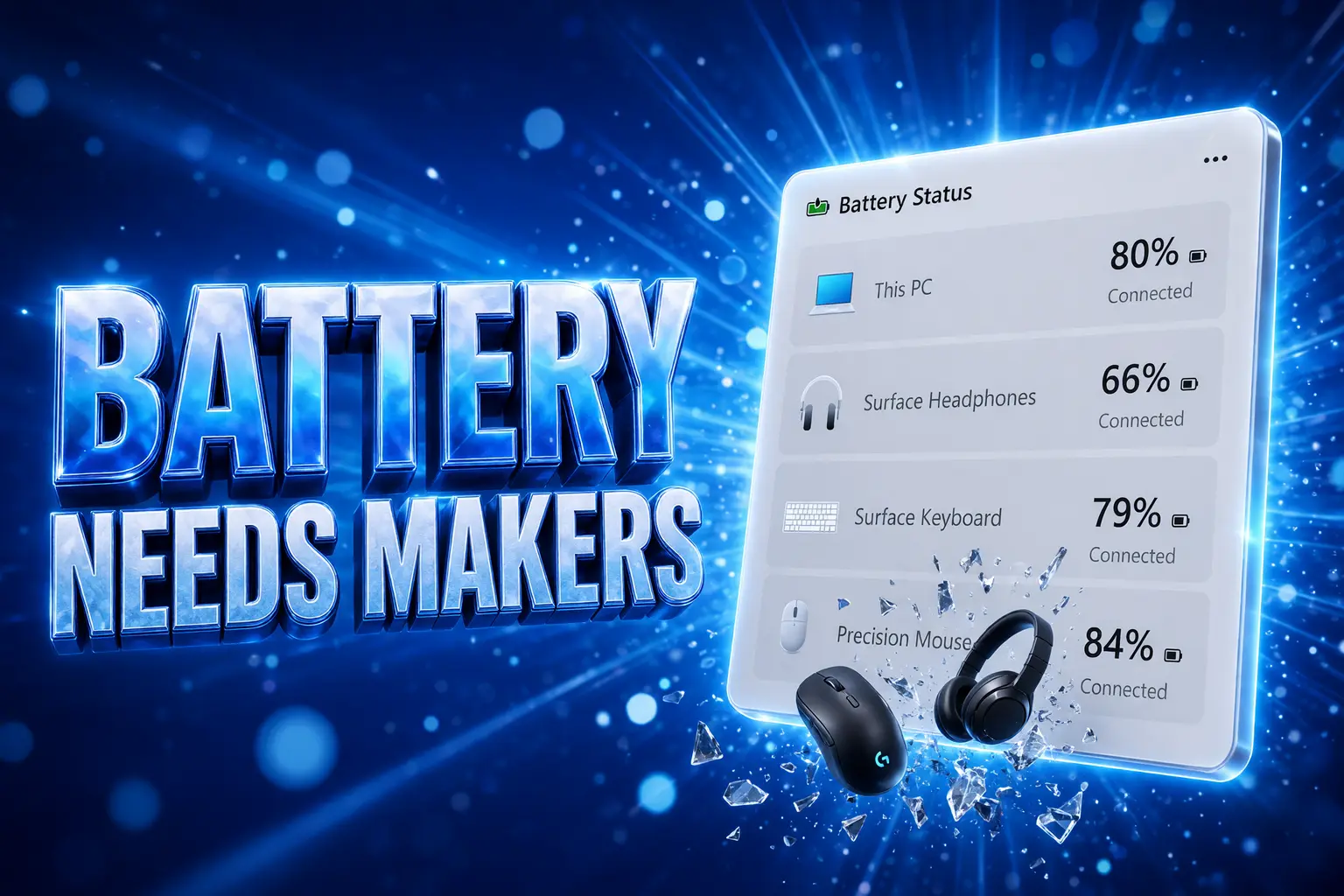
Windows 11 is hiding a battery widget in preview builds that lists the laptop and every wireless accessory that actually reports a charge. Strings and images are already in those builds, and the control itself is not working.
A Discord tip flagged it on September 7, 2026. Microsoft has not announced a ship date, and the people who should care most are accessory makers, because the list will only be as complete as the firmware they already ship.
A Vertical List With the PC on Top
The assets describe a compact card for the Widgets Board and the lock screen, in light and dark themes. Devices stack in a vertical list with the PC battery first, then each connected wireless accessory underneath. Every row carries a device icon, a name, and a percentage, plus marks for charging and for Energy Saver on or off.
WHAT THE STRINGS PROMISE
- Two homes: The card can sit on the Widgets Board or on the lock screen.
- The stack: The laptop is always the first row, with mice, keyboards, and headsets listed below.
- The read: Each row shows an icon, the device name, and a charge level, not a vague low-or-high lamp.
- The extras: Charging state and Energy Saver status are part of the layout, in both light and dark themes.
That is the same glance Android and iPhone users have had for years, and macOS already puts accessory percentages in Control Center and in a Batteries widget. Windows still makes you open Settings, then Bluetooth and devices, and scan tiles one by one, if the hardware even reports a number.
The useful part is not a new sensor. The same percentages already appear on the Bluetooth page for devices that speak the right profile. The widget is a place to see them without unlocking, which is why the lock screen slot matters more than another card inside Win + W.
Microsoft Already Told Accessory Makers How
Microsoft’s hardware rules already assume people want accessory charge in the Windows interface. On classic Bluetooth, a headset that supports Hands-Free Profile is told to send battery through HF Indicators in HFP 1.8. On Bluetooth LE, a mouse or keyboard should use Battery Service, and Microsoft tells makers to report at least 11 steps of resolution, enough to show 0 through 100 by tens. A simple low, middle, high lamp is not enough.
Windows users expect to see an accurate battery level of their accessories with Windows UX.
Microsoft, Bluetooth accessory guidelines, Microsoft Learn
Windows 11 24H2 added BAS 1.1, so an accessory can raise its own low or critical alert instead of waiting for the PC to guess. Older BAS 1.0 gear still gets a Windows low-battery alert when the reported level hits 5%. If a device talks on both classic Bluetooth and LE, the two readings have to match, or the host is left with two different numbers for one mouse.
HOW WINDOWS LEARNS ACCESSORY CHARGE
| Link | What the PC reads | Typical gear | Likely on the widget |
|---|---|---|---|
| Bluetooth LE with Battery Service | Percent in 11 steps; BAS 1.1 can add low and critical alerts | Many modern mice, keyboards, earbuds | Yes, if firmware follows the guide |
| Classic Bluetooth with HFP | HF Indicators, also in 11 steps | Some headsets | Yes, when HFP battery is implemented |
| USB receiver / 2.4 GHz dongle | No percent in Settings | Many wireless office mice and keyboards | No |
| Maker app only | Vendor software, not the system list | Some gaming mice and RGB kits | Only if that stack also feeds Windows |
The guidelines even tell firmware authors to treat the percent as decrease-only, unless the device is on a charger or the cell is swapped, because a mouse that naps can bounce from 5% back to 10% and spam alerts. Microsoft also notes that charge-state icons and time-until-empty figures “may be used in a future version of Windows.” The widget strings already talk about charging, which is a hint that this card is meant to surface work the Bluetooth stack has been doing for a while.
Why a USB Dongle Mouse Stays Invisible
A lot of the wireless gear on desks never uses Bluetooth. It uses a tiny USB receiver. Windows treats that as a different kind of connection, so Settings has nothing to put on a battery row. Logitech, Razer, and other makers often keep the real meter inside their own apps. A widget that only reads the system list will look empty next to those mice, no matter how pretty the lock screen card is.
That is the split the leak does not show. A Surface keyboard or a Bluetooth headset that implements Battery Service can appear under the laptop row. A $20 dongle mouse that has worked for years will not, unless the maker starts reporting charge through Windows. Coordinated earbuds are a cleaner case: on 24H2, Windows can already show each side in a notification when BAS 1.1 is present, which is the kind of row people will expect on a lock screen list.
A raw percent still leaves a gap. Eight percent on a headset is a number. The useful version is a nudge to plug in before a call, without opening Settings. The preview assets describe status, not that kind of prompt.
Room for Small Widgets Only
Microsoft already turned the lock screen into a glance strip. You add, remove, and reorder widgets under Settings, Personalization, Lock screen, and the catalog accepts only widgets that support a small size. Tap a tile while the PC is locked, sign in, and you land on whatever page the widget maker chose. You can turn the whole strip off.
Weather, Watchlist, Sports, and Traffic were the early set. Phone Link is in the same picker on machines that have it. A battery card would compete for that short row, which is a better fight than trying to revive the full Widgets Board. People already look at a locked laptop on a desk. They do not already live inside Win + W.
On April 17, 2026, the Windows Insider Program Team shipped Canary Build 29570.1000 and said lock screen widget personalization was expanding beyond the European Economic Area, after starting with Insiders there. Any small widget can be added, which is the door this battery card is meant to walk through if it ever turns on.
Battery Flyout Got There First
Michał Łeptuch, the developer behind Battery Flyout, did not wait for the system card. On September 2, 2026, his app moved from UWP to Windows App SDK and WinUI 3, gained a native ARM64 build, and added a Widgets Board card for battery level and charging status. The listing has been $2.99 on the Microsoft Store. He describes the package as about 50 MB, with no web stack and no ads, and the update widened battery reads for more Apple and Samsung devices.
On September 7, 2026, the same day the system assets leaked, he posted that the Flyout widget keeps supported Bluetooth devices and their levels in one place, and that it will not appear until the app is updated.
https://x.com/michalleptuch/status/2097108399792046358
The Store card is a Widgets Board tile, not a lock-screen slot. Microsoft’s extra, if the hidden control ever lights up, is that glance before you sign in. Until then, anyone who wants the list on the board can pay a few dollars and stop waiting on preview strings.
Five Years of a Board Few People Open
The Widgets Board arrived with Windows 11 in 2021 and spent most of those five years as a news feed with a few pinned cards. Phone Link, OneDrive, and Weather are the ones people actually keep. Most apps never bothered. System cards for CPU or memory still are not in the assets next to this battery list.
THE PATH TO A LOCK-SCREEN BATTERY CARD
- 2021: The Widgets Board ships with Windows 11 and leans on a feed more than on tools.
- Windows 11 24H2: The PC gains BAS 1.1 alerts for accessories that implement the newer Battery Service.
- April 17, 2026: Canary Build 29570.1000 spreads lock-screen widget controls, and any small widget can be pinned.
- September 2, 2026: Battery Flyout ships a Widgets Board card for PC and Bluetooth charge.
- September 7, 2026: Preview builds contain strings and art for a system battery widget that is still switched off.
Microsoft has been quietly making the board less noisy, turning off hover-open and default badges in recent flights, and splitting Discover from the widget grid. A battery list fits that narrower idea of a tool you glance at. It does not fix a board that still asks you to open a panel for news you did not request.
The Strings Can Still Vanish
Hidden features in Insider builds get cut. The Canary notes for Build 29570.1000 say experiences in those flights may never ship, may change, or may be replaced while Microsoft tries ideas. There is no public timeline for this widget, and no confirmation it will reach the Beta channel, let alone a retail release.
WHAT WE KNOW
- The layout: Assets show a vertical list with the PC first, then named accessories, percentages, charging, and Energy Saver, in light and dark themes.
- The homes: Strings place it on the Widgets Board and the lock screen.
- The stack underneath: Windows already reads 11-step battery over HFP and Battery Service, and 24H2 can raise low and critical alerts.
WHAT IS UNCONFIRMED
- A ship date: Microsoft has not said when, or whether, the widget will turn on.
- Dongle support: Nothing in the assets says USB-receiver mice will appear.
- Desktop PCs: The mockups put a PC battery on top; how a tower with no pack is handled is not in the strings.
Until those flags flip, the working list is still Settings, Bluetooth and devices, for every accessory that already speaks Microsoft’s battery rules. The lock-screen card is the version of that list you could see with the lid open and the session locked, and accessory makers decide whether the rows under the laptop are full or empty.


Replit Opens Its London Office Inside an AI Crowd

Straight Circle Trailer Lands Without a U.S. Date

Anemo Labs Bets £700,000 on an AI Sense of Smell

Nintendo Prices the Zelda 40th Switch 2 at $519

Copilot Capital Buys the Autopilot Already Running 90 GW

Ground A Raises €9.1 Million for a Pallet Laser

Gibney’s Musk Film Opens in Venice Without Its Subject

Torvalds Blames AI for a Full-Fat Linux 7.3-rc2

Dexter Returns Sharper, Older, and Stuck Between Killers

Meta’s Muse Agent Can Spend Before the Privacy Lock

Walter’s TWG Insists No Fraud as Insurer Probes Force Cleanup

30-Year Yield Hits 5.32% Highest Since 2007 as Debt Supply Locks In Costs

PCE Stays at 3.7% as Gas and Tariffs Outrun Coming Revisions

Evernorth S-4 Clears Path for Active XRP Treasury on Nasdaq

Astute’s $1.2M bet makes B2B creator deals feed AI discovery

Strategy Parks $1.59B Cash While Bitcoin Stack Stays Flat

CLARITY Act Cloture Opens a Door Ethics Still Blocks

Instinct Hits $2.5 Billion as AI Agent Access Sparks Trust Fights

Oracle’s 2.8 GW Bloom Deal Exposes the AI Power Bypass

AI data centers win as RAM kits jump nearly 500 percent
-
 FINANCE3 months ago
Zcash Patched a Double-Spend Bug as ZEC Climbed 5%
-
 ENTERTAINMENT3 months ago
Steam Summer Sale 2026 Locks In June 25 to July 9 Dates
-

 FINANCE2 months ago
CLARITY Act Final Text Expected This Weekend as 60-Vote Hurdle Looms
-
 NEWS4 months ago
Meta Adds AI Replies to Threads, But Users Can’t Block It
-
 ENTERTAINMENT5 months ago
Extraction 3 Is Officially Coming to Netflix in 2027
-

 NEWS3 months ago
YouTube Shorts is testing a heart in place of the thumbs-up
-

 NEWS1 month ago
Senators Force Apple Off Chinese Memory as Big Three Cash In
-

 NEWS3 months ago
NEURA Robotics’ $1.4B Series C Redraws Europe’s Physical AI Bet