
NEWS
ChromeOS 150 Adds Gemini Classroom Tools as a Decade-Old Deprecation Ends
ChromeOS 150 adds Gemini classroom locks and PIN sign-in as Google closes a Chrome Apps kiosk migration first flagged back in 2016.

Google rolled ChromeOS 150 out to eligible Chromebooks on Tuesday, July 21, 2026. The update adds Gemini in Class Tools for classroom management, two new local sign-in policies, and support for Isolated Web Apps. It also marks the last ChromeOS version that will run Chrome Apps inside Kiosk mode, according to Google’s own release notes and reporting from Chrome Unboxed.
Google set that Kiosk deadline in motion long before most of today’s Chromebooks existed. Its own developer documentation traces the Chrome Apps wind-down back to 2016, and the schools still running homegrown kiosks for time clocks and library terminals are the ones who waited longest to feel it.
Gemini Joins Class Tools, With Guardrails
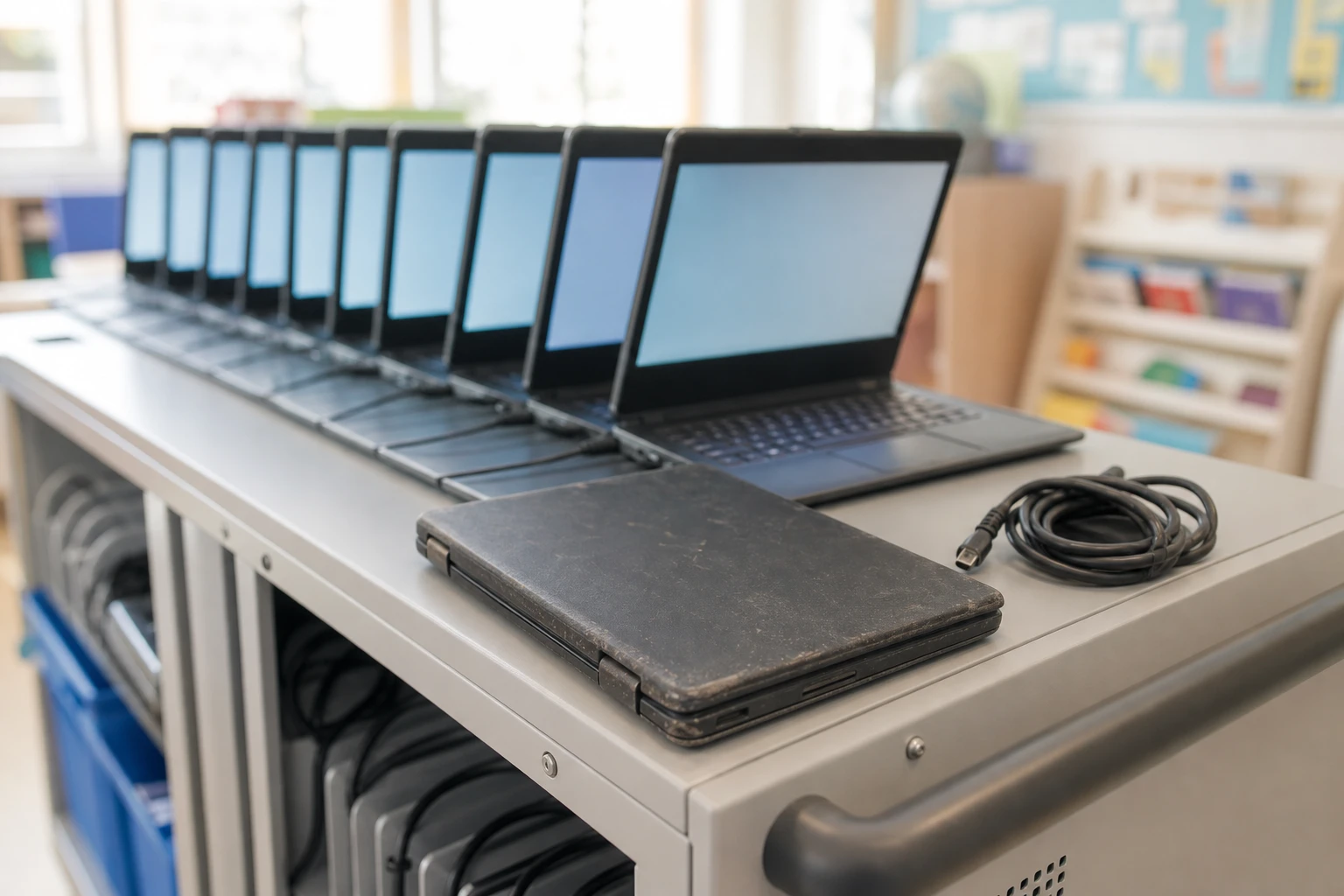
The headline feature in ChromeOS 150 is Gemini in Class Tools, a new layer built into Google Classroom’s existing controls. Teachers can now restrict a student’s Chromebook to Gemini’s Guided Learning mode during class, cutting off open-ended chat and keeping the assistant inside a narrower, curriculum-linked task.
Google’s own teacher-led Guided Learning in Gemini announcement describes it as giving students “a distraction-free, curriculum-informed space” while letting teachers track their progress. The same integration lets educators lock student screens to Gemini Notebook, formerly NotebookLM, for research assignments, restrict devices during test preparation, or block navigation beyond Google Search.
None of these controls are new apps. They live inside the Class Tools interface teachers already use in Google Classroom, so the learning curve is mostly about knowing the new toggles exist.
Two New Keys to a Managed Chromebook
ChromeOS 150 also hands IT administrators two new sign-in levers. A local PIN policy and a local password policy let managed Chromebooks accept sign-in credentials that never leave the device, with administrators setting their own complexity rules through the Google Admin console.
A smaller, separate change affects people who moved faster than the policy did. Google is automatically migrating a small group of Enterprise and Education users who added accounts and set up local PINs in late June 2026, reverting them to standard online password sign-in. Those users see a one-time informational screen, and Google says no local files or profile data are touched.
| Policy | What It Does | Where It’s Set |
|---|---|---|
| Local PIN authentication | Lets a user sign in with an administrator-defined PIN instead of an online password | Google Admin console |
| Local password authentication | Lets a user sign in with a local password, with admin-set complexity rules | Google Admin console |
| IsolatedWebAppUserInstallationEnabled | Lets users manually install Isolated Web Apps outside the force-install list | Devices, then Chrome, then Apps and Extensions, then User app settings (off by default) |
Isolated Web Apps use a newer, more locked-down packaging format than either Chrome Apps or ordinary web apps. ChromeOS 150 is the first release that lets end users install one on their own, if an administrator flips that switch. Google also says it improved how ChromeOS checks stored token handles, aiming to cut down on surprise re-authentication prompts at the login screen.
The 2016 Deprecation ChromeOS 150 Finally Closes Out
Kiosk mode was the last corner of ChromeOS where Chrome Apps still had a job. They let developers build fullscreen, single-purpose experiences, things like a guest registration desk, a library catalog station, or a point-of-sale terminal, with no browser window around them at all.
Google flagged Chrome Apps on ChromeOS for deprecation as far back as 2016, according to its own developer documentation, then formally deprecated the entire Chrome Apps platform, on every operating system, in 2020. ChromeOS 150 is where that decade-long wind-down finally reaches Kiosk sessions specifically.
- 2016: Google flags Chrome Apps on ChromeOS for deprecation in its own developer documentation.
- 2020: The Chrome Apps platform is formally deprecated across every operating system.
- July 2025, ChromeOS 138: The last release to support user-installed Chrome Apps on ChromeOS, per Google’s enterprise support pages.
- July 21, 2026, ChromeOS 150: The last release to support Chrome Apps inside Kiosk sessions, this release.
- April 2027: Kiosk-mode Chrome Apps support ends for devices still on the Long-Term Support channel.
- October 2028: Every remaining Chrome App reaches end of life, across every session type and update channel.
Google’s end-of-support schedule for Chrome apps lists this exact version as the Kiosk cutoff, giving IT teams a fixed date to plan against instead of a vague future warning.
Why Kiosk Machines Are the Ones Scrambling
Organizations leaning on Kiosk mode need a plan before ChromeOS 151 ships. Google’s guidance is blunt: move affected workflows to Progressive Web Apps now, because Chrome Apps in Kiosk sessions do not get a second grace period on the Stable channel.
The workflows most exposed tend to be improvised ones. Schools have used Chrome App kiosks for years to run staff time clocks, digital signage, and library checkout stations, often built in-house rather than bought as finished products. Chrome’s own migration guidance names web applications as the preferred path for most of them, reserving extensions for jobs the open web still can’t handle alone.
The install base at stake is large. Chromebooks account for roughly 60.1% of the global K-12 device market and more than 38 million units are active in classrooms worldwide, per Mordor Intelligence’s Chromebook market tracking. In the United States, 93% of school districts said they planned to buy more Chromebooks this year.
Google’s release notes lay out a short punch list for IT teams before wider deployment:
- Audit every Kiosk session for Chrome Apps that still need replacing with Progressive Web Apps before ChromeOS 151 arrives.
- Turn on local PIN or password sign-in only after deciding on complexity rules that match the organization’s security policy.
- Warn any staff who configured local PINs in late June 2026 that they will revert to standard password sign-in, with a one-time notice at their next login.
- Decide whether to enable IsolatedWebAppUserInstallationEnabled, which stays off until an administrator turns it on.
- Document Managed Guest Session and standard-session Chrome Apps now, since Google lists both as candidates for a future cut even though they still work today.
Teachers get their own item on that same list. Google ties the new Gemini restriction options to Class Tools, so they only appear in Google Classroom once a student’s specific Chromebook has actually updated to ChromeOS 150, not before.
Who Actually Gets Gemini’s Classroom Locks?
Gemini’s new Guided Learning locks need a specific license and an all-Chromebook classroom. Google ties Class Tools’ Gemini restrictions to Google Workspace for Education Plus or the Teaching and Learning Upgrade add-on, and the controls only function when every student in a class is on a managed Chromebook.
That licensing line matters more in districts with mixed device fleets or tight budgets. One K-12 technology director wrote on a Chromebook admin forum, as Windows News reported it:
Google gives us a hundred toggles but no clear best practice guide. We’re going to see wildly different implementations.
Google has said it will publish a blueprint guide and free training webinars by August 2026, but had not done so as of ChromeOS 150’s rollout. Bandwidth and device age complicate things further. Richer Gemini features, including NotebookLM’s audio overviews, need adequate connectivity and newer hardware, so students on older Chromebooks or patchy internet risk a stripped-down version of the same lesson.
Samsung has its own classroom AI push underway, with the WAFX-P interactive display line built for schools bundling similar AI tools into classroom screens rather than laptops. Gemini’s rollout pattern in Europe has its own recent history too: a Gemini Spark Workspace upgrade left European users waiting while other regions got access first, a pattern European IT buyers weighing Class Tools may want to watch for again.
The Hardware ChromeOS 151 Freezes in Place
ChromeOS 151 draws its own hard line, and it runs through hardware rather than software. Google will start blocking updates on non-certified Flex devices running legacy graphics hardware: Intel and AMD graphics from 2010 or older, and Nvidia graphics from 2014 or older. Devices on the wrong side of that line stay on their current version for good.
That cutoff lands awkwardly next to Google’s own pitch for the software involved. The company markets ChromeOS Flex as built to extend the life of PCs and Macs that have grown too slow for Windows or macOS, aimed at the same schools and small businesses now being told their oldest machines have hit a wall.
Apple hit a similar fork this year. macOS 27 Golden Gate drops support for Intel Macs in the same release that adds a new Siri AI layer, pairing an AI expansion with a hardware cutoff on a similar timeline to Google’s own.
Industry trackers estimate the average education Chromebook now stays in service 8.1 years, up from roughly four years before Google extended automatic updates out to a decade for devices from 2021 onward. The Flex machines losing updates in ChromeOS 151 predate that commitment entirely.
ChromeOS 154 brings a separate, purely administrative change. From that version onward, version numbers will jump by two every four weeks instead of one, aligning ChromeOS with Chrome browser’s own release schedule. The version after 154 will be 156, not 155.
One more feature is coming without a version attached to it yet: an inverted-color mouse cursor that lets users see content underneath an enlarged pointer. Google’s release notes, as detailed by Chrome Unboxed, did not say which version will ship it. Google has not set release dates for ChromeOS 151 or 154 either, and ChromeOS 150 itself is rolling out gradually, so not every eligible Chromebook will get it at once.
Frequently Asked Questions
Does ChromeOS 150 Turn On Local PIN Sign-In Automatically?
No. The two new sign-in policies stay off until an administrator sets them up in the Google Admin console. The only Chromebooks affected without any admin action are the small group who configured local PINs in late June 2026 ahead of the policy; ChromeOS 150 reverts them to standard password sign-in automatically and shows a one-time notice.
What Happens to Chrome Apps Outside Kiosk Mode?
Force-installed Chrome Apps in Managed Guest Sessions and standard user sessions keep working after ChromeOS 150; this deprecation only touches Kiosk sessions. Google’s own admin guidance still flags those other sessions as a candidate for a future cut, so IT teams should not treat the reprieve as permanent.
Is ChromeOS Flex Different From a Regular Chromebook?
Yes. ChromeOS Flex is Google’s free operating system built to convert old Windows and Mac hardware into Chrome devices, while a Chromebook ships with ChromeOS preinstalled on Google-certified hardware. Google markets Flex specifically as a way to extend the life of PCs and Macs that have become too slow for their original operating system.
Do All Students Need a Premium License for Guided Learning?
Yes. Class Tools’ Gemini restrictions, including Guided Learning locks, require Google Workspace for Education Plus or the Teaching and Learning Upgrade add-on, and they only function when every student in a class is signed into a managed Chromebook.
Will ChromeOS Skip Version Numbers After 154?
Yes, by design. From ChromeOS 154 onward, version numbers rise by two every four weeks instead of one, to match Chrome browser’s release cadence, so the version that follows 154 will be 156, not 155.


Veridue Raises $4 Million to Speed Energy Deal Diligence

Healey Adds a £150m Rung for Northern Scale-Ups

Ten Deals Took Most of Europe’s August Tech Money

Holmes Hired Fielder to Film Her Last Days

Molten Bets £100m of Plc Cash on Late-Stage Tech

Garlinghouse Cited Dutch Gold, and London Got the Bars

byFounders Bets $4.3 Million on Fluencify After $2M ARR

Alpha Gang Puts A-List Stars on a Zellner Wager

Angel Bets a Recut PG-13 Chase on Ritchson and Wilson

Flex IT and T1A Combine to Own Corporate Device Supply

Walter’s TWG Insists No Fraud as Insurer Probes Force Cleanup

30-Year Yield Hits 5.32% Highest Since 2007 as Debt Supply Locks In Costs

PCE Stays at 3.7% as Gas and Tariffs Outrun Coming Revisions

Evernorth S-4 Clears Path for Active XRP Treasury on Nasdaq

Astute’s $1.2M bet makes B2B creator deals feed AI discovery

Strategy Parks $1.59B Cash While Bitcoin Stack Stays Flat

Instinct Hits $2.5 Billion as AI Agent Access Sparks Trust Fights

Oracle’s 2.8 GW Bloom Deal Exposes the AI Power Bypass

CLARITY Act Cloture Opens a Door Ethics Still Blocks

Amber’s €7M locks Mittelstand knowledge inside Europe
-
 FINANCE3 months ago
Zcash Patched a Double-Spend Bug as ZEC Climbed 5%
-
 ENTERTAINMENT3 months ago
Steam Summer Sale 2026 Locks In June 25 to July 9 Dates
-

 FINANCE2 months ago
CLARITY Act Final Text Expected This Weekend as 60-Vote Hurdle Looms
-
 NEWS4 months ago
Meta Adds AI Replies to Threads, But Users Can’t Block It
-
 ENTERTAINMENT5 months ago
Extraction 3 Is Officially Coming to Netflix in 2027
-

 NEWS3 months ago
YouTube Shorts is testing a heart in place of the thumbs-up
-

 NEWS1 month ago
Senators Force Apple Off Chinese Memory as Big Three Cash In
-

 NEWS3 months ago
NEURA Robotics’ $1.4B Series C Redraws Europe’s Physical AI Bet