
GAMING
Google’s Stadia Bluetooth Tool Now Lives on GitHub Pages
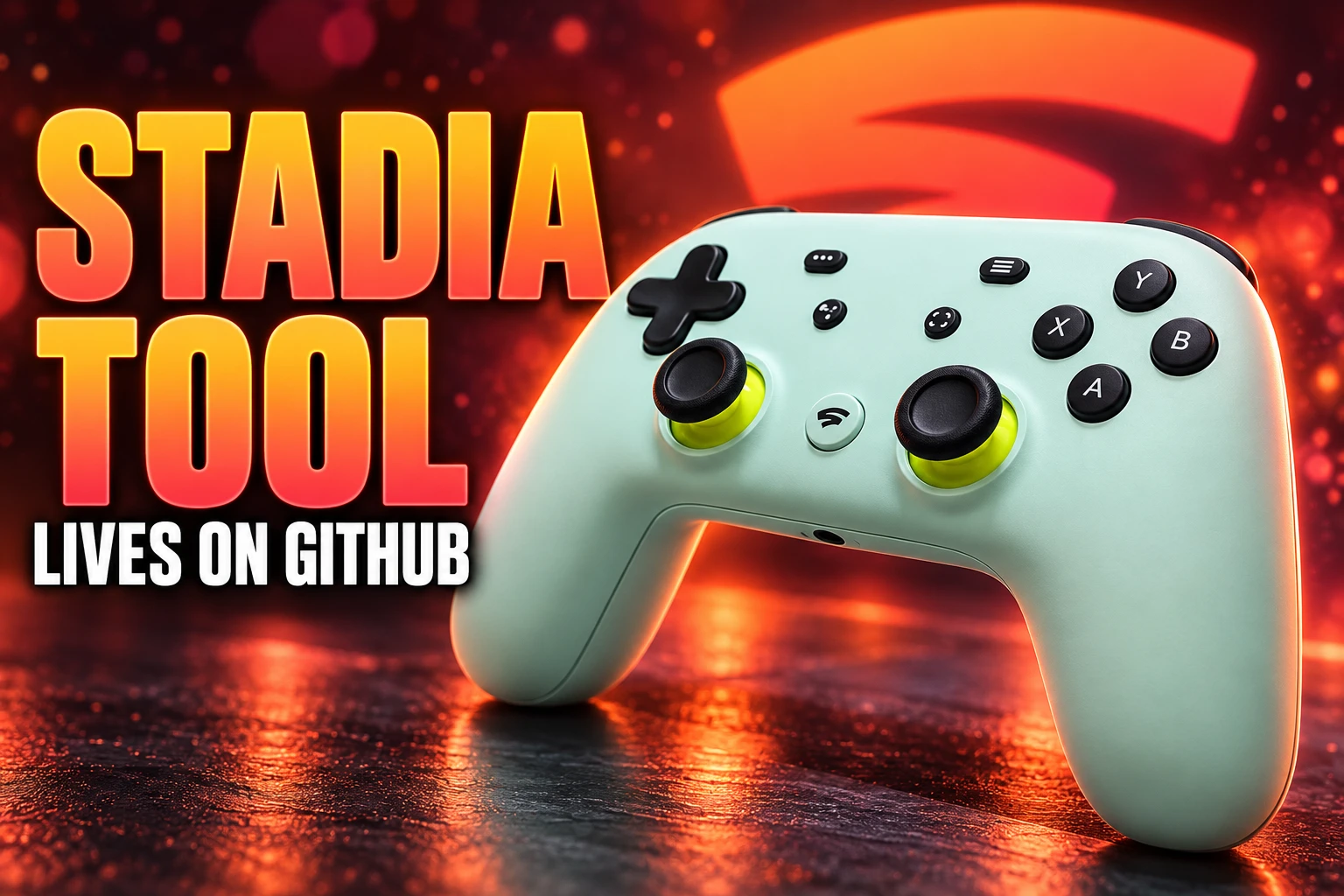
Google 404’d the Stadia Bluetooth conversion page in January 2026. A volunteer GitHub Pages copy is still flashing leftover controllers.

Google’s Stadia Bluetooth conversion page started returning a 404 on January 20, 2026, 20 days after its last posted deadline. A volunteer copy of that same site was still flashing leftover controllers in September 2026.
The pad in the drawer is not waiting on a Google server. It is waiting on a webpage that can talk to USB, and that page now lives on GitHub Pages.
A Static Page Finally Returned a 404
Stadia’s servers went dark on January 18, 2023. The Stadia Controller had been built to talk to those servers over Wi-Fi, not to the box under your TV, which is why a dead cloud service also killed wireless play. Google had already shipped a dormant Bluetooth radio in the hardware. The day before the servers closed, on January 17, 2023, it published a Chrome page that used WebUSB to burn Bluetooth firmware onto the pad.
The switch is one-way. Wi-Fi is gone for good after the flash, and USB play still works either way. Google never shipped a desktop installer that could sit on a hard drive. The flasher was a website, so the website became the product.
Keeping a static page online is cheap. Taking it down is what finished the official path. People had already guessed, months before the 404, that a timed webpage was a weak way to unlock a radio that was sitting in the plastic, and that someone would keep a copy. That copy is the path that survived.
Two Extra Years, Then a Quiet 404
Google printed a hard stop on the page, then moved the date twice without a real explanation, then missed its own last date by 20 days before the URL died.
THE STADIA BLUETOOTH DEADLINE CALENDAR
- January 17, 2023: Google opens the WebUSB flasher at stadia.google.com/controller, with a printed cutoff of December 31, 2023.
- January 18, 2023: Stadia servers shut down. No further official firmware is promised after this date.
- December 15, 2023: The printed cutoff on the page moves to December 31, 2024.
- December 31, 2025: The last posted official deadline, after a second one-year extension, arrives.
- January 19, 2026: The official URL still loads for some visitors.
- January 20, 2026: stadia.google.com/controller returns a 404.
The extra years mattered because plenty of Premiere Edition bundles were still in cupboards. Each extension also trained owners to wait. When December 31, 2025 passed and the page stayed up, it was easy to assume Google had given up on killing it. Twenty days later the 404 landed anyway.
Christopher Klay Hosts Google’s Own Website
Christopher Klay, the developer who built the Stadia Enhanced browser extension while the service was alive, put the flasher on GitHub as an unedited backup of the firmware tool. The README is blunt about what the files are, and about what they are not.
This repo a unedited backup version of the firmware tool for the Stadia controller by Google. This repo is not open for contributions and/or other requests. It’s purely designed to work as a online accesible backup of the original tool and the only changes to files are a disclaimer and the removal of automated language based redirections.
Christopher Klay, README, stadiacontroller repository
He also hosts a working copy of the conversion site on GitHub Pages, which is the URL later how-tos kept handing out. The live page still reads like Google’s original, including the line “Available until December 31, 2023,” and the FAQ line “Unfortunately, customer support is not available for Bluetooth mode.”
THE GITHUB BACKUP IN NUMBERS
- Stars: The repository showed 136 stars when opened in September 2026.
- Forks: 38 forks, which is the usual hedge if the main copy ever vanishes.
- Commits: 5 commits on the main branch, matching a frozen snapshot rather than an app under active design.
- Issues: Two reports sat open from January 21 and January 23, 2026, one on the en_GB locale and one on a failed Bluetooth download, and the README says the repo is closed to fixes.
That last point is the hitch inside the rescue. Klay copied Google’s page so it would not rot. He also declined to become unpaid Stadia support. Other people mirrored the same files, including a local copy of the flash tool that runs from disk in Chrome with a file-access flag, which is the version you want if GitHub Pages ever blinks.
Every Spare Button Found a Job in Steam
The flash would be a curiosity if the pad still played like a broken Google remote. In December 2025, close to the last official deadline, Steam Input started treating the Stadia Controller as a known pad instead of a generic stick you had to babysit. PCGamingWiki’s controller page, which still pointed at the GitHub backup after a check on September 6, 2026, is the clean record of what that mapping looks like.
WHAT STEAM DOES WITH THE EXTRA KEYS
| Button | In Steam Input |
|---|---|
| Face buttons, sticks, bumpers, triggers | Standard Xbox 360-style layout for XInput games launched through Steam |
| Google Assistant | Shows up as M1 and can be remapped per game |
| Capture | Remappable per game; on SteamOS it can take screenshots |
| Stadia | Locked as the Xbox guide button, so it cannot be remapped |
USB still works if you never flash Bluetooth, so a wired Stadia pad was never a brick. Wireless is the reason to visit the GitHub page. Older Bluetooth adapters can be flaky. Bluetooth 5.0 hosts behave better, and the radio in the pad is not a new one: Google’s own Bluetooth Low Energy 4.2 hardware spec is what you are pairing, which also explains why pass-through audio never came along for the ride.
How to Convert a Stadia Controller Now
You need the pad, a computer running Chrome 108 or newer (Edge works, because it is Chromium), and a USB-C cable that actually carries data, preferably the one that shipped in the box. Charge the controller for at least 30 minutes, plug it in, open Klay’s GitHub Pages mirror, and choose Switch to Bluetooth mode. Do not yank the cable while the firmware writes.
THE FLASH, THEN THE PAIRING
- Bootloader combo: The original web app has you hold the Options (three-dot) button while plugging in, then press Options, Assistant, A, and Y together so Chrome can see the pad, sometimes listed as “SP Blank RT Family.”
- Pairing: After the flash, hold Y and the Stadia button for 2 seconds. The status light flashes orange. Pair the device named Stadia in your Bluetooth settings. A solid white light means it stuck.
- Reconnect: The next power-on should grab the last paired host on its own. If it does not, repeat the Y plus Stadia hold.
- Reset: Unplug and hold the Stadia button for 10 seconds if a flash step fails, then try again.
You do not need a Stadia login. You do need a data cable, not a charge-only lead. Linux users may have to add Google’s udev rules before Chrome is allowed to touch vendor IDs 1fc9, 0d28, 15a2, and 18d1. The hardware ID for the finished pad is 18D1:9400.
Linux Players Still Send People to GitHub Pages
A September 4, 2026 retro-gaming how-to still walked readers through Klay’s URL and then into Steam, RetroPie, and Recalbox. In July 2026, a Linux player recommended picking up a Stadia pad because it behaves well on Linux once the flash is done, and pointed at the same GitHub Pages address after “the official channels shut down last December.”
The used market is not a frenzy, but it did not collapse when the 404 hit. Dutch classifieds listed a Bluetooth-patched Premiere Edition at €15 on July 18, 2026, and a barely used converted pad at €35 on August 3, 2026. Four colorways shipped at launch, so the leftover stock is a mix of Wasabi, Clearly White, Just Black, and Sunrise, some flashed, some still waiting on a browser.
Wireless is not perfect. Google warned that haptics may fail depending on the host. The 3.5mm jack is dead in Bluetooth mode and only works on USB. Assistant and Capture do nothing until a mapper such as Steam Input gives them a job. Third-party dongles exist for people who want Xbox-style rumble or console passthrough, including 8BitDo’s USB adapter and Mayflash’s Magic-X, with mixed vibration results. The cheap path is still the GitHub page plus Steam.
The Official Guide Still Sends Owners to Nowhere
Google never deleted the help articles. Google’s Stadia Controller pairing guide still tells you to open Chrome and go to stadia.google.com/controller, and it still says you have until December 31, 2024 to finish. The Klay mirror still says December 31, 2023. The real official URL died on January 20, 2026. Three dates, one radio, and the only page that still performs the write is the unofficial one.
WHAT EACH PAGE STILL SAYS
| Page | Deadline it prints | What it actually does |
|---|---|---|
| stadia.google.com/controller | Last official print was December 31, 2025 | 404 since January 20, 2026 |
| Google Stadia Help, pairing article | December 31, 2024 | Still loads, still points at the dead URL |
| Klay GitHub Pages mirror | December 31, 2023 | Still hosts the WebUSB flasher |
Google’s verified list for Bluetooth play was always short: Windows 10 and 11 with Steam, macOS 13 with Steam, ChromeOS, and Android. Computers need a BLE adapter. Further controller updates were never coming after January 18, 2023, which is why a frozen firmware image on GitHub is enough. The help page also still describes Tandem Mode, the odd trick where a wireless Stadia pad accepts a second controller in its USB-C port and merges both inputs, including Xbox, DualSense, Switch Pro, and Steam Controller gear as the secondary. That trick needs the Stadia pad on Bluetooth, not on a USB cable to the PC.
Frequently Asked Questions
Does the 3.5mm Headphone Jack Work in Bluetooth Mode?
No. In Bluetooth mode the 3.5mm port and the USB port cannot drive headphones. Plug the headset into the phone, tablet, or computer the pad is paired with. Wired USB play is the exception: the jack on the controller works again when the pad is on a cable, which is the same limit Google printed when the official tool was still live.
What Is Tandem Mode on a Converted Stadia Pad?
Tandem Mode lets you plug a second controller into the Stadia pad’s USB-C port while the Stadia pad itself is connected over Bluetooth. Both sets of inputs are treated as one device. Google listed a long secondary roster (Xbox pads, DualSense, DualShock 4, Switch Pro, Steam Controller) and said a USB hub will not do. It does not work if the Stadia pad is already USB-tethered to the host, and the Stadia jack still will not play audio in this setup.
How Do You Factory Reset a Stadia Controller?
Hold the Google Assistant and Capture buttons together for 6 seconds. The pad vibrates and the status light flashes. After a reset you have to pair Bluetooth again. If the pad will not wake at all, Google’s older steps still apply: charge it, unplug it, hold the Stadia button for 10 seconds, then hold the Stadia button until the light returns.
Which Systems Did Google Verify for Bluetooth Play?
The help article names Windows 10 and 11 with Steam, macOS 13 with Steam, ChromeOS, and Android. It also says other hardware was not tested in any serious way, that a BLE adapter is required on computers, and that vibration may fail depending on the host. That list has not been expanded since the servers closed.
Can You Convert a Stadia Controller on Linux?
Yes, with extra udev rules before Chrome can claim the pad. Google’s own help still publishes a rules file covering vendor IDs 1fc9, 0d28, 15a2, and 18d1, then a udevadm reload. After the rules load, the same GitHub Pages flasher is the writer. Klay’s repo will not take Linux bug reports; if the hosted page misbehaves, the offline flasher on disk is the fallback.
Google’s pairing guide still sends you to stadia.google.com/controller. That address is a 404. The GitHub Pages copy is the page that still writes the firmware, and it still claims the job ended on December 31, 2023.

Triumph Bonneville 400 Puts Its Badge on a 349cc Tax Cut

Verstappen Takes First 2026 Pole at a Relocated Bahrain GP

Anthropic Warns a Pentagon Fight Can Hit Private Clients

FDA Closes Taylor Farms Lettuce Probe Without a Cause

Galaxy Z Fold 8 Ultra Gets a 5,298MB October Security Update

The Orchard Bug Forced Zcash to Open an Empty Pool

The $5.99 Game That Won Steam’s 2026 Summer Sale

Don Lee Joins Hemsworth as Extraction 3 Starts Shooting

YouTube Shorts Retires Dislikes and Swaps Likes for Hearts

NEURA Robotics Is Spending Its $1.4B on a Machine Stack
-
 NEWS4 months ago
The Orchard Bug Forced Zcash to Open an Empty Pool
-
 GAMING4 months ago
The $5.99 Game That Won Steam’s 2026 Summer Sale
-
 ENTERTAINMENT6 months ago
Don Lee Joins Hemsworth as Extraction 3 Starts Shooting
-
 NEWS4 months ago
YouTube Shorts Retires Dislikes and Swaps Likes for Hearts
-
 NEWS4 months ago
NEURA Robotics Is Spending Its $1.4B on a Machine Stack
-
 AUTO6 months ago
Kawasaki Bets the New Z1100 Against Its Own Supercharger
-

 BUSINESS5 months ago
Norway’s Export Bank Backs Nscale’s $790 Million Narvik Loan
-

 GAMING4 months ago
Game of Thrones Dragonfire Follows Boston’s Conquest Playbook