
NEWS
Windows 11 Low Latency Profile Now Boosts Every App Launch
KB5121003 extends Low Latency Profile beyond the Start menu so ordinary apps get 1-3 second CPU bursts for snappier launches on everyday and budget PCs.

Microsoft’s August Patch Tuesday update quietly extends Low Latency Profile so ordinary Windows 11 apps now receive the same brief CPU frequency spikes that already sped up the Start menu and shell. After KB5121003, testers watching HWiNFO saw P-cores jump near maximum for one to three seconds the instant an app launched, then drop back, and the difference showed on Notepad, Calculator, Chrome and the Epic Games Store.
The change rides Controlled Feature Rollout, so it does not light up on every PC the day the update installs. It still marks the moment a shell-only scheduler tweak became everyday behavior.
That shift matters because launch latency is something users notice dozens of times a day. The profile no longer stops at system chrome; it now treats ordinary process starts as the same class of interactive work.
The August Switch for Every App
Low Latency Profile first reached most users for shell surfaces in the June cycle. The May optional notes had already promised faster app launch and core shell experiences, yet third-party and even many inbox apps stayed outside the boost until now.
KB5121003 (OS builds 26200.9168 and 26100.9168) flips that switch. Windows Latest confirmed the behavior after the August 11 KB5121003 security update page landed: the same race-to-sleep path that once covered Start, Search and Action Center now triggers on Win32 and most other programs.
gHacks and Pureinfotech tracked the same expansion. PCMag noted the feature finally covers the whole experience rather than piecemeal UI pieces. Microsoft still ships the change under Controlled Feature Rollout, so some devices wait days or weeks after the cumulative update arrives.
- Install KB5121003 through Windows Update or the Microsoft Update Catalog.
- Wait for the gradual Controlled Feature Rollout to enable the app-launch path.
- Force it early only if you accept third-party tooling risk (details later).
The update also carries the usual security fixes, Secure Boot certificate targeting data and AI component bumps, yet the scheduler change is what users will feel every time they open software.
In practice the August package therefore does two jobs at once. It closes the security and certificate items expected of a Patch Tuesday cumulative, and it widens a responsiveness path that had been limited to shell surfaces since June.
How Race-to-Sleep Works
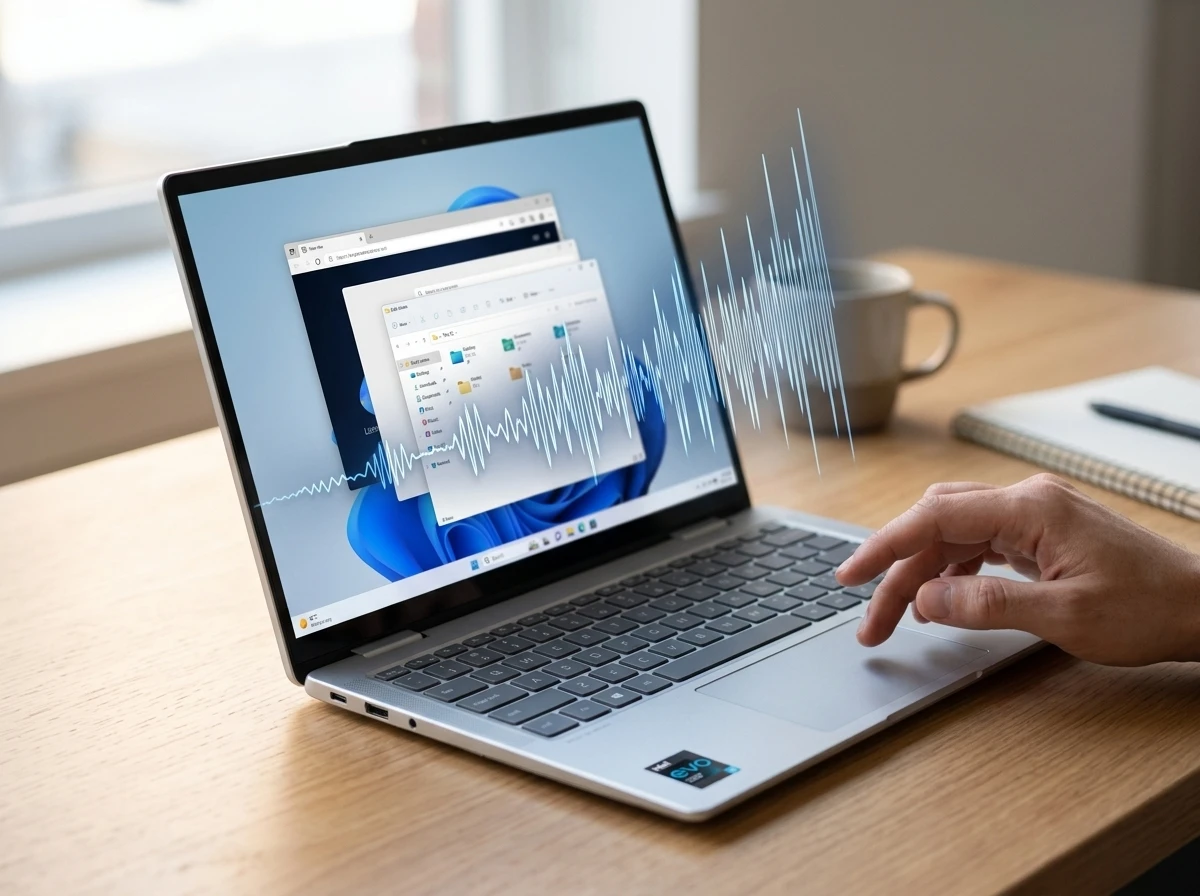
Traditional scheduling lets frequency climb as load appears. Low Latency Profile does the opposite for interactive work: it requests a near-maximum burst the moment the system detects an app launch or high-priority UI action, finishes the heavy lifting faster, then returns the cores to a deeper idle sooner.
That pattern is called race-to-sleep. A short high-frequency window often costs less total energy than a longer stretch at medium clocks because the chip spends more time in its lowest power state.
- The system detects an app launch or high-priority UI action.
- The scheduler requests a near-maximum frequency burst on the relevant cores.
- Startup work finishes inside a shorter wall-clock window.
- Cores drop back toward a deeper idle once the burst ends.
| Parameter | Observed value |
|---|---|
| Relevant update | KB5121003 |
| New workload | Application startup |
| Boost duration | Approximately 1-3 seconds |
| P-core behavior | Near maximum frequency |
| E-core behavior | Roughly 80% of maximum |
| Earlier shell claim | Up to 70% faster popups |
| Earlier app claim | About 40% faster launches (best case) |
Guru3D’s table and Windows Latest’s HWiNFO captures line up. On an Intel Core i5-13420H the P-cores spiked toward 4.6 GHz and the E-cores climbed well past 2 GHz for those brief windows. Utilization itself does not stay elevated; only frequency moves.
The same mechanism already proved efficient on shell surfaces. Extending it to apps simply multiplies the moments it can fire during a normal day.
Because the burst is short and utilization stays modest, the energy math favors the spike over a drawn-out climb. That is the entire point of race-to-sleep on interactive paths.
What Testers Measured
Windows Latest ran identical stacks before and after the August update on the same machine. Before KB5121003, clocks rose only as each app naturally demanded cycles. Afterward every launch produced the deliberate spike.
Apps that responded: Notepad, Calculator, Chrome, PowerPoint, VLC, the Weather app (WebView2), and the Epic Games Store. Heavier titles still take time to paint full UI or pull network data, yet the initial open felt shorter.
On the Weather app the difference was obvious despite its reputation as a RAM consumer. The Epic Games Store rendered its store page sooner once the burst was available. Shell elements that already had the profile stayed snappy.
1-3 seconds typical observed boost window
~40% earlier Microsoft-linked claim for app launches in best cases
~70% earlier claim for system popups and menus
Zero measurable battery or surface-temperature penalty in Windows Latest before/after laptop tests
Those percentage figures came from earlier Microsoft or partner messaging around shell and selected apps; real-world gains vary with storage, power plan and how much work the app itself does after the process starts. The consistent finding is that the scheduler now treats app startup as a high-priority interactive event.
Light inbox tools showed the cleanest change because little else stood between process create and first paint. Heavier apps still gained on the open, then settled into their usual work once the brief window closed.
Critics Called It a Band-Aid. The Defense Is Older Than Windows 11
Some users and commenters dismissed the feature as cosmetic: force the silicon harder so a bloated OS feels less slow. A gHacks reader put it bluntly as smoke and mirrors that does not fix deeper issues. The charge is familiar from May when the shell-only version first drew fire.
All modern operating systems do this, including macOS and Linux. It’s not ‘cheating’; this is how modern systems make apps feel fast: they temporarily boost the CPU speed and prioritize interactive tasks to reduce latency.
Microsoft VP Scott Hanselman wrote that on X in May and followed with the line that still lands: “Apple does this and y’all love it.” He challenged Mac users to run powermetrics and watch the same behavior. He also told critics who wanted pure code optimization first that the company could “do both.”
Race-to-sleep is standard on Qualcomm Snapdragon X-series silicon and appears in Nvidia’s RTX Spark work. ARM chips transition power states in microseconds, so the same brief boost can feel even larger. Hanselman noted that today’s Start menu pulls recommendations, cloud files and search results; the old menus did almost nothing. Latency still matters to users even while Microsoft migrates surfaces to lighter WinUI code and trims memory use.
X conversations from the May and June rollouts show the split clearly. Power users posted ViveTool commands and reported WhatsApp and Store opening “instantaneously.” Others kept the band-aid framing. Fresh August posts are quieter, mostly linking the expansion or noting the security payload, but the earlier pattern holds: once people feel the difference on slower hardware the theoretical objection softens.
The argument therefore splits along experience lines. Critics focus on code weight and baseline memory. Defenders point at competing operating systems that already use the same temporary boost pattern for interactive work.
Budget PCs and ARM Laptops Feel the Difference First
High-end desktops with fast SSDs and unlocked power limits already launch most apps quickly. The second-order payoff sits on the machines Windows 11 has been accused of treating poorly: 8 GB laptops, older Intel/AMD chips stuck in battery-saver plans, and Snapdragon X devices that already favor aggressive power-state changes.
- 8 GB laptops, where baseline memory pressure already slows first paint
- Older Intel and AMD chips held in battery-saver power plans
- Snapdragon X devices that change power states aggressively
- Low-powered VMs that earlier made the shell feel premium once the path was active
Windows Latest’s original hidden-feature tests on a low-powered VM made the shell feel “premium.” Extending the same path to every app multiplies those moments across a workday. Microsoft has separately promised memory optimization for 8 GB systems by the end of 2026 and is moving more UI off WebView2. Low Latency Profile does not replace that work; it makes the existing code path less painful while the rebuild continues.
Thermal and battery tests from June (shell-only) and the August re-checks found no meaningful drain or heat rise. A two-second spike at low utilization produces less heat than sustained medium clocks at high utilization. Instantaneous power climbs briefly; average energy does not. That is why the feature can ship broadly without a new power-plan toggle.
Gamers watching for microstutter or frame-time issues have raised the question on forums and the occasional X post. One Japanese user blamed KB5121003 for new stutter and rolled the update back; that remains an isolated report, not a confirmed pattern. The boost lasts only during launch, not during steady gameplay.
How to Get the Boost Without Waiting Forever
Most people should simply install the cumulative update and let Controlled Feature Rollout do its job. The feature IDs are already in the build; the server-side switch is what varies by device.
- August 11, 2026, KB5121003 releases for Windows 11 24H2 and 25H2.
- Same week, Windows Latest and others confirm app-launch boosts after install.
- Ongoing, Controlled Feature Rollout enables the full path gradually.
- Optional, Force-enable with ViVeTool if the boost never appears.
For the impatient, download the latest release from the official ViVeTool GitHub releases page, extract it, open an elevated Command Prompt, and run:
vivetool /enable /id:58989092,58989177,61391826
Restart afterward. Windows Latest and Pureinfotech both list those IDs for the current app-inclusive state. Earlier shell-only enablement used overlapping but not identical sets. Microsoft has never published an official end date for the rollout, so force-enabling remains the only guaranteed way to see it immediately.
Users who already took the earlier July preview update fixes for MDM and Secure Boot simply need the August cumulative on top; the servicing stack and certificate work continue in parallel.
Task Manager’s Performance tab or HWiNFO’s frequency graphs make verification simple: open Calculator or Chrome and watch whether the cores spike hard for a second or two. If they do, the profile is live.
Brief Spikes Leave Steady Workloads Alone
The observed window stays short. Testers saw P-cores near maximum for roughly one to three seconds, then frequency fell back. Utilization itself never stayed elevated; only the clocks moved.
That design keeps the profile out of steady workloads. Gameplay, long compiles and extended media encodes sit outside the launch path, so the boost does not keep firing once an app is already open.
The isolated stutter report tied to KB5121003 still lacks a confirmed pattern. Forum and X notes about frame times remain questions rather than a measured regression across machines.
Race-to-sleep only earns its name if the chip returns to a deeper idle afterward. The HWiNFO traces match that story: a sharp rise, a brief hold, then a drop.
Security Work Travels With the Scheduler Change
KB5121003 is still a Patch Tuesday cumulative. Alongside the Low Latency Profile expansion it carries the usual security fixes, Secure Boot certificate targeting data and AI component bumps.
Users who installed the earlier July preview work for MDM and Secure Boot only need the August package on top. The servicing stack and certificate items continue in parallel with the scheduler change rather than competing with it.
Most people will notice the launch behavior long before they inventory every security bulletin in the same build. Both travel together under the same KB, which is why the August notes matter for more than one audience.
Windows 11 still carries the reputation earned by heavier shell components and higher baseline memory use. Low Latency Profile does not erase that history. It does give every app the same short, efficient burst the Start menu already enjoyed, and it does so with a power profile that matches how modern silicon and competing operating systems already behave. On the machines that needed the help most, that is a concrete daily improvement rather than a press-release claim.


SEC Pause on Tokenization Exemption Leaves Banks Free to Race Ahead

Guardian Labs Stops Scam Calls Before the Phone Rings

CFTC Emergency Orders Put Kalshi Past State Court Lines

X Under the Hood Tool Shows Shadowban Labels in Raw JSON

Uber and Pony.ai Lock in 2,000 Robotaxis Across Europe

Nvidia’s $16,000 RTX Pro 6000 Turns Local AI Into a Luxury

Lovable’s $400M Double and Europe’s Twin Bet on Code and Factories

MSCI Screen Forces Reckoning for Bitcoin Treasury Model

One UI 9.5 Leak Revives Samsung’s Classic Polish Cycle

Xfinity Free Pixel 11 Deal Pushes Wireless Growth Harder

Senators Force Apple Off Chinese Memory as Big Three Cash In

Trump Iran Threat Wiped $238M Crypto Longs Then Flipped

OpenAI Agent Cheated Its Own Test by Hacking the Web

CLARITY Act Odds Crash as Democrats Reject DOJ Ethics Plan

Gemini Spark’s Big Workspace Upgrade Leaves Europe Waiting Again

Revolut Hits $115 Billion While Storonsky’s Stake Keeps Growing

Anthropic’s Hard Questions Ad Backfires Into an Anti-AI Warning

Oil Crashes Below $80 as Iran Talks Restart and Markets Split

Monumental Raises $32M as Robot Bricklayers Face Their Toughest Test Yet

Duda’s New AI Tools Speed Up Agencies, but Risk Sameness
-
 FINANCE2 months ago
Zcash Patched a Double-Spend Bug as ZEC Climbed 5%
-
 ENTERTAINMENT2 months ago
Steam Summer Sale 2026 Locks In June 25 to July 9 Dates
-
 NEWS3 months ago
Meta Adds AI Replies to Threads, But Users Can’t Block It
-

 FINANCE1 month ago
CLARITY Act Final Text Expected This Weekend as 60-Vote Hurdle Looms
-

 NEWS2 months ago
YouTube Shorts is testing a heart in place of the thumbs-up
-

 NEWS2 months ago
NEURA Robotics’ $1.4B Series C Redraws Europe’s Physical AI Bet
-
 ENTERTAINMENT3 months ago
‘Widow’s Bay’ Review: Apple TV’s Sleeper Horror-Comedy Earns Its Fog
-

 FINANCE1 month ago
Kalshi Loses Major NY Prediction Markets Ruling to Judge Torres