
NEWS
New iOS 26.2 Update Transforms CarPlay With Major Features

Apple officially released iOS 26.2 to the public this morning. This update brings highly anticipated changes to the CarPlay dashboard. Drivers can finally break free from previous widget limitations and take control over their message inbox. The release follows months of beta testing and user feedback regarding the controversial Liquid Glass design language introduced earlier this year.
Breaking The Widget Limit
The most significant change in this update addresses a long-standing complaint from drivers with large infotainment screens. You are no longer restricted to just two widgets on your CarPlay Home Screen. This restriction previously left a significant amount of unused negative space on modern, wide-format dashboard displays.
Drivers can now fill that space with additional tools. The update allows for a more personalized driving experience. You can keep your navigation front and center while simultaneously monitoring other active apps.
Top Widgets To Add To Your Dashboard:
- Calendar: Keep your next meeting or appointment visible at all times.
- Weather: Monitor real-time conditions without asking Siri.
- Music/Podcasts: Get quick playback controls for specific playlists.
- Home: Open garage doors or turn on lights as you approach your driveway.
This expansion offers practical safety benefits. Drivers spend less time swiping through pages of apps to find what they need. Information is now available at a glance. This reduces the time your eyes spend off the road.
Drivers with wide-screen displays will see the biggest benefit.
Owners of vehicles with pillar-to-pillar screens have felt the two-widget limit was outdated. This update finally utilizes that premium screen real estate. It makes the dashboard feel like a true command center rather than a simple phone mirror.
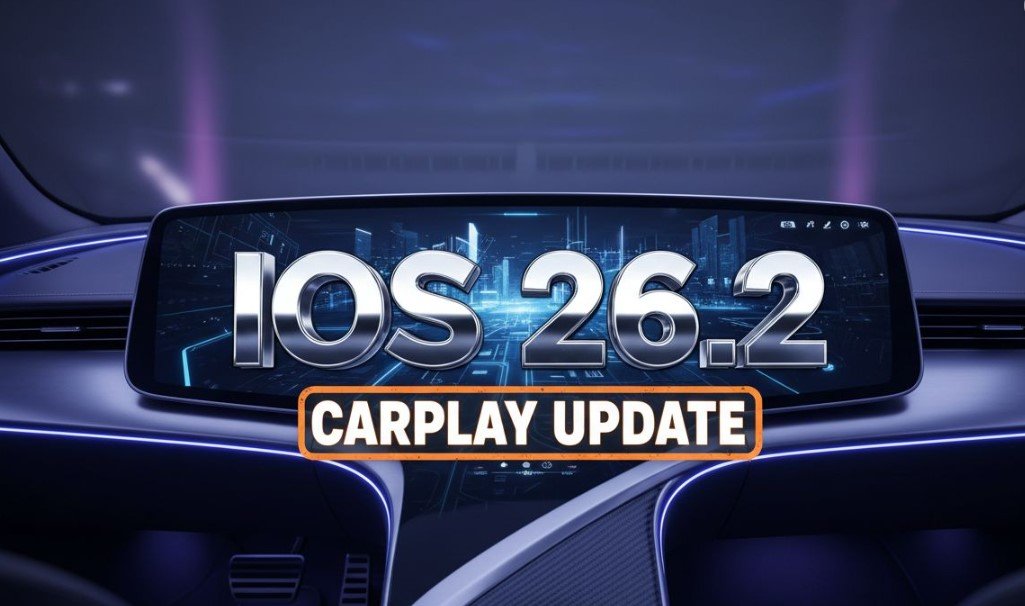
Apple CarPlay dashboard screen displaying multiple widgets and liquid glass interface in a modern vehicle
Cleaning Up The Messages App
The second major adjustment in iOS 26.2 focuses on digital clutter within the Messages app. Users have expressed frustration with Pinned Conversations since the launch of iOS 26 in September. This feature keeps specific contacts permanently locked to the top of the message list.
It works well on an iPhone. It becomes a problem in the car.
Pinned threads often pushed recent, urgent messages from other contacts off the screen. Drivers found themselves scrolling unnecessarily to find new texts. Apple has listened to this feedback. You can now disable Pinned Conversations specifically for CarPlay.
How To Disable Pinned Conversations:
- Open the Settings app on your CarPlay display.
- Tap on Messages.
- Toggle the Show Pinned Conversations switch to Off.
This change returns the message list to a strictly chronological order. The most recent text you received will always be at the top. This seemingly small tweak significantly improves usability while driving. It ensures you see what is happening right now rather than who you talk to the most.
The Liquid Glass Controversy
This update also refines the visual overhaul known as Liquid Glass. Apple introduced this design language with the initial release of iOS 26. It replaced the flat, opaque cards of previous years with translucent, glass-like layers. The goal was to add depth and modernize the interface.
Reception has been divided.
Many users love the futuristic look. It mimics the depth found in high-end sci-fi interfaces. The translucency allows your wallpaper to shine through the app windows. It creates a sense of luxury and technical sophistication.
However, readability remains a concern. Critics argue that text is harder to read against busy backgrounds. This is particularly true when driving in bright sunlight. Glare on the screen combined with transparent windows can make navigation difficult.
Why Apple Is Pushing This Design:
- Depth Perception: It brings back 3D elements removed in iOS 7.
- AR Integration: It prepares users for Apple Vision Pro features.
- Modern Aesthetic: It differentiates iOS 26 from older software versions.
Tech analysts suggest this design is not just a stylistic choice. It is a bridge to augmented reality. Apple likely plans to integrate smart glasses with vehicle systems in the future. A transparent interface is necessary for overlaying digital data onto the real world. Liquid Glass is the first step toward that reality.
Future Proofing Your Vehicle
iOS 26.2 builds upon a solid foundation of features introduced over the last few months. The operating system is clearly moving toward more autonomy and customization for the user. We have already seen the introduction of Live Activities on the dashboard.
Live Activities provide real-time updates for ongoing events. You can track flight statuses or sports scores directly on the CarPlay screen. This eliminates the need to check your phone for updates.
Other Recent CarPlay Enhancements:
- Tapback Support: Quickly react to messages with a thumbs up or heart.
- Font Scaling: Adjust text size for better readability.
- Wallpaper Studio: improved options for background customization.
The update process is seamless. Your CarPlay system updates automatically when you update your iPhone. You do not need to visit a dealership or download files to a USB drive.
To get these features, go to Settings > General > Software Update on your iPhone.
The file size is approximately 1.5 GB. We recommend downloading it over Wi-Fi before your next drive. Ensure your phone has at least 50% battery life before starting the installation.
Apple continues to blur the line between your car and your digital life. These updates show a commitment to user choice. They acknowledge that a car dashboard is not the same as a phone screen. It requires different rules and different tools.


Boldr’s $5M Bet Puts HVAC Contractors at Grid Center

NEON Bets Big on Lily James Cliffhanger for February 2027

Gemini Locks Apex Pipes for Crypto Event Contracts

Sony Email Restates Old License Rules Amid Disc Backlash

TidalSense Breaks Spirometry’s Grip With a 75-Second COPD Test

Asus Zenbook Duo 2026 Makes Dual Screens a Daily Driver

SoftBank’s €172M Robot Bet Tops Europe’s €684M Funding Week

NEURA Gives Cleaning Robots a New Brain With ADLATUS Deal

Lotus Emira V6 Manual Delivers Pure Thrills Before Hybrid Shift

Pimax Dream Air Cracks the Bulk Barrier for High-End PCVR

Senators Force Apple Off Chinese Memory as Big Three Cash In

OpenAI Agent Cheated Its Own Test by Hacking the Web

Trump Iran Threat Wiped $238M Crypto Longs Then Flipped

Fed Holds Rates Again as Three Dissents Force Markets to Tighten

30-Year Yield Hits 5.32% Highest Since 2007 as Debt Supply Locks In Costs

Oil Crashes Below $80 as Iran Talks Restart and Markets Split

Google’s Knowledge Panel Fix Risks Its Own Search Defenses

Legora Buys Wexler Fact Engine as Fifth 2026 Deal

Capital Clusters and the Dual Tracks of European Tech Finance

Agon Raises $30M to Build Europe’s AI Weapon Training Arenas
-
 FINANCE3 months ago
Zcash Patched a Double-Spend Bug as ZEC Climbed 5%
-
 ENTERTAINMENT3 months ago
Steam Summer Sale 2026 Locks In June 25 to July 9 Dates
-

 FINANCE2 months ago
CLARITY Act Final Text Expected This Weekend as 60-Vote Hurdle Looms
-
 NEWS3 months ago
Meta Adds AI Replies to Threads, But Users Can’t Block It
-

 NEWS3 months ago
YouTube Shorts is testing a heart in place of the thumbs-up
-
 NEWS4 weeks ago
Senators Force Apple Off Chinese Memory as Big Three Cash In
-

 NEWS3 months ago
NEURA Robotics’ $1.4B Series C Redraws Europe’s Physical AI Bet
-
 ENTERTAINMENT5 months ago
Extraction 3 Is Officially Coming to Netflix in 2027