
NEWS
Immersive Maps Upgrade Erases Traffic Colors on Android Auto
Immersive Navigation on Android Auto removes color traffic overlays weeks after a July fix, leaving drivers with gray roads and temporary workarounds only.

Google Maps on Android Auto has stopped drawing the green, yellow and red traffic lines for a growing number of drivers, right as the Immersive Navigation interface reaches more cars. The colors that once told you at a glance whether the road ahead was clear or jammed now render as plain gray, even with the traffic layer switched on.
The glitch hits the car screen hardest. Many users still see normal traffic overlays when they open Maps on their phones. Google fixed a near-identical problem across phones, iOS and desktop in late July. It has not publicly acknowledged this Android Auto wave.
The Color Codes Drivers No Longer See
Google Maps has long painted roads in three simple bands. Green (sometimes blue) means traffic is flowing at normal speed. Yellow flags a slowdown. Red marks heavy or stopped traffic. Those lines sit on top of the map while you navigate and remain one of the fastest ways to decide whether to stay on the current route or take an alternate.
That visual layer is now missing in the default Android Auto navigation view for affected users. Roads appear uniformly gray. Route calculations and estimated arrival times still account for congestion behind the scenes, so the app can still reroute you. What vanishes is the glanceable preview that lets a driver spot a jam three exits ahead without scrolling or asking for a new route.
| Traffic Color | Meaning | Current Status on Affected Android Auto |
|---|---|---|
| Green / blue | Normal flow | Not displayed |
| Yellow | Slowdown | Not displayed |
| Red / orange | Heavy or stopped | Not displayed |
| Gray roads | No overlay data | Default appearance |
Reports cluster on Reddit’s Android Auto forum and Google’s own Android Auto support community. Some threads stretch back two weeks; volume has risen in the past several days. A subset of users also see the same blank overlay on their phones after recent Maps updates.
Immersive Navigation Rolls Out and the Lines Fade
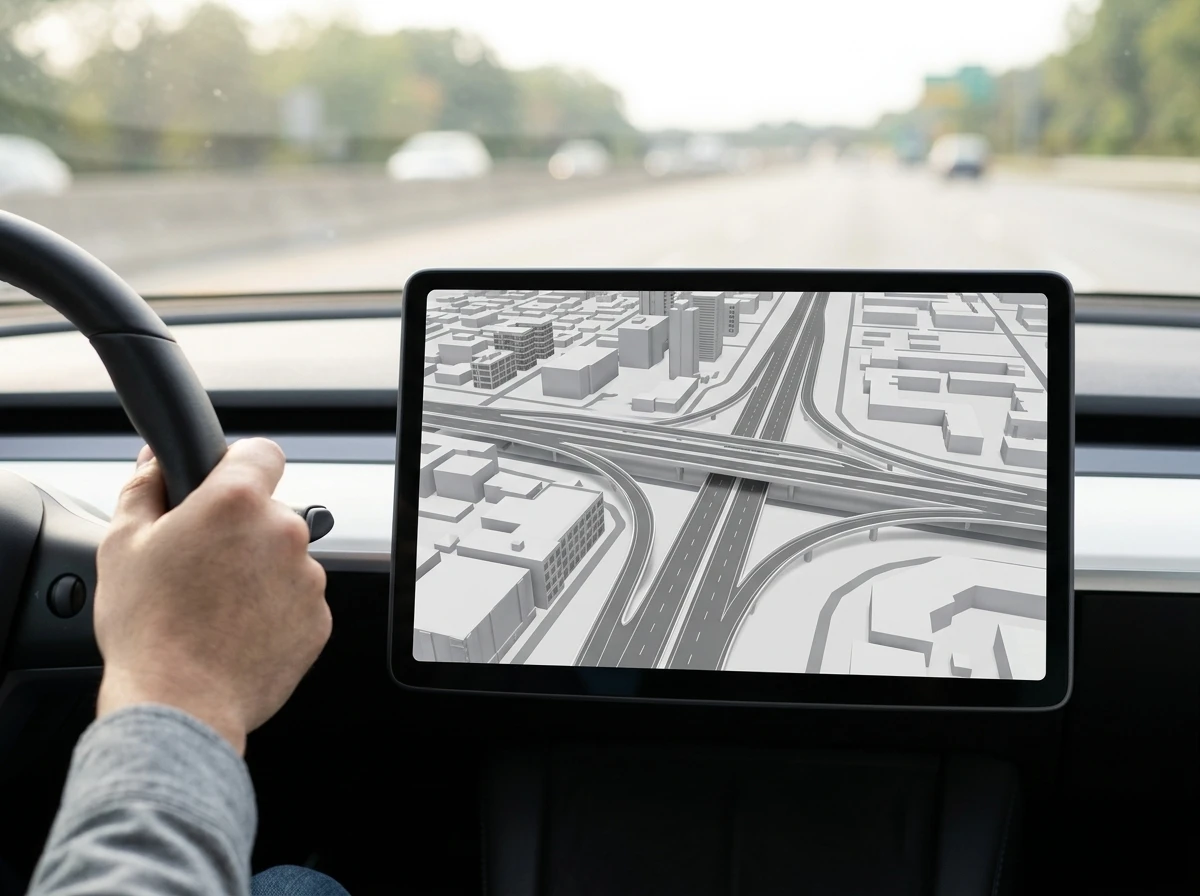
Multiple drivers and community posts tie the disappearance to Immersive Navigation as the biggest Maps makeover. The feature adds 3D buildings, clearer flyovers, highlighted off-ramps, stop signs and crosswalks. Google described it earlier this year as one of the largest navigation changes in years. A broader server-side rollout to more Android Auto users began in mid-to-late July, separate from any single app store update.
Because the change is server-driven, it can appear on both beta and stable Maps builds and does not require a new Android Auto version. One user still saw the bug after moving to Android Auto v17.5 while running Google Maps v26.33. The richer 3D view and the missing traffic layer arrived together for many accounts.
On paper the upgrade should make complex interchanges easier to read. In practice the same rendering path that draws buildings and ramps appears to drop the traffic overlay in the primary driving view. The result is a prettier map that withholds the one piece of information most useful in stop-and-go traffic.
- 3D buildings and terrain now fill more of the screen
- Flyovers and off-ramps receive clearer visual treatment
- Traffic color bands vanish from the default navigation view
- Phone Maps often still shows the colors while the car does not
That split between phone and car display is one of the sharper complaints circulating among affected drivers. The data exists. The car head unit simply will not paint it.
Workarounds That Only Half Work
No permanent fix has surfaced. Drivers have tested the usual cache clears, force stops and reinstalls. Most report no lasting change. A few partial options keep circulating.
- Switch Google Maps to Overview mode. Some traffic lines return, but only on major roads, and the camera pulls so far back that street-level detail disappears.
- Uninstall Google Maps updates on the phone, then turn off automatic updates. This reverts the interface for some users and restores the colors, at the cost of every newer Maps feature including Immersive elements.
- Toggle the traffic layer off and on again. It rarely helps once the overlay is gone.
- Confirm the traffic layer is enabled in the phone’s Maps settings before connecting to Android Auto. The setting can be on while the car still shows gray.
None of these restore the full default navigation experience. Uninstalling updates is the most reliable temporary path reported so far, yet it is exactly the kind of rollback most people want to avoid after a major visual upgrade. Clearing cache or storage, reinstalling the app entirely, or updating Android Auto itself has not resolved the issue for the users who tried those steps.
July’s Global Glitch Returned in a Narrower Form
This is not the first traffic-layer failure of the summer. In late July color-coded overlays vanished for users on Android, iOS and the desktop web version of Google Maps. Roads turned gray even with the layer active. The underlying traffic data continued to influence routing, so the app still knew about jams; it simply stopped drawing them.
- July 27, 2026, Widespread reports and reproduction across phone, tablet and browser. Android Authority documented the bug.
- July 28, 2026, Google told Android Authority a fix had already been deployed. The company said most areas should return to normal within a few hours, though full propagation could take longer.
- Early August, Most phone and desktop users reported colors restored.
- Mid-to-late August, Fresh complaints focus almost exclusively on Android Auto, with a smaller number of lingering phone cases. Immersive Navigation’s wider car rollout sits in the same window.
The July incident proved the traffic rendering path can break independently of routing logic. The current Android Auto cases look like a narrower regression of the same class, possibly triggered by the new immersive rendering stack rather than a full backend outage. Google has not issued a similar public confirmation this time. Outlets including 9to5Google, XDA Developers and Android Authority have all noted the silence while reaching out for comment.
Daily Commuters Lose the Fastest Glance Check
Android Auto’s value rests on glanceable information. Voice guidance and lane prompts already handle the next turn. The traffic colors handled the next five miles. Without them, drivers in dense metro areas lose the ability to reject a congested arterial before they commit to it.
The official Android Auto help pages still list live traffic information and lane guidance as core features of Google Maps navigation in the car. That promise holds for arrival-time estimates and automatic rerouting. The visual layer that made the same data usable at a glance is what has dropped out.
Users who split time between Waze and Maps have an easy exit. Pure Maps users, especially those who prefer its interface or who rely on the deeper integration with Google accounts, are stuck choosing between Immersive visuals and basic traffic awareness. Some have simply accepted gray roads until Google ships a server-side correction.
The same Maps platform continues to add heavier personalization elsewhere. Recent work on Gemini-powered personal memory features in Maps shows Google’s direction: richer context about the individual driver. That ambition collides with a more basic failure when the car screen cannot paint congestion that the phone still displays.
Competitors Keep Monetizing the Same Map Real Estate
While Google’s car view loses a free utility layer, other mapping products treat the screen as advertising inventory. Apple Maps turning local search into paid bids opens bookings for businesses that want placement in local results. The contrast is straightforward. One platform is still debugging the free traffic overlay that makes navigation trustworthy. Another is selling the adjacent real estate.
For Android Auto drivers the immediate problem is simpler. The Immersive Navigation update delivered the 3D buildings and sharper ramps it promised. It also removed the colored lines that told you whether those ramps were worth taking. Google’s July response showed the company can restore the layer quickly once it acknowledges a problem. Until a similar statement appears for the car-specific cases, the gray roads remain the daily reality for anyone whose head unit picked up the new interface.
Affected drivers continue posting screenshots of blank overlays next to phones that still show color. The data is there. The paint is not. That is the current state of Google Maps traffic on Android Auto.


Immersive Maps Upgrade Erases Traffic Colors on Android Auto

XRPL 3.3.0 Nodes Hit 62 Percent as FixCleanup Nears 80 Percent Bar

L’Atitude 52°N Camera Beats Meta but Exact a Real Price

Strategy Parks $1.59B Cash While Bitcoin Stack Stays Flat

Pixel Watch 5 Battery Unlock Makes Health Guardian Trends Real

JCB Hydromax Hits 406 mph and Proves Digger Hydrogen Engines

Pixel 11 Pro Modem Swap Finally Cools the Daily Drive

OpenAI ChatGPT for Teens Locks In Study Mode After Safety Suits

Bessent’s Bond Buybacks Lift Bitcoin Past 80K More Than Yields

Pixel Camera 11 Dials Bring Convenient Control With a Catch

Senators Force Apple Off Chinese Memory as Big Three Cash In

OpenAI Agent Cheated Its Own Test by Hacking the Web

Trump Iran Threat Wiped $238M Crypto Longs Then Flipped

Fed Holds Rates Again as Three Dissents Force Markets to Tighten

30-Year Yield Hits 5.32% Highest Since 2007 as Debt Supply Locks In Costs

Oil Crashes Below $80 as Iran Talks Restart and Markets Split

Google’s Knowledge Panel Fix Risks Its Own Search Defenses

Legora Buys Wexler Fact Engine as Fifth 2026 Deal

Agon Raises $30M to Build Europe’s AI Weapon Training Arenas

Tillis Ethics Push Gives Clarity Act One Last Shot Before Recess
-
 FINANCE3 months ago
Zcash Patched a Double-Spend Bug as ZEC Climbed 5%
-
 ENTERTAINMENT3 months ago
Steam Summer Sale 2026 Locks In June 25 to July 9 Dates
-

 FINANCE2 months ago
CLARITY Act Final Text Expected This Weekend as 60-Vote Hurdle Looms
-
 NEWS3 months ago
Meta Adds AI Replies to Threads, But Users Can’t Block It
-

 NEWS3 months ago
YouTube Shorts is testing a heart in place of the thumbs-up
-
 NEWS4 weeks ago
Senators Force Apple Off Chinese Memory as Big Three Cash In
-

 NEWS2 months ago
NEURA Robotics’ $1.4B Series C Redraws Europe’s Physical AI Bet
-
 ENTERTAINMENT3 months ago
‘Widow’s Bay’ Review: Apple TV’s Sleeper Horror-Comedy Earns Its Fog