
NEWS
Pixel Camera 11 Dials Bring Convenient Control With a Catch
Pixel Camera 11.0 redesigns Quick Access into sleek dials for ISO, focus and Looks on Pixel 11, but they stay off and vanish fast unless you dig.

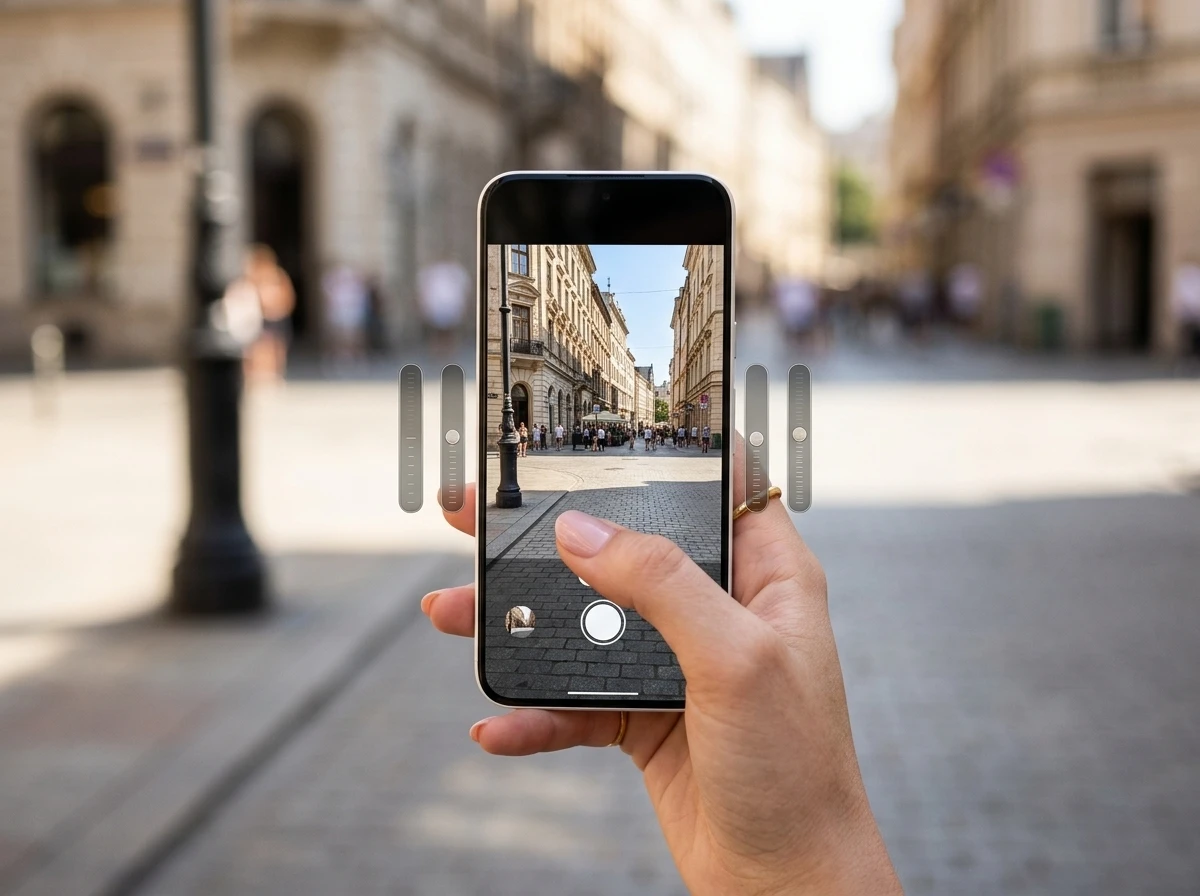
Pixel Camera 11.0 on the Pixel 11 series replaces the old bar-style Quick Access Controls with slim dial sliders that let you tweak white balance, shutter speed, ISO, focus, shadows, exposure and Looks right on the viewfinder. The dials stay off by default, appear only after a tap, and vanish again after a few idle seconds.
That combination of elegant hardware-adjacent control and deliberate hiding defines the update. Power users who find the menu gain faster adjustments than digging through settings. Everyone else may never know the feature exists.
The Dials That Appear Only After a Tap
In Pixel Camera 11 the controls show as clean vertical dials, two on each side of the viewfinder in portrait or top and bottom in landscape. Slide a dial up or down and the live value appears; an undo button pops up at the bottom once you change anything. There are no permanent text labels.
Google Support states you can place up to four quick access controls, two left and two right. Touch and hold then drag to reorder or flip sides. The dials stay invisible until you tap the display. That keeps the interface clean for casual snaps but removes any visual cue that advanced tools are waiting.
9to5Google and Android Authority both confirmed the feature shipped disabled on their Pixel 11 review units. Your mileage may vary by region or software build, yet the pattern matches Google’s habit of shipping optional camera tools quiet.
Eight Options, Four Slots
The available dials cover the settings most shooters reach for without leaving photo mode.
| Control | What it adjusts | Prior form (Camera 10.x) |
|---|---|---|
| White Balance | Colour temperature | Bar slider |
| Looks | Pixel 11 aesthetic presets | New to Quick Access |
| Shutter Speed | Exposure time | Bar slider |
| Shadows | Shadow lift or crush | Bar slider |
| Exposure | Overall brightness EV | Bar slider |
| Focus | Manual focus point or pull | Bar slider |
| ISO | Sensor sensitivity | Bar slider |
| (eighth slot noted in reports) | Additional or custom | Limited earlier set |
You pick any four and lock the layout. Looks is the clear Pixel 11 exclusive addition; it lets you apply Natural, Shadows, Vanilla or the extra set (Digi, Black Tie, Minimal, Editorial, Classic, Velvet) without opening a separate menu. That turns the dials into a real-time style tool rather than pure technical overrides.
How to Turn the Feature On
The path sits a few taps deep. Open the Camera app, tap the Photo settings button in the bottom right of the viewfinder, then the three-dot overflow to reach Camera settings. Scroll to the Fast Access section and open Quick Access Controls. Flip the toggle.
- Open Camera and tap Photo settings (bottom right).
- Tap the three-dot menu for full Camera settings.
- Find Quick Access Controls at the top of Fast Access.
- Enable the toggle, then choose and arrange your four dials.
- Return to the viewfinder and tap the screen to summon them.
Once set, the same menu lets you drag dials left or right. The process is identical whether you want permanent shadows crushed or a favourite Look parked on the left edge.
Why the Convenience Keeps Disappearing
The redesign solves the old large-bar clutter. It also introduces new friction. The dials auto-hide after a few seconds of inactivity. Settings do not stick across sessions; preferred exposure or shadow values reset. One-handed operation becomes a race against the hide timer while you also try to frame and shoot.
Quick access is great. And I really mean great great. I can set easily set the exposure, colour temperature, level of shadows, the new Looks, or even the focusing point… All these extremely easy to access controls will just disappear after a few seconds of not using them. They will come back after tapping the screen, only to disappear a 2-3 seconds later. Good luck holding the phone with one hand… And even if you set everything the way you want, there is no option to simply remember the settings.
Maciej Murawski, @maciej_murawski on X
That complaint, posted with a 9to5Google screenshot and drawing dozens of likes and replies, captures the crowd view: the hardware is ready for pro-style tweaks, the software still treats them as temporary overlays. Android Authority noted the same discoverability gap and suggested at least an in-menu prompt explaining the tap-to-show behaviour.
The irony is structural. Cleaner dials encourage more frequent use. The hide-and-reset logic punishes exactly that frequency.
Camera Looks Join the Quick Menu
Looks sit at the centre of Pixel 11’s creative pitch. Google’s own launch post describes three base alternatives to the classic Pixel rendering plus six stylised options that rewrite colour tables and frame-merging behaviour to evoke film stock. Parking Looks on a Quick Access dial means you can flip aesthetics mid-walk without leaving the viewfinder.
The same Camera 11.0 update adds Launch mode. You can set the app (and the double-press power shortcut) to open straight into Video or Magic Capture instead of Photo. That pairs with the dials for creators who live in motion or action modes. Official documentation ties both changes to the Pixel 11 series first, with the familiar “likely to expand later” note.
Users already comparing the new layout to system-level tweaks will notice the parallel with recent full layout reorder in Quick Settings: Google is slowly letting people rearrange more surfaces, yet still defaults everything to the stock arrangement.
A Feature Google Removed Then Quietly Restored
Quick Access Controls are not new. They first appeared years earlier as simple sliders for white balance, brightness and shadows. Google removed them, drawing loud complaints. In the December 2024 Feature Drop the company slipped them back into Pixel Camera 9.7 as large bar sliders under a Manual Controls heading, again without fanfare. Fans celebrated on Reddit and forums.
Camera 11.0 is the third act: same idea, dial form factor, expanded list, Looks integration, and a more nested settings home. Existing non-11 Pixels remain on the 10.4-era bars for now. Both 9to5Google and Android Authority expect the dial redesign and Launch mode to reach older hardware later, following the usual Pixel software trickle pattern. No firm date has been published.
The history explains part of the caution. Google has learned that optional camera tools can be yanked or delayed; shipping them disabled and ephemeral keeps the default experience simple while still satisfying the photographers who dig.
Older Pixels Still Waiting
Pixel 11 owners get the dials day one (once enabled). Owners of Pixel 10, 9 and earlier series keep the previous bar version until Google decides otherwise. Magic Capture itself remains a Pixel 11 exclusive for the moment, so Launch mode’s full value is hardware-tied. The Pixel 11 Pro Fold camera bar design already shows how the new series rethinks the physical stack; software controls are catching up in stages.
For now the practical split is clear. Casual shooters on any recent Pixel continue with one-tap point-and-shoot. Enthusiasts on Pixel 11 who invest five minutes in the settings menu gain four persistent dial positions and faster Looks switching, provided they accept the tap-and-race workflow. The same enthusiasts on older hardware wait for the next Camera update cycle.
Google has not said whether a future toggle will pin the dials permanently or lock preferred values. Until that arrives, the convenience remains real for those who master the hide timer and incomplete for everyone else.


Immersive Maps Upgrade Erases Traffic Colors on Android Auto

XRPL 3.3.0 Nodes Hit 62 Percent as FixCleanup Nears 80 Percent Bar

L’Atitude 52°N Camera Beats Meta but Exact a Real Price

Strategy Parks $1.59B Cash While Bitcoin Stack Stays Flat

Pixel Watch 5 Battery Unlock Makes Health Guardian Trends Real

JCB Hydromax Hits 406 mph and Proves Digger Hydrogen Engines

Pixel 11 Pro Modem Swap Finally Cools the Daily Drive

OpenAI ChatGPT for Teens Locks In Study Mode After Safety Suits

Bessent’s Bond Buybacks Lift Bitcoin Past 80K More Than Yields

Pixel Camera 11 Dials Bring Convenient Control With a Catch

Senators Force Apple Off Chinese Memory as Big Three Cash In

OpenAI Agent Cheated Its Own Test by Hacking the Web

Trump Iran Threat Wiped $238M Crypto Longs Then Flipped

Fed Holds Rates Again as Three Dissents Force Markets to Tighten

30-Year Yield Hits 5.32% Highest Since 2007 as Debt Supply Locks In Costs

Oil Crashes Below $80 as Iran Talks Restart and Markets Split

Google’s Knowledge Panel Fix Risks Its Own Search Defenses

Legora Buys Wexler Fact Engine as Fifth 2026 Deal

Agon Raises $30M to Build Europe’s AI Weapon Training Arenas

Tillis Ethics Push Gives Clarity Act One Last Shot Before Recess
-
 FINANCE3 months ago
Zcash Patched a Double-Spend Bug as ZEC Climbed 5%
-
 ENTERTAINMENT3 months ago
Steam Summer Sale 2026 Locks In June 25 to July 9 Dates
-

 FINANCE2 months ago
CLARITY Act Final Text Expected This Weekend as 60-Vote Hurdle Looms
-
 NEWS3 months ago
Meta Adds AI Replies to Threads, But Users Can’t Block It
-

 NEWS3 months ago
YouTube Shorts is testing a heart in place of the thumbs-up
-
 NEWS4 weeks ago
Senators Force Apple Off Chinese Memory as Big Three Cash In
-

 NEWS2 months ago
NEURA Robotics’ $1.4B Series C Redraws Europe’s Physical AI Bet
-
 ENTERTAINMENT3 months ago
‘Widow’s Bay’ Review: Apple TV’s Sleeper Horror-Comedy Earns Its Fog