
NEWS
Windows 11 Ends New Picture Passwords After 13-Year Security Lag
July 2026 update blocks new picture password setups on Windows 11 as Microsoft finally acts on long-documented gesture weaknesses and pushes Hello PIN and.

Microsoft has blocked new picture password enrollment on Windows 11 with the July 2026 security update. Users who already set one can keep signing in that way, but remove or disable it and the option vanishes for good.
The change landed quietly inside KB5101650 for versions 24H2 and 25H2. It closes a Windows 8-era touch experiment whose weaknesses sat in plain sight for more than a decade.
The feature never became the default unlock path. It also never disappeared until this patch drew a hard line between existing setups and any future ones. That split is the entire story of the update.
What the July Update Changed
The update does not delete existing picture passwords. It simply stops fresh setups. Microsoft added the notice to the release notes on August 5, 2026.
To help enhance security, picture password is no longer available for new enrollment. Users who have already configured a picture password can continue to use it to sign in to Windows. If a picture password is removed, disabled, or not previously configured, it cannot be set up again. We recommend using Windows Hello PIN, facial recognition, or fingerprint recognition where available.
That language appears in the official July 14 2026 KB5101650 release notes for OS builds 26200.8875 and 26100.8875. The feature remains usable only for people who enrolled before the patch reached their device.
Windows 10 is outside the listed scope of this KB. Early reports mixed the versions; the primary document sticks to the two current Windows 11 branches.
The design is a classic grandfather rule. Enrollment is cut off at the source. Runtime support for already-saved gesture maps stays intact. Anyone who never configured the feature, or who clears it later, loses access to the setup path permanently on those builds.
Nothing in the notes suggests a forced wipe of stored picture passwords. The block is one-way and enrollment-only. That keeps day-to-day sign-in stable for current users while shrinking the attack surface for every new or reset device.
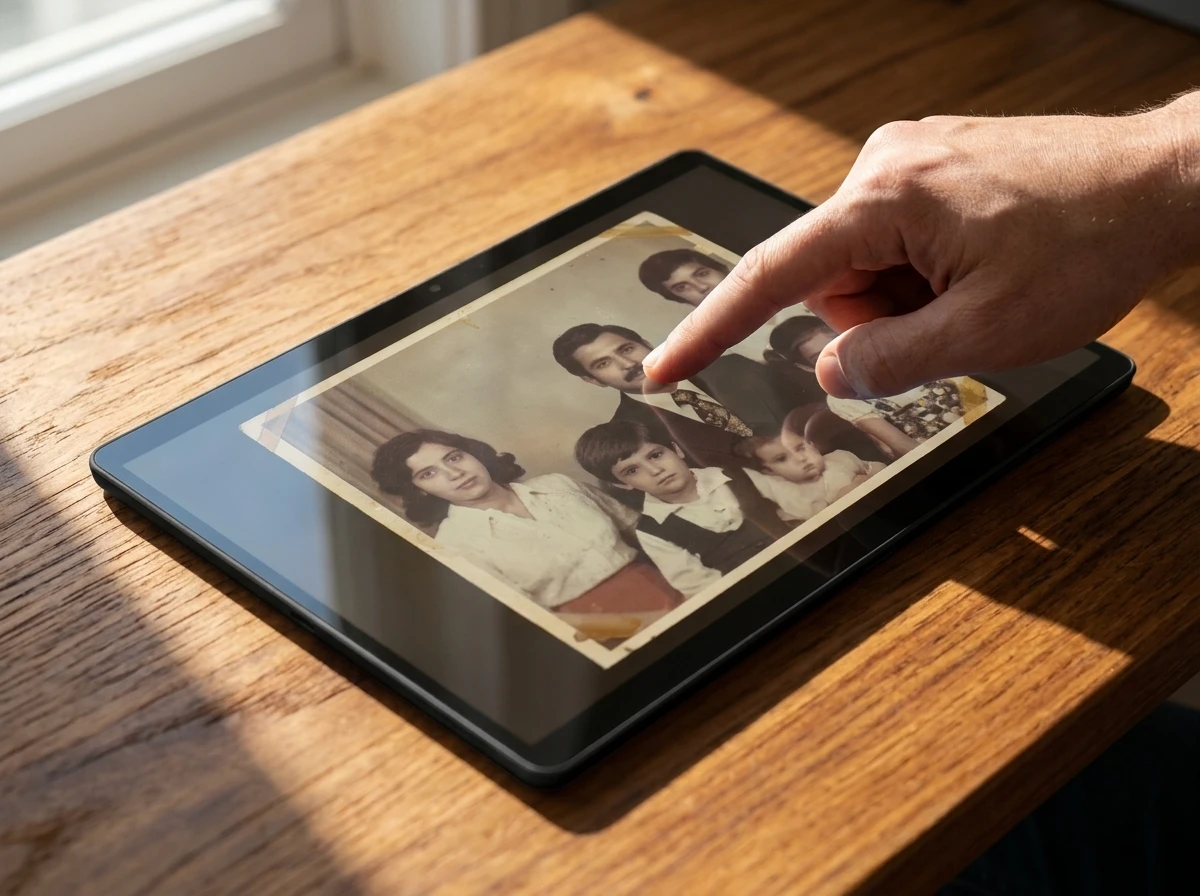
Three Gestures on a Personal Photo
Picture password arrived with Windows 8 in 2012. It let you unlock the PC by drawing on a photo you chose. The system accepted exactly three gestures drawn in order and in precise spots.
- Taps on a specific point
- Straight lines connecting two points
- Circles around an object or area
A common example was tapping both eyes of a face then swiping across the mouth. The idea showcased multi-touch and felt playful on early tablets and convertible laptops. Setup lived under Settings > Accounts > Sign-in options. Once saved, the photo and gesture sequence became the local unlock method.
It never required a TPM or special camera. That simplicity helped it linger into Windows 10 and early Windows 11 even as better options arrived.
Because the photo was personal, users treated the gestures like a private joke with the screen. The same comfort that made setup easy also pushed people toward the most memorable landmarks in the image. Eyes, mouths, corners, and bright objects became the default targets. The system stored a reversible gesture map tied to that photo rather than a one-way secret. Anyone who could see the image and guess the landmarks had a head start.
The Paper That Spotted the Cracks in 2013
Security researchers tested the system almost immediately. A team led by Ziming Zhao collected more than 10,000 picture passwords from over 800 people and built an attack framework.
Their 2013 USENIX analysis of 10000 picture passwords showed users clustered gestures on the most obvious parts of an image: eyes, faces, corners, high-contrast objects. That predictability let the framework crack a considerable portion of the collected passwords even on previously unseen photos.
Screen smudges gave another free hint. Frequent touch points left oily trails that mapped the gesture path for anyone who looked closely. Those two problems never went away. AI image tools only made pattern guessing easier over time.
Microsoft kept the feature anyway. It was never the recommended path, yet it stayed available long after the research landed.
The research did not need malware or remote access. It needed only the photo, human habit, and sometimes a smudged display. That low bar is why the method aged poorly next to hardware-backed credentials. Thirteen years separated the paper from the enrollment block. The weaknesses described in 2013 are the same ones the July 2026 notes finally treat as settled.
How Picture Password Stacks Against Hello Options
| Method | Tied to device hardware | Guessable from image or smudge | Works without biometrics camera/reader | Phishing resistant by design |
|---|---|---|---|---|
| Picture password | No | Yes | Yes | No |
| Windows Hello PIN | Yes (TPM-backed) | No | Yes | Yes (local only) |
| Facial recognition | Yes | No (IR anti-spoof) | No | Yes |
| Fingerprint | Yes | No | No | Yes |
The table makes the security gap obvious. Picture password stored a reversible gesture map on the device and invited visual attacks. Hello credentials stay local, protected by the Trusted Platform Module, and never travel as a reusable secret.
Picture password wins only on the column that asks whether special sensors are required. Every other column favors Hello. A PIN still works on hardware without a face camera or fingerprint reader, yet it gains TPM binding and local-only scope. Face and fingerprint add anti-spoofing and keep templates on the device. None of those properties applied to three gestures on a photo.
Hello Becomes the Only Forward Path
Microsoft has spent years steering users toward Windows Hello. A PIN is available on every modern PC. Facial recognition needs an infrared camera; fingerprint needs a reader. Both keep biometric templates on-device only.
Official guidance now points straight at Windows Hello PIN facial or fingerprint setup. The same infrastructure also underpins passkeys for websites and apps. Full passkey login to the Windows desktop itself is still not the default path, but the direction is clear.
That push sits inside the broader Microsoft passwordless strategy overview. Organizations are told to deploy Hello for Business or FIDO2 keys first, then remove passwords entirely. Killing new picture password enrollment is one more small brick in that wall.
For consumers the practical message is simpler. Set a Hello PIN first. Add face or fingerprint when the hardware supports it. Treat picture password as a legacy path that no longer grows.
Keep It or Switch Before You Lose the Option
Anyone still using a picture password should decide soon.
- Leave the existing setup untouched if you want to keep the gestures for now.
- Set up a Hello PIN (and biometrics if hardware allows) while the picture password still works.
- Only then remove the picture password if you want a clean break.
- Confirm the July 2026 cumulative update is installed so the enrollment block is active.
Do the Hello setup first. Once the picture option is gone from Sign-in options, there is no supported way back. Microsoft has not announced a kill date for remaining enrolled picture passwords. Treat the current setup as the final one.
Order matters. A user who deletes the picture password before creating a PIN can be left with fewer convenient unlock methods than before. A user who adds Hello first keeps both until the old path is cleared on purpose. The update itself does not force that choice. It only removes the chance to reverse it later.
What we know
- New enrollment blocked on Windows 11 24H2 and 25H2 after KB5101650.
- Existing picture passwords continue to function until the user removes or disables them.
- Microsoft explicitly recommends Hello PIN, face, or fingerprint.
What’s unconfirmed
- Any future date when remaining picture passwords will stop working.
- Whether a group policy or registry workaround will keep enrollment open long-term.
- Exact number of active picture password users left in the installed base.
On X, several longtime Windows users admitted they had forgotten the feature still existed. One reply to an early report simply said the last time they used it was on Windows 8. A few wished Microsoft had modernized the gestures instead of closing the door. The quiet reaction itself shows how far the feature had already faded.
A Long Tail of Legacy Sign-In Options
Picture password joins a list of Windows authentication experiments that outlived their moment. The company has steadily raised the floor: TPM requirements, Secure Boot certificate updates, Hello defaults on new accounts, and passwordless onboarding paths inside Microsoft itself.
Each step removes one more low-security fallback. For most people the change will be invisible. For the small group still drawing circles on family photos, the reckoning arrived thirteen years after the research that predicted it. Set up the PIN while you still can.
Legacy options rarely vanish in a single release. They lose new enrollment, then lose prominence in Settings, then lose institutional support. Picture password is now on that path. The July patch is the enrollment cut. What follows for remaining users is still unconfirmed, which is why the safe move is to add Hello now rather than wait for a harder deadline.
The Timeline From Launch to Lockout
The feature’s public life fits a short sequence of dated milestones already on the record.
- 2012 Picture password ships with Windows 8 as a touch-first unlock experiment.
- 2013 The Zhao team publishes its USENIX analysis of more than 10,000 collected picture passwords and shows how predictable gestures and smudges weaken the method.
- July 14, 2026 KB5101650 blocks new enrollment on Windows 11 versions 24H2 and 25H2 for OS builds 26200.8875 and 26100.8875.
- August 5, 2026 Microsoft adds the explicit picture-password notice to the KB release notes and points users at Hello PIN, face, or fingerprint.
Between 2013 and 2026 the product surface changed around the feature. Hello matured. TPM-backed PINs became routine. Passwordless guidance hardened for organizations. Picture password simply remained available until the July cumulative update closed the door on new setups.
That gap explains the muted response. A method already forgotten by many users does not produce a loud sunset. It produces a quiet note in a servicing package and a recommendation to move on.
What the Block Means for Shared and Reset PCs
The enrollment rule has uneven effects depending on how a device is used.
A personal laptop that already has a picture password keeps working exactly as before. A shared family PC is different. The next local account created after KB5101650 cannot adopt picture password at all. A clean install or a feature reset that clears sign-in options lands in the same place: Hello or a traditional password, not three gestures on a photo.
IT-managed devices that never allowed picture password see no change. Devices that once used it for kiosk-style convenience lose the ability to rebuild that path after any wipe. The patch therefore matters most at moments of account creation, reimage, or deliberate removal, not at everyday unlock time.
Microsoft’s stated recommendation stays consistent across those cases. Prefer a Windows Hello PIN everywhere. Add facial recognition or fingerprint when the hardware is present. Leave picture password only if it is already configured and still needed for a short transition.
Frequently Asked Questions
What exactly was a Windows picture password?
It was a local sign-in method introduced in Windows 8 that replaced typed characters with three ordered gestures (taps, lines, or circles) drawn on a user-selected photo. The photo and gesture sequence stayed on the device and unlocked the account without a traditional password or PIN.
Why did Microsoft stop new picture password enrollment?
The company stated the move enhances security. Independent 2013 research had already shown users pick predictable spots on images and that screen smudges often reveal the gesture path, making the method weaker than a Hello PIN or biometrics.
Can I still use my existing picture password after the update?
Yes. Enrolled picture passwords continue to work for sign-in. The only permanent change is that you cannot create a new one or re-enroll if you delete or disable the current setup.
What should I set up instead of a picture password?
Microsoft recommends a Windows Hello PIN on every device, plus facial recognition or fingerprint where the hardware supports it. The PIN is device-bound and TPM-protected; biometrics stay local and never leave the PC.


Gemini’s Billion Users Lock AI Into Google’s Daily Layer

Again Buys Geno and Collapses the Biomanufacturing Timeline

Aster AOS-2 Locks 1M ASTER for Four Years on Perp Listings

NVIDIA Lightning Model Turns Agent Stacks Into Efficient Teams

Windows 11 Ends New Picture Passwords After 13-Year Security Lag

DuckDuckGo’s Clean Link Tap Quietly Rewrites Shared URLs

CLARITY Act Cloture Opens a Door Ethics Still Blocks

Sergey Brin Pours $102 Million Into Killing California Billionaire Tax

Goolsbee Puts Inflation First as Soft Jobs Only Delay Hike Risk

Efferon Gives Critically Ill Children a Purpose-Built Sepsis Filter

OpenAI Agent Cheated Its Own Test by Hacking the Web

Bessent’s No-CBDC Applause Line Can’t Save the CLARITY Act

Trump Iran Threat Wiped $238M Crypto Longs Then Flipped

Senators Force Apple Off Chinese Memory as Big Three Cash In

CLARITY Act Odds Crash as Democrats Reject DOJ Ethics Plan

Anthropic’s Hard Questions Ad Backfires Into an Anti-AI Warning

Gemini Spark’s Big Workspace Upgrade Leaves Europe Waiting Again

Oil Crashes Below $80 as Iran Talks Restart and Markets Split

Doctorsa Raises €1 Million and Opens Doctor Bookings to AI Agents

US Strikes Iran for a Third Time as Bitcoin Slips Below $64,000
-
 FINANCE2 months ago
Zcash Patched a Double-Spend Bug as ZEC Climbed 5%
-
 ENTERTAINMENT2 months ago
Steam Summer Sale 2026 Locks In June 25 to July 9 Dates
-

 FINANCE1 month ago
CLARITY Act Final Text Expected This Weekend as 60-Vote Hurdle Looms
-
 NEWS3 months ago
Meta Adds AI Replies to Threads, But Users Can’t Block It
-
 ENTERTAINMENT3 months ago
‘Widow’s Bay’ Review: Apple TV’s Sleeper Horror-Comedy Earns Its Fog
-
 NEWS5 months ago
U.S. Navy Deploys Solar-Powered Lightfish Drone to Patrol Oceans
-

 FINANCE1 month ago
Kalshi Loses Major NY Prediction Markets Ruling to Judge Torres
-

 NEWS2 months ago
NEURA Robotics’ $1.4B Series C Redraws Europe’s Physical AI Bet