
NEWS
Google Messages Leaks Old Texts on New Phone Transfers
Google tied a Google Messages old-text leak to phone transfers and is patching it over weeks amid Galaxy migrations.

Google said on Sept. 1 that a Google Messages bug is leaking old texts for some people who transfer the app to a new phone. A fix is rolling out over the coming weeks. Until it lands, the restore step that copies your chat history is the step Google now says can attach a stale message to a new send.
US Galaxy owners were pushed into this app after a July shutdown, and Pixel owners copy chats with Android Switch. Both moves rebuild a message database on a new device.
Google Pins the Leak to Phone Transfers
A Google spokesperson issued a short public note on Sept. 1, after two days of user posts describing old chats, photos, and login codes turning up in live threads. The company did not call the bug random. It tied the damage to a device move.
We’re aware of an issue affecting some Google Messages users when transferring to a new device. We’re currently rolling out a fix that will reach everyone over the coming weeks
Google spokesperson, official knowledge update, Sept. 1, 2026
That wording matters because the first wave of posts read like a lottery. People described stray lines appearing while they typed, then leaving the phone. Google’s note is narrower. It describes a restore, not a curse that hits every idle inbox.
The note is also incomplete on its face. Several write-ups never mention a recent upgrade, and some say the glitch runs with RCS on or off, on Pixel and Samsung hardware alike. Google Help Community staff had already asked for screenshots and said diagnostic feedback had gone to engineering. The Sept. 1 statement is the first time the company named the transfer path in public.
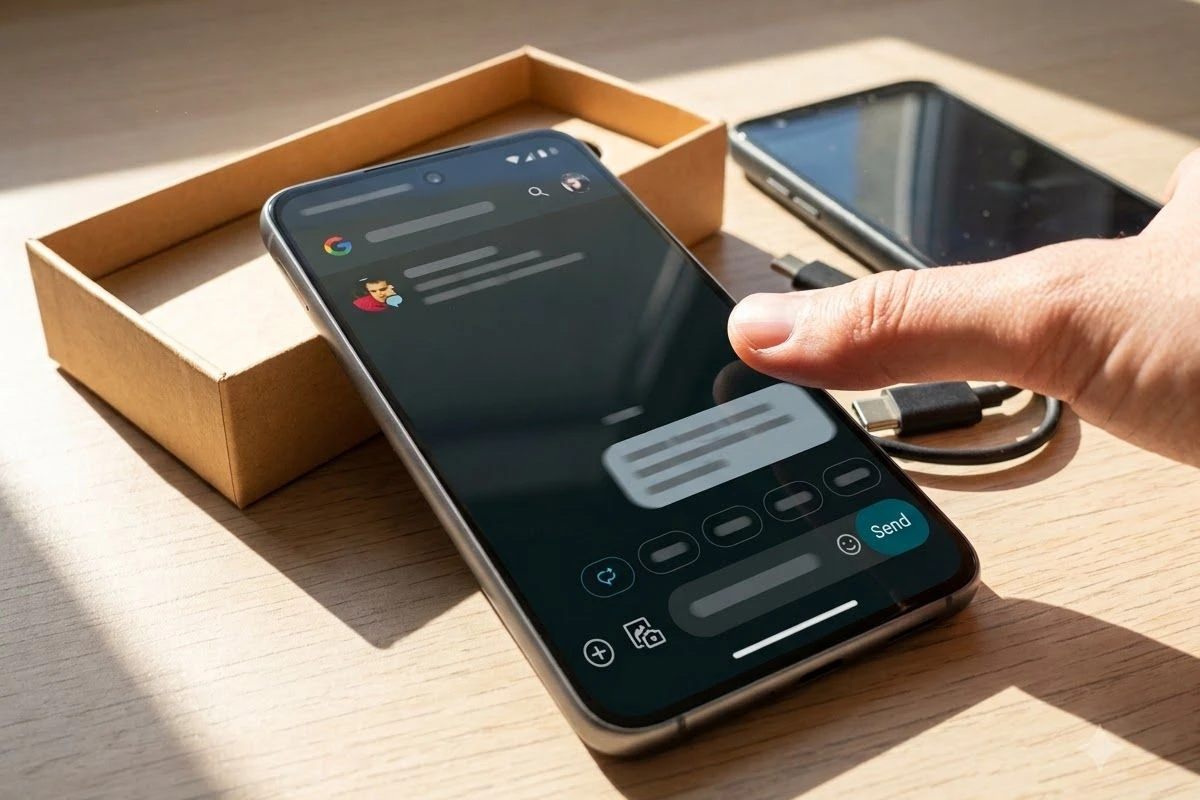
The Texts That Should Have Stayed Buried
The leak is not a ghost on the screen. Users say the old line is delivered. A Pixel 9a owner trying to confirm a dog’s vet visit sent an older note about a private family matter instead. Another person said an intimate message from a past relationship attached itself to a text that went to their mother. Other posts cite work notes, personal chats, and one-time login codes landing in the wrong thread.
WHERE OLD TEXTS LANDED
| Setup | What went out | Where it went |
|---|---|---|
| Pixel 9a | Older family message | A vet-appointment text |
| Unspecified Android | Intimate note from a past chat | The user’s mother |
| Pixel and Samsung, RCS on or off | Verification codes, work notes, personal chats | Unintended inboxes |
| Pixel 7 Pro to Pixel 10 Pro, Android Switch | Historical SMS baked into MMS and group sends | Picture and group threads |
The cleanest tell is sitting on the same handset. People who set a third-party SMS app such as Textra as default say new outgoing texts go out clean, while Google Messages keeps mixing old lines into photos and group sends. That points at Messages’ own store and restore index, not at the shared Android SMS database every app can read.
Why Cache Wipes Fail After a Restore
The usual repair kit does not hold. Users cleared the app cache, restarted the phone, toggled RCS, and reinstalled Messages. The old lines came back. A few people say a full factory reset stopped it, but only when they refused to restore past message backups. Restore the cloud copy and the mix-up returns with the history.
FIXES THAT DID NOT HOLD
- Cache clear: Wiping Messages storage did not stop old lines from attaching to new sends.
- RCS toggle: Turning chat features off and on did not matter, and some reports span RCS on and off.
- Reinstall: Removing and restoring the app helped a few people and failed for others.
- Factory reset with restore: Resetting then pulling the old message backup brought the leak back with the archive.
Google’s public fixes for sending and receiving still start with those same toggles, plus web pairing checks after a phone swap. They are the right first pass for a stuck send. They are the wrong tool if the database you just restored is the thing injecting yesterday’s chat into today’s draft. The only community workaround that keeps being described as durable is a clean phone that never drinks the old backup.
July 6 Closed Samsung Messages in the US
That restore is not a niche Pixel ritual. Samsung’s US end-of-service notice says Samsung Messages is discontinued in the United States, with phones on Android 11 or lower left out of the cutoff. After July 6, 2026, the old app can still reach emergency numbers and listed emergency contacts. Ordinary sending stops.
SAMSUNG MESSAGES SHUTDOWN IN THE US
| Date or rule | What changed |
|---|---|
| July 6, 2026 | US sending ends except emergency numbers and contacts |
| July 2026 Galaxy Store | Other phones lose the download after the shutdown |
| Galaxy S26 and newer | Cannot download Samsung Messages from the Galaxy Store |
| Fall 2026, One UI 9.0 or higher | The old app becomes removable by the user |
| Chat move | Conversations copy automatically and can take about 24 hours |
| Android 11 and lower | Not covered by the end-of-service rule |
Samsung tells people to make Google Messages the default SMS app and wait while conversations copy. The company says that copy can take about 24 hours, depending on how much history you have. Its switch page also sells AI scam detection, RCS typing indicators, and Gemini photo tools as the reason to move. The destination app is the one now attaching old private lines to new sends.
Older Tizen watches lose full conversation history on the wrist after the cutoff, though they can still read and send texts. Message Continuity for calls and texts on other devices tied to Samsung Messages is disrupted. Phones released before 2022 can see a temporary RCS break when the default app changes. None of those footnotes change the basic move: a US Galaxy inbox is supposed to pour itself into Google Messages and sit there.
Error 3100 Hit the Same Transfer Path
The old-text leak did not arrive on a quiet app. Through August, the same transfer step kept breaking other parts of Messages. Galaxy owners who used Smart Switch reported RCS stuck on “Trying to connect” with error 3100. Google said corrupted cache files from that copy could be to blame, and on Aug. 20 a spokesperson said the company was working with carrier partners on a fix.
A SUMMER OF TRANSFER BUGS
- July 6, 2026: Samsung Messages stops ordinary sending in the US and points people at Google Messages.
- July 2026: A Pixel 7 Pro to Pixel 10 Pro Android Switch write-up describes historical SMS baking into MMS and group sends.
- Aug. 20, 2026: Google says it is working with carriers on RCS failures after Smart Switch, tied to error 3100.
- Late August 2026: Group chats split into extra threads with the same people and no shared history; Google asks for in-app feedback tagged #splittingthreads.
- Aug. 31, 2026: Users describe old texts, photos, and codes attaching to new sends and leaving the phone.
- Sept. 1, 2026: Google names new-device transfer as the setting and starts a weeks-long fix.
The same month, Messages also shipped custom chat themes for Samsung switchers, a cosmetic perk aimed at people who just lost Samsung’s own skins. Theme packs do not patch a restore index. They do show where Google’s attention went while the transfer path was already throwing cache errors and duplicate threads.
A Pixel Upgrade Already Mapped This in July
The privacy version of the bug was not born on Aug. 31. In July, a user who moved from a Pixel 7 Pro to a Pixel 10 Pro with Android Switch published a long account of the same mix-up. New MMS and group sends went out with old SMS glued on. The person said a third-party app could send a fresh text, which is how they argued the rot lived in Google’s own cache, not in the phone’s shared message file.
Upgrading from a Pixel 7 Pro to a Pixel 10 Pro and using Android Switch to transfer data seems to have triggered a severe Google Messages database bug.
Pixel upgrader, Google Messages community thread, July 2026
Their repair was brutal and specific. They made a local SMS backup outside Google’s cloud, turned off text backups, deleted the SMS copy from Google One storage, reset the new phone, chose not to copy device data, then restored the local file and let Messages rebuild. That is a hobbyist procedure, not a consumer setting. It also matches Google’s later public clue: the danger sits in the transfer, and bringing the old index along brings the leak along.
Android’s own backup help lists SMS and MMS in a Google backup among the items copied into a Google account, and says a restore can take up to 24 hours. Free accounts get 15 GB. Some backup data is extra-encrypted with the phone’s screen lock, but MMS media received from a carrier is not covered by that lock. The help page is a restore manual. It is not a warning that a restored thread can hitch itself to a new send.
Skip the Cloud Restore Until the Patch Lands
Google says the patch will reach everyone over the coming weeks. It did not give a build number, a staged percentage, or a date when a new Pixel setup is safe again. Anyone unboxing a phone this week is still walking through the same copy step the company just named.
Account-tied setup is also tighter than it used to be. Google has been moving Messages toward tighter account pairing in Messages, which makes a clean skip of the cloud copy harder to treat as a casual choice. If you still have the old phone, keep it until the new one can send a test text that you have inspected. If you already switch from Samsung Messages, wait out the copy, then read the draft line before you hit send.
UNTIL THE PATCH LANDS
- Read the draft: Look at the full compose field, including any extra bubble or photo, before you tap send.
- Skip message restore: If you can live without history for a while, set up the new phone without copying SMS.
- Keep the old handset: Leave the previous phone powered until a test text on the new one goes out clean.
- Do not reset twice: A factory reset only helps if you refuse the old message backup; restore it and the mix-up can return.
On Sept. 2 the fix is still a rollout, not a finished update. The people most exposed are the ones doing what Google and Samsung both asked them to do this year: move a life’s worth of texts onto a new default app, wait up to 24 hours, and start typing.


Space Cargo Buys Into France’s Zero-G Flight Company

The $399 Omni Walks Away, Then Asks for a Dock

TECNO’s 0mm Bezelless Phone Still Needs a Rim

The Ryobi Tools That Unblocked a Garage Workbench

Ripple’s 700 Million XRP Re-Lock Repeats a Yearlong Pattern

The 2026 Kawasaki Ninja ZX-10R Matches Honda’s Price

Chainlink Puts Official US Inflation and GDP Onchain

Google Pushes Gemini Daily Brief off the Chat Screen

The Crosshair A16 HX Outruns Its Own Power Brick

Cloover Turns a $350 Million Installer Book Into a Utility

Trump Iran Threat Wiped $238M Crypto Longs Then Flipped

30-Year Yield Hits 5.32% Highest Since 2007 as Debt Supply Locks In Costs

Oil Crashes Below $80 as Iran Talks Restart and Markets Split

Walter’s TWG Insists No Fraud as Insurer Probes Force Cleanup

Astute’s $1.2M bet makes B2B creator deals feed AI discovery

Strategy Parks $1.59B Cash While Bitcoin Stack Stays Flat

BlackRock Turns Cash Empire Into Stablecoin Reserve Rails

The 20% Savings Ideal Meets a 2.7% Reality Check

SpaceX Stock Rebound Tests Real Demand Before Huge Unlock

Amber’s €7M locks Mittelstand knowledge inside Europe
-
 FINANCE3 months ago
Zcash Patched a Double-Spend Bug as ZEC Climbed 5%
-
 ENTERTAINMENT3 months ago
Steam Summer Sale 2026 Locks In June 25 to July 9 Dates
-

 FINANCE2 months ago
CLARITY Act Final Text Expected This Weekend as 60-Vote Hurdle Looms
-
 NEWS4 months ago
Meta Adds AI Replies to Threads, But Users Can’t Block It
-

 NEWS3 months ago
YouTube Shorts is testing a heart in place of the thumbs-up
-

 NEWS1 month ago
Senators Force Apple Off Chinese Memory as Big Three Cash In
-

 NEWS3 months ago
NEURA Robotics’ $1.4B Series C Redraws Europe’s Physical AI Bet
-
 ENTERTAINMENT5 months ago
Extraction 3 Is Officially Coming to Netflix in 2027