
NEWS
Chrome Mobile Autofill Pulls Passport Data From Google Wallet
Chrome on iOS and Android now autofills passport, driver’s license, and travel details directly from Google Wallet. Here is what changed and how to control it.

Google Chrome on iOS and Android can now autofill passport numbers, driver’s license details, and travel credentials directly from Google Wallet. Google announced the deeper Wallet integration on June 23, 2026, with the rollout going live the same day through a server-side update. The change extends a richer autofill feature that had been limited to Chrome on desktop.
The data involved is no longer shipping addresses and saved credit cards. It includes passport numbers and expiration dates, driver’s license details, Known Traveler Numbers for TSA PreCheck and Global Entry, vehicle license plates and VINs, and flight itineraries. Chrome acts as the broker; Google Wallet acts as the vault. That split matters, because it turns the wallet into the structured identity layer that every web form on a phone could eventually read from.
What Just Rolled Out to iOS and Android
Google published the announcement on its Chrome blog on June 23, 2026. The post is by Nico Jersch, Senior Product Manager for Chrome, and frames the update as an extension of the advanced autofill capability that the browser gained on desktop in November 2025. Mobile is the new ground, with iPhone and Android users now getting the same data types their laptops have been filling for months.
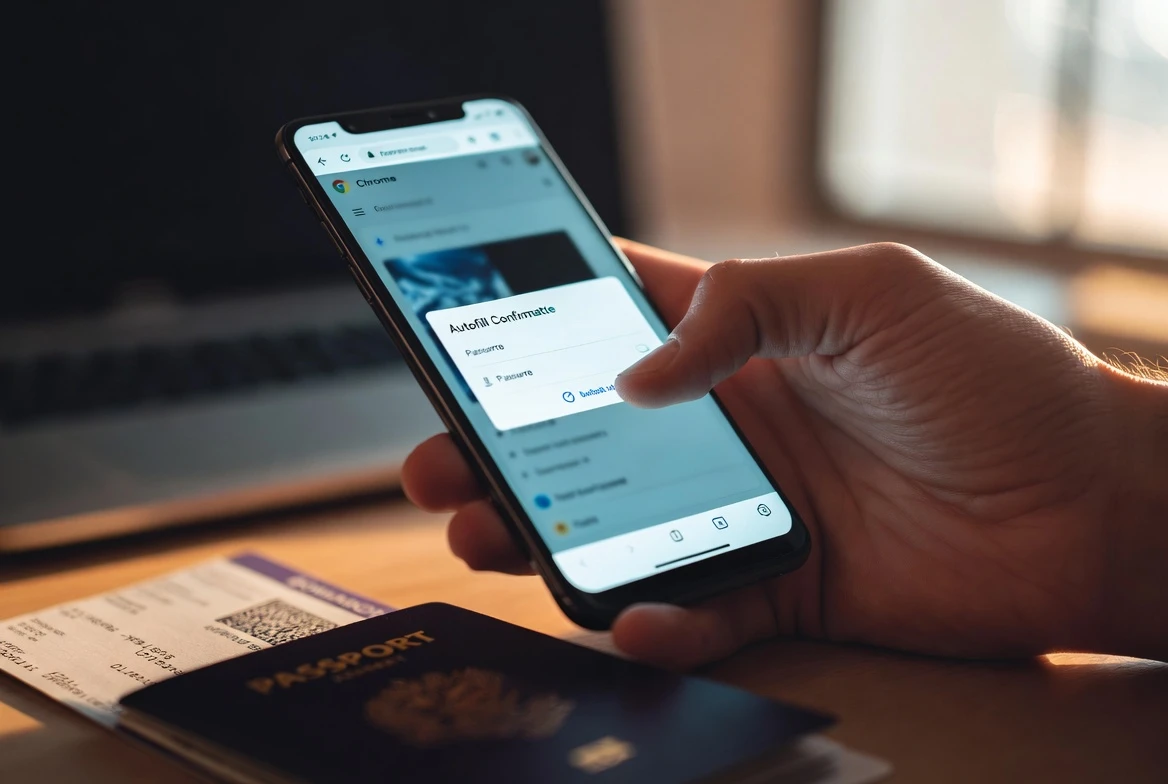
Two pieces arrived at once. Complex form data such as flight itineraries, vehicle license plates, and vehicle identification numbers moved from desktop to mobile Chrome. Chrome on both iOS and Android can now read from Google Wallet for the most sensitive fields: driver’s license details, passport information, and Known Traveler Numbers. If those records are not already in Wallet, Chrome can offer to save them there the first time a user types them in, per the June 23 announcement of mobile Wallet autofill.
The rollout is server-side, so users do not need to install a new build of Chrome. Per 9to5Google, the new mobile settings page with five categories is rolling out with Chrome 150 for Android. Phased availability means some accounts will see the new category list sooner than others.
| Category | Items it stores |
|---|---|
| Google Password Manager | Passwords, Passkeys |
| Payments | Credit and debit cards, IBANs, Loyalty cards |
| Contact info | Addresses |
| Identity docs | Driver’s licenses, Identity cards, Passports |
| Travel | Travel info, Vehicles |
The Identity and Travel Records Chrome Can Now Read
The new categories matter because they name what Chrome now considers fair game for an autofill suggestion. Passport numbers and expiration dates sit alongside driver’s license fields, and both are joined by Known Traveler Numbers, the TSA-issued identifiers that travelers use at U.S. airport checkpoints. Vehicle information covers license plates and VINs, the seventeen-character strings that car insurers, government portals, and rental agencies all ask for in slightly different ways.
Flight itineraries round out the list, and they hint at where Google is steering the feature next. An itinerary is a moving document with dates, times, confirmation codes, and seat assignments. Each of those fields used to require a switch between browser tabs, an email app, and a screenshot. With Wallet-backed autofill, Chrome can populate the fields a carrier or hotel asks for without the user leaving the page. The category list also covers redress numbers, the identifiers that travelers who have been wrongly flagged by watch-list screening programs carry to clear their record at the airport.
Why Wallet, Not the Browser, Holds the Records
Google could have stored passport and license details inside Chrome, the way it stores saved credit cards today. It chose to route them through Wallet instead, and the choice is the structural change underneath the announcement. Chrome recognizes a form field, asks the user to confirm, and pulls the record from Wallet to fill it. The browser no longer owns the source of truth.
That split has practical consequences. A record saved on an Android phone in Wallet is available inside Chrome on an iPhone, a Windows laptop, or a Mac, provided the user is signed into the same Google account. Chrome 150’s settings redesign places Identity docs and Travel in their own dedicated categories rather than burying them in the passwords and payment screens. The goal is to make it obvious which records can flow where.
Desktop users already had this picture; mobile is the catch-up. Typing a passport number into a phone form is hard enough that the feature almost reads as a fix for broken ergonomics. The screen is small, copy and paste loses formatting, and a single transposed digit can derail a flight check-in. Pulling the value from Wallet is faster than typing it.
It also changes what Chrome remembers. A saved credit card is a payment detail. A saved passport number is an identity credential. Google Wallet now serves as the place where the messy paperwork of modern life, from vehicle registrations to redress numbers, becomes reusable web infrastructure, building on earlier autofill changes pulling from Google Account.
- Rollout began: June 23, 2026, server-side on iOS and Android
- New mobile data types: flight details, license plates, VINs
- New Wallet-backed types: driver’s license, passport, Known Traveler Number
- Settings page: rolled out with Chrome 150 for Android
- Encryption: sensitive data stored encrypted, only filled with explicit permission
The Consent Layer and How to Pull the Plug
Google was careful in the announcement to spell out that Chrome will only save or fill this information with explicit user permission and that sensitive data is encrypted. Private passes, the Wallet term for items like digital IDs, are managed through their own controls inside the wallet, separate from the broader Autofill toggle. The pattern is the same one Google uses for digital IDs in Wallet: a per-record switch that turns cross-service sharing on or off.
Google is also extending biometric and PIN verification to digital IDs held in Wallet before they can be shared across Google services. Thurrott reports the same protection gates the autofill on every signed-in device, and a fingerprint or face check holds even when the phone is otherwise unlocked. It is the closest thing to a hardware-backed confirmation Chrome can offer on a phone it does not own.
The dials to disable the feature live in two places. Chrome’s Advanced autofill page holds the master switch for the new data types. Google Wallet holds the per-record switches. Turning the master switch off stops Chrome from suggesting passport, license, KTN, vehicle, and flight fields while passwords and payments keep working.
- Update Chrome to the latest version on iOS through the App Store or on Android through Google Play.
- Sign into Chrome with the Google account linked to your Google Wallet.
- Open Chrome’s settings, tap Autofill and passwords, and turn on Advanced autofill.
- Open Google Wallet and add the passport, license, vehicle, or travel credentials you want Chrome to be able to read.
The Browser Is Becoming an Identity Filing Cabinet
The autofill announcement reads as a small update. It is not. Browser autofill began with usernames and passwords, then absorbed addresses, payment cards, and passkeys. Each step was defensible on its own. The cumulative effect, after this week’s mobile extension, is a browser that mediates identity far beyond rendering web pages.
Chrome is now a broker between Google Wallet and the open web. The browser recognizes a form field, decides what kind of record it is asking for, prompts the user, and asks Wallet to hand over the saved item. Wallet holds the record, the browser holds the conversation, and the Google account glues them together across devices. None of that requires every site to integrate with a new identity API; it requires Chrome to recognize enough fields and to win the user’s trust one prompt at a time.
The competitive dynamic is harder to ignore on iOS than on Android. Apple controls Safari and Apple Wallet more tightly than Google controls Chrome on iPhones, which is why Google’s strategy is to push Wallet as a cross-platform identity layer that follows the user’s Google account rather than the device. The strategy explains why mobile was the platform of choice for this rollout, since the phone is where the boarding pass already lives and where the user is most likely to need the same saved detail again.
The trade-off for users is real, even if the upside is convenient. Confirmation dialogs work only if users read them, and habituation to fill with Wallet prompts is exactly what phishing pages count on. A passport field on a legitimate airline site looks identical to one on a fake travel portal. Chrome can reduce typing errors; it cannot decide whether the user should hand the data over in the first place.
Chrome can now automatically fill forms using data that’s stored in your Google Wallet, including driver’s license details, passport information and your Known Traveler Number. If those details aren’t already stored in your Wallet, you can save them there when you enter them in Chrome for the first time.
The line comes from Nico Jersch, Senior Product Manager for Chrome, in his June 23 post on Google’s Chrome blog, where the company also committed that Chrome will only save or fill the information with user permission and that sensitive data is encrypted.
Where Apple Wallet and the EU Push Back
Apple has its own expanding identity ambitions, and the path runs through Apple Wallet and Safari rather than the open web. The iPhone maker has been adding support for digital driver’s licenses and state IDs to Apple Wallet since 2021, and recent iOS releases have pushed deeper into the same territory Google is now entering through Chrome. The two strategies differ in one important respect: Apple wants the wallet to be the front door to identity, and Google wants Chrome plus Wallet to be the bridge to any web form.
Regulatory pressure is shaping both roads. Google announced earlier in June 2026 that it would expand the ability to add digital IDs in Google Wallet to select EU countries this summer. The expansion matters because Europe’s digital identity wallet, an EU-wide scheme backed by member states, is set to roll out across the bloc in the coming years. A Wallet that holds EU-compliant digital IDs is a different kind of credential than a passport autofill string.
For European users, the practical question is whether their national digital ID will live in Apple Wallet, Google Wallet, both, or neither. For everyone else, the immediate consequence of this week’s Chrome update is more mundane and more immediate. When an airline or rental car site asks for a passport number, the answer now lives one tap away in a Google app that is already installed on the phone. That speed is the headline feature; the identity-layer consolidation is the part that will outlast the rollout.
Frequently Asked Questions
How do I enable Chrome’s advanced autofill on iOS and Android?
Chrome’s advanced autofill is opt-in on mobile. To turn it on, update Chrome to the latest version through the App Store on iOS or Google Play on Android, then sign into the browser with the Google account linked to your Google Wallet. Open Chrome’s settings, tap Autofill and passwords, and turn on Advanced autofill. Add the documents you want Chrome to read into Google Wallet, and the browser will offer to fill them when a website asks.
Where does the autofilled passport and license data actually live?
Google Wallet holds the records, not Chrome. The browser acts as the broker that recognizes a form field, prompts the user, and asks Wallet to hand over the saved item. Remove the record from Google Wallet and it disappears from autofill on every signed-in device, including iPhones, Android phones, and desktop Chrome.
Can I disable the new autofill without losing passwords and payments?
Yes, the two categories are controlled separately. Turn off Advanced autofill inside Chrome’s Autofill and passwords settings to stop Chrome from suggesting passport, license, KTN, vehicle, and flight fields while passwords, addresses, and payment cards keep working. You can also disable individual categories inside Google Wallet by opening a private pass and toggling Use private pass across Google off.
Does Google see my passport number when Chrome autofills it?
Google’s stated policy is that the data stays encrypted and never leaves Wallet without user consent. Private passes such as digital IDs are protected by their own biometric or PIN verification before the data can be shared across Google services, according to Thurrott’s reporting on the rollout.


Pixel Journal Auto Format Puts Google Private AI to the Diary Test

Android 17 QPR2 Beta 3 Quietly Delivers Native App Lock

Binance Cuts HTX Rails and Seals Off High-Risk Liquidity

Dell 14S Quietly Delivers Multi-Day Battery in Midrange Aluminum

OCC Conditionally Clears Trump-Linked USD1 Trust Bank

Coyote vs. Acme Turns Its Own Burial Into the Sharpest Gag

Google Health Adds Off Switch After AI Coach Clutter Backlash

SpaceX Issues 389 Million Shares as Cursor Deal Closes

Bank Leumi Hands Galaxy the Rails for Israeli Crypto Trading

Apple Maps Ad Bookings Open and Turn Local Search Into a Bid Game

Senators Force Apple Off Chinese Memory as Big Three Cash In

OpenAI Agent Cheated Its Own Test by Hacking the Web

Trump Iran Threat Wiped $238M Crypto Longs Then Flipped

CLARITY Act Odds Crash as Democrats Reject DOJ Ethics Plan

Gemini Spark’s Big Workspace Upgrade Leaves Europe Waiting Again

Revolut Hits $115 Billion While Storonsky’s Stake Keeps Growing

Anthropic’s Hard Questions Ad Backfires Into an Anti-AI Warning

Oil Crashes Below $80 as Iran Talks Restart and Markets Split

Duda’s New AI Tools Speed Up Agencies, but Risk Sameness

Monumental Raises $32M as Robot Bricklayers Face Their Toughest Test Yet
-
 FINANCE2 months ago
Zcash Patched a Double-Spend Bug as ZEC Climbed 5%
-
 ENTERTAINMENT2 months ago
Steam Summer Sale 2026 Locks In June 25 to July 9 Dates
-
 NEWS3 months ago
Meta Adds AI Replies to Threads, But Users Can’t Block It
-

 FINANCE1 month ago
CLARITY Act Final Text Expected This Weekend as 60-Vote Hurdle Looms
-

 NEWS2 months ago
YouTube Shorts is testing a heart in place of the thumbs-up
-

 NEWS2 months ago
NEURA Robotics’ $1.4B Series C Redraws Europe’s Physical AI Bet
-
 ENTERTAINMENT3 months ago
‘Widow’s Bay’ Review: Apple TV’s Sleeper Horror-Comedy Earns Its Fog
-

 FINANCE1 month ago
Kalshi Loses Major NY Prediction Markets Ruling to Judge Torres