
NEWS
Microsoft’s Phone Link Adds a Lock PC Button on Android
Microsoft’s Phone Link on Android now has a Lock PC button for paired Windows PCs. Here is how the Wi-Fi-based lock compares to the older Dynamic Lock.

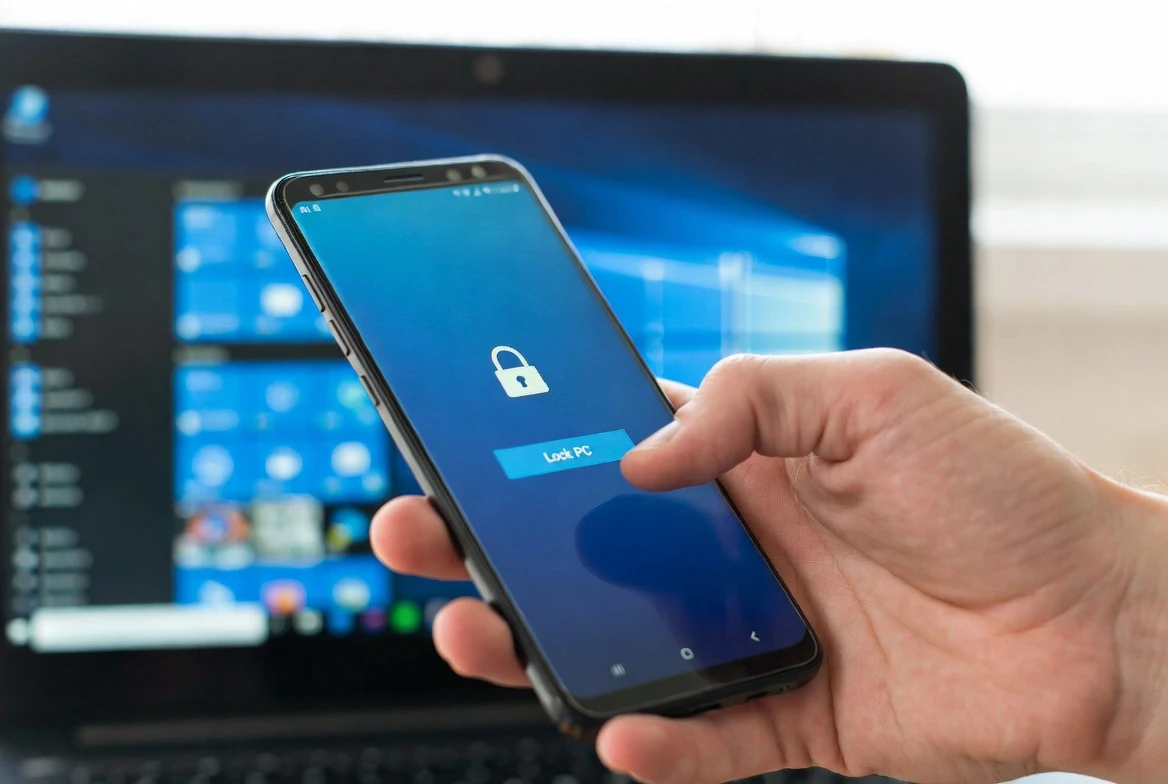
Microsoft has added a Lock PC button to the Phone Link experience on Android, giving users a one-tap way to lock a paired Windows PC from the phone they already carry. The new Lock PC entry sits inside the refreshed Link to Windows app, and Microsoft’s documentation says the workstation locks within a few seconds, after which Phone Link disconnects until the user returns and signs back in.
The feature builds on the same connection Phone Link has used for years to mirror notifications and share files, but the lock itself is new and ships only on the Android side. Apple’s restrictions on third-party access to system features have left the iPhone version of Phone Link with narrower integration, and Microsoft has not put a date on an iOS lock equivalent.
What Microsoft Shipped in the Refresh
Microsoft began previewing the refreshed Link to Windows experience for Android phones on July 24, 2025, in an official post from the Windows Insider team. The post lists three remote actions: send files to your PC from within Link to Windows, lock your PC remotely when the PC is connected, and mirror your phone’s screen to your PC.
The Lock PC command is the security-relevant addition among the three. Microsoft also tied in a recent activity view, a glance at the PC’s battery and Wi-Fi status, and clipboard sync as part of the same refresh. Android users started seeing the Lock PC button in the broader release after Microsoft ended the Insider-only test.
The feature shipped as part of Link to Windows app version 1.25071.155 or higher on Android, with Phone Link version 1.25062.83.0 or higher on the Windows side. Eleven Forum’s tutorial on the remote lock switch documents those version requirements and the Settings menu path that controls the feature.
How the Lock PC Button Actually Works
Open Phone Link on a paired Android device, open the connected PC entry, and tap Lock PC. Microsoft’s Insider blog post notes that the PC locks within a few seconds, after which Phone Link disconnects from the PC until the user walks back and unlocks the workstation manually. The button itself is grayed out when the phone and PC are not connected, giving a clear signal before the user taps.
The connection runs over Wi-Fi between the phone and PC. Bluetooth does not need to stay on for the lock command to fire, which lets Android users avoid leaving Bluetooth radios running just to keep the lock button ready. That detail is one of the more consequential differences from Windows’ older Dynamic Lock behavior.
This update brings a modernized design, smarter onboarding, and new ways to access content and remotely control your PC including the ability to lock your PC, all from your Android phone.
The Windows Insider team published that line on July 24, 2025, the day Microsoft started the preview rollout.
No additional setup is required for the Lock PC button to show up. As long as the Link to Windows app on the phone and the Phone Link Windows app are on the latest versions, the Lock PC entry appears automatically on paired devices. Microsoft recommends updating the Windows companion through the Microsoft Store and the Android app through Google Play.
The Key Specs to Know
- July 24, 2025 – Microsoft began previewing the refreshed Link to Windows experience via the Windows Insider team.
- 1.25071.155 – minimum Link to Windows app version on Android needed to surface the Lock PC button.
- 1.25062.83.0 – minimum Phone Link version on Windows required to receive the lock command.
- A few seconds – the time between tapping Lock PC and the workstation locking, per Microsoft’s Insider blog.
Dynamic Lock vs the New Lock PC Button
Windows has carried Dynamic Lock for years, a feature that automatically locks the PC when a paired phone disconnects via Bluetooth. The new Lock PC button in Phone Link covers similar ground with a different trigger, a different radio, and a different setup path. TechRadar’s coverage of the broader rollout describes the feature as a sizeable step forward for users who already rely on Phone Link.
| Aspect | Phone Link Lock PC | Dynamic Lock |
|---|---|---|
| Trigger | Manual one-tap button inside Phone Link on Android | Automatic when paired phone drops off Bluetooth range |
| Radio | Wi-Fi between phone and Windows PC | Bluetooth to the Windows PC |
| Setup path | Settings, Bluetooth and devices, Mobile devices, toggle Remote PC controls | Settings, Accounts, Sign-in options, enable Dynamic Lock |
| Feedback before lock | Button grays out when phone is not connected | No signal until user reaches the PC |
| Phone battery impact | Wi-Fi used only when the lock command fires | Bluetooth radio must stay active to detect range |
Users who already lean on Phone Link for notifications, file transfers, or screen mirroring can add the Lock PC button without giving up anything else. Users who do not use Phone Link at all have a hands-off option in Dynamic Lock, with the trade-off that Bluetooth has to stay active and the system fires the lock without confirmation. Pairing the two gives users both an automatic lock on radio drop and an explicit lock triggered manually.
How to Turn Remote Lock Off (and Back On)
For users who would rather not have a remote lock button on the phone, Microsoft put a kill switch inside Windows Settings. The toggle controls the broader Remote PC controls feature, so turning it off removes the Lock PC, file send, and screen mirror buttons in one move.
- Open Settings on the Windows PC.
- Click Bluetooth and devices, then click Mobile devices.
- Click the paired phone entry to open its device management page.
- Toggle the Remote PC controls switch off (or back on) to remove or restore the lock button on that paired phone.
The toggle is per device, so disabling it for one paired phone does not affect other paired phones on the same PC. Cross-device notifications, file transfers, and clipboard sync keep working for the affected device while only the remote commands go dark.
The iPhone Gap
The Lock PC button is currently available only on Android. Microsoft has not indicated whether the feature will arrive in the iPhone version of Phone Link, and the company has not put a date on an iOS equivalent. Apple’s restrictions on third-party access to iMessage and other system features have shaped the iPhone version of Phone Link into a more limited integration.
The recent addition of Apple Messages support to the iPhone version of Phone Link showed Microsoft is still developing iOS integration, but the Lock PC button was not part of that effort.
For users who want a comparable path from their iPhone, Microsoft already ships the Find My Device option through the same Mobile devices settings page, plus the older Dynamic Lock option that works across both platforms. Microsoft’s Phone Link requirements page does not list an iPhone version of the Lock PC command. Neither alternative delivers the explicit on-demand lock the Android version of Phone Link now offers, and Microsoft has not commented on when (or whether) parity will arrive.
Who Should Use Which
The short list is shared offices, co-working spaces, and open-plan desks where the cost of forgetting to lock the PC on a walk to the coffee machine is real. A single tap on the phone closes the window without a return trip, and the grayed-out button gives explicit feedback that the command did not fire because the phone lost its connection to the PC.
For users already running Phone Link for cross-device notifications, file transfers, or screen mirroring, the Lock PC button is a near-free addition with no extra setup required. For users who do not use Phone Link at all, Dynamic Lock remains the simpler automatic option, with the trade-off that it requires Bluetooth to stay active on the phone and offers no feedback before the lock fires.
The same pattern that brought the new Lock PC button has also brought other Microsoft platform toggles into the user-facing Settings menu. Microsoft’s Copilot button rollback in Office documents shows the same shape, with a new control shipped in one place and the choice of placement left to users as the wider rollout continues.
Frequently Asked Questions
What is the Lock PC button in Phone Link?
It is the Lock PC entry inside the refreshed Link to Windows app on Android. The button sends a lock command over Wi-Fi to a paired Windows PC, locks the workstation in a few seconds, and disconnects Phone Link until the user returns and signs back in.
Does the Lock PC button work on iPhone?
No. The Lock PC button is currently available only on Android. Apple restrictions on third-party access to iMessage and other system features have kept the iPhone version of Phone Link narrower, and Microsoft has not announced an iOS version of the Lock PC command.
How is the Phone Link Lock PC different from Dynamic Lock?
The Phone Link Lock PC button is explicit and on-demand, runs over Wi-Fi, and gives feedback before the user taps. Dynamic Lock is automatic and fires when a paired phone drops off Bluetooth, which requires the phone’s Bluetooth radio to stay active.
Do you need Bluetooth for the Lock PC button?
No. The Lock PC button uses the Wi-Fi connection between Phone Link and the paired Windows PC. Bluetooth does not need to be active for the lock command to fire, which avoids the battery cost of leaving the radio on.
How do you turn off the remote lock feature?
Open Settings on the Windows PC, click Bluetooth and devices, click Mobile devices, click the paired phone, and toggle Remote PC controls to off. The setting is per device, so disabling it for one phone leaves any other paired phones on the same PC unchanged.


Pixel Journal Auto Format Puts Google Private AI to the Diary Test

Android 17 QPR2 Beta 3 Quietly Delivers Native App Lock

Binance Cuts HTX Rails and Seals Off High-Risk Liquidity

Dell 14S Quietly Delivers Multi-Day Battery in Midrange Aluminum

OCC Conditionally Clears Trump-Linked USD1 Trust Bank

Coyote vs. Acme Turns Its Own Burial Into the Sharpest Gag

Google Health Adds Off Switch After AI Coach Clutter Backlash

SpaceX Issues 389 Million Shares as Cursor Deal Closes

Bank Leumi Hands Galaxy the Rails for Israeli Crypto Trading

Apple Maps Ad Bookings Open and Turn Local Search Into a Bid Game

Senators Force Apple Off Chinese Memory as Big Three Cash In

OpenAI Agent Cheated Its Own Test by Hacking the Web

Trump Iran Threat Wiped $238M Crypto Longs Then Flipped

CLARITY Act Odds Crash as Democrats Reject DOJ Ethics Plan

Revolut Hits $115 Billion While Storonsky’s Stake Keeps Growing

Anthropic’s Hard Questions Ad Backfires Into an Anti-AI Warning

Oil Crashes Below $80 as Iran Talks Restart and Markets Split

Duda’s New AI Tools Speed Up Agencies, but Risk Sameness

Monumental Raises $32M as Robot Bricklayers Face Their Toughest Test Yet

Community Banks’ $1.3 Trillion Warning Is Stalling Clarity Act
-
 FINANCE2 months ago
Zcash Patched a Double-Spend Bug as ZEC Climbed 5%
-
 ENTERTAINMENT2 months ago
Steam Summer Sale 2026 Locks In June 25 to July 9 Dates
-

 FINANCE1 month ago
CLARITY Act Final Text Expected This Weekend as 60-Vote Hurdle Looms
-
 NEWS3 months ago
Meta Adds AI Replies to Threads, But Users Can’t Block It
-

 NEWS2 months ago
YouTube Shorts is testing a heart in place of the thumbs-up
-

 NEWS2 months ago
NEURA Robotics’ $1.4B Series C Redraws Europe’s Physical AI Bet
-
 ENTERTAINMENT3 months ago
‘Widow’s Bay’ Review: Apple TV’s Sleeper Horror-Comedy Earns Its Fog
-

 FINANCE1 month ago
Kalshi Loses Major NY Prediction Markets Ruling to Judge Torres